Finding the best WooCommerce hosting plan for your store isn’t just a technical task you need to tick off. It directly affects your site’s performance, customer experience, and overall chances of success.
In the world of online shopping, slow loading speeds, limited scalability, and poor support not only hurt your metrics but also cost you sales and erode customer trust. Conversely, excellent performance, uptime, and reliability boost conversion rates, build your reputation as a trustworthy retailer, and prop up your bottom line.
After close to twenty years in the web hosting business, we’ve learned what constitutes high-quality WooCommerce hosting, and today, we’ll walk you through the top seven factors you need to focus on when choosing a service for your online store.
We’ll also show you what we, at ScalaHosting, have done to ensure we can provide every WooCommerce store owner with a hosting environment that helps their business thrive.
Let’s get started.
1. Performance & Speed
In ecommerce, speed isn’t optional – it’s a competitive advantage. Studies show that even a one-second delay can reduce conversion rates by approximately 7%. The truth is, many factors can lead to a one-second delay, but the hosting environment is the most common bottleneck.
To avoid it, you need to find a speedy WooCommerce hosting service. Here are three specific aspects you’ll want to focus on:
- Hardware
You can’t expect blistering loading speeds if your host is saving money on hardware. Your WooCommerce store must be deployed on a modern server, equipped with enterprise-grade components and situated in a renowned data center, where it has all the necessary requirements to perform at its best.
Find a provider that takes care of its hardware and regularly updates it to implement the latest and greatest innovations. This will give you the edge you’re looking for over your competition.
- Setup
In some shared hosting environments, CPU and memory usage may be throttled under heavy load. No serious WooCommerce store can afford that, so make sure you deploy your business on a more robust hosting solution.
A cloud-based VPS is a far superior option, giving you guaranteed resources and a fully isolated environment that ensures impeccable reliability and performance.
- Configuration
Server configuration is a crucial aspect of any hosting service, playing a significant role in determining your site’s performance. The number of changes you can make to it in order to speed up a WooCommerce store is larger than you’d think.
For example, switching from Apache to OpenLiteSpeed can help you process up to thirteen times more requests per second while consuming less CPU resources. The performance benefits are even more significant when you use it alongside the LSCache WordPress plugin. The best part is, it’s open-source, and you can utilize it without paying a penny. Conduct some research to determine what types of technology different hosts support and how they impact your WooCommerce project.
How ScalaHosting Does It
Our goal isn’t merely to promise “fast speeds.” We aim to deliver sustained performance, measurable uptime, and an environment optimized for WooCommerce stores.
Our servers are equipped with last-gen processors operating at up to 4.1 GHz and NVMe SSD drives, which are significantly faster than traditional storage devices. The machines are deployed in a total of thirteen state-of-the-art data centers, which possess all the certifications and features necessary to ensure constant availability, including redundant power supplies, 10Gbps networks with multiple uplinks, 24/7 monitoring, and many more.
Our WooCommerce hosting solutions run on a complex self-healing cloud infrastructure built and maintained by sysadmins with decades of experience in the business. They provide you with guaranteed resources and a fully isolated environment that allows you to focus on your business without distractions from noisy neighbors.
ScalaHosting’s cloud virtual servers also come with SPanel – an in-house built server management platform that allows you to control the projects hosted on your virtual server through an intuitive graphical user interface.
SPanel offers numerous options to speed up your WooCommerce store. Cloudflare CDN integration, for example, is completed with a couple of clicks, and the same applies to switching from the default Apache web server to a much faster setup. If you choose OpenLiteSpeed, SPanel will take the configuration one step further and ensure that any changes you make to the .htaccess file take effect automatically. Object caching is also supported, with a GUI-based Redis cache manager available for every individual account.
In short, ScalaHosting’s cloud VPS solutions provide a solid foundation for a WooCommerce store that feels instant and trustworthy. Furthermore, they give you an environment where you can build it with as little hassle as possible.
2. Reliability, Scalability, and Resources
Reliability is the cornerstone of every successful WooCommerce project. If your site goes down, sales stop and revenues drop. However, the damage could go beyond a few missed orders.
As a WooCommerce store owner, you work hard to raise brand awareness and build a reputation as a trustworthy retailer. Frequent outages can quickly undo all this effort.
For one, users dislike error messages, and if issues occur on a regular basis, they are likely to be put off from shopping at your store for good. Google isn’t a fan of unreliable websites, either. Uptime is directly related to your site’s position on the search engine results pages, and if crawlers are regularly unable to connect to it, your rankings are likely to take a tumble.
So, what should you look out for?
- Uptime
Many hosts promise to deliver over 99.9% uptime, but you need to make sure there’s substance behind those claims. Have a look at online review platforms like TrustPilot and see what sort of experience other website owners have had with the services you’re targeting. The people’s opinions should give you an idea of how often unplanned outages happen and what the host does to remedy them.
If a provider is serious about these promises, it will also mention them in the service level agreement, so be sure to check the fine print.
- Upgrade options
It’s not just your host who is responsible for preventing issues with your WooCommerce store, though. For example, if you notice that you’re outgrowing the capacity of your current hosting solution, you need to take action. To do so, however, you must use a hosting platform that allows you to scale your plan as seamlessly as possible.
Check with the host’s customer service team and ask them what you’ll need to do when switching to a more powerful solution. If every upgrade requires you to move from one server to another, it’s best to walk away, as this will involve a lot of hassle and downtime.
Find a hosting platform that allows you to add hardware resources as needed. You should be able to update your account’s configuration with minimal effort and immediately see the performance gains.
- Upgrade limits
Don’t forget to think about the future as well. You may not be entirely sure how big your ecommerce business will become, but you want to be certain that your hosting provider can support you through its growth.
Ask your host how much their solutions can scale before they reach the limits of their capabilities, and think about whether that aligns with your ideas about where your project could go in the future.
How ScalaHosting Does It
All of ScalaHosting’s WooCommerce hosting solutions are based on a true cloud hosting infrastructure. The service is deployed on a cluster of interconnected servers, meaning your WooCommerce store’s availability is not dependent on the health of a single machine. All the nodes in the cloud work together to provide your site with the hardware resources it needs to operate, and when one of them goes offline, the rest are on hand to take up the slack and keep your site online.
The cloud also gives you access to an extensive pool of hardware resources and extremely flexible scaling options. You’re free to upgrade individual components and customize your VPS’s hardware configuration to your specific requirements.
For example, if you install a plugin that requires a bit more processing power, you can add a CPU core without altering the server’s memory or storage. You’re not tied to preset plans, so you can ensure you get the performance you want without paying for resources you don’t need.
Best of all, you don’t need to worry about hitting the ceiling and looking for another host anytime soon. Our WooCommerce hosting services can support your site from its early stages of development and grow alongside, enabling it to receive thousands of visits every second. When you turn your online store into a truly global business, we can help you build an entire cloud cluster of virtual machines capable of delivering all the power and stability you need.
In short, you can expect a hosting service that evolves with your business, scaling seamlessly while keeping your WooCommerce store fast, stable, and available around the clock.
3. Security and Ecommerce-Specific Support
Operating an online store means processing lots of sensitive customer data. If something happens to it, users will hold you responsible, and the impact of a potential incident will be felt by your business.
Even a small-scale security incident could have long-lasting adverse effects on your online store’s reputation. No matter how negligible the event is, if users learn that you’ve suffered a data breach or even a less impactful security issue, they’ll be reluctant to do business with you.
Implementing security policies and best practices is essential, but the road to a properly secured WooCommerce store starts before that – with your choice of a hosting provider. You want a host that protects your site at all levels. Here’s what you have to consider:
- Account-level security
When you sign up for a hosting service, you have a client area where you manage your services and their features. Usually, you also have a control panel, where you deploy and build your WooCommerce store. Last but not least, you have the WordPress dashboard – your site’s backend and the location where tons of sensitive customer data is stored.
It’s essential to ensure only you have access to all three interfaces. Failing to do so could spell the end for the entire business.
The responsibility has to be split between you and your host. If you’re serious about protecting your business, you will use strong passwords and take enough precautions to ensure they don’t fall into the wrong hands. Your host’s job is to nudge you in the right direction by implementing password generators and enforcing password rules that can improve your account’s security.
Beyond that, your host can also implement a two-factor authentication system and tools that allow you to apply strict access policies to your account’s vital interfaces.
- Application-level security
Because of its popularity, WordPress is the most commonly targeted website-building platform. Your WooCommerce store resides within the WP ecosystem, meaning securing it is a challenge you should not underestimate.
As a store owner, it’s your responsibility to install reputable themes and plugins only from the official sources. Applying updates to the WordPress core, WooCommerce, and all other add-ons you use is also down to you.
Your host, however, must ensure all of the above happens as easily as possible, and it can take a few other precautions to further boost your store’s defenses.
Starting with the basics, your provider must simplify the process of installing an SSL certificate as much as possible. In this day and age, there really is no excuse for running a website without a properly encrypted connection.
The implementation and correct configuration of a Web Application Firewall (WAF) can mitigate the risk of numerous threats, including SQL injections, cross-site scripting, and file inclusion. It’s also one of the requirements for achieving PCI compliance – a critical certification for any online store.
- Server-level security
High-quality WooCommerce hosting services tend to be fully managed, meaning your host is entirely responsible for the server’s core configuration and security. It must stay attuned to the most recent trends and developments in the IT industry and be aware of all the latest changes in the online security landscape.
The technology stack (operating system, web server, database management system, and interpreter) must be kept up-to-date at all times, and its settings must be regularly checked to ensure its configuration is watertight.
Monitoring solutions and anti-malware systems can also significantly enhance a hosting account’s security, so be sure to ask your host’s technicians about the precautions they’ve taken in this regard.
How ScalaHosting Does It
At ScalaHosting, we understand the importance of helping customers stay security-conscious, but we also recognize that this shouldn’t compromise a smooth user experience. This is visible when you’re setting up a new SPanel account.
The password generator is integrated into both your SPanel account form and the WordPress manager, allowing you to create unique passwords on the spot. Captcha tests are available on all login pages, and with a couple of clicks, server administrators can enable two-factor authentication for both users and admins. Access to SPanel’s Admin and User Interface can also be restricted to specific IPs.
Your next step is to start work on your store, and SPanel is on hand to ensure you and your site’s visitors are protected from the very beginning. A free SSL certificate is automatically installed on your domain as soon as it’s pointed to the correct IP, meaning all communication between your website and users’ browsers is fully encrypted from the very beginning.
SPanel supports the latest versions of PHP for maximum security and performance. Within the WordPress Manager, you’ll find a unique feature called Security Lock, which prevents unauthorized access to your site’s files and folders.
A lot goes on behind the scenes, as well. Every WooCommerce hosting VPS comes with a firewall set and configured to filter out as much suspicious traffic as possible, and SPanel conducts regular IP reputation checks to ensure your address hasn’t appeared on any spam blocklists.
In addition to all this, you also have the unique SShield security system, which monitors your server in real-time and utilizes artificial intelligence to identify and block 99.998% of all attacks on your website.
ScalaHosting’s goal is two-fold. On the one hand, we want to give you all the tools you need to implement all security best practices and expert recommendations. On the other, we’re giving you the peace of mind you need to focus on building a successful ecommerce business.
4. Storage, Bandwidth, and Resource Limits
Resource allocation and limits directly influence your store’s performance as traffic grows, and obtaining a service that seems powerful enough isn’t necessarily a guarantee for a fast and stable store.
Signing up for a hosting account means you are effectively hiring some of the host’s infrastructure. You’re not necessarily under complete control of the environment, and you may sometimes hit obstacles that could be tricky to overcome.
Here’s what to focus on if you want to avoid them:
- Hardware availability
Your first task is to ensure your account has sufficient hardware resources to support your WooCommerce store. This may be more challenging than you think.
Quite a few factors influence your site’s hardware requirements. The traffic volume is among the obvious ones, but there are many other details that should not be overlooked. For example, there are a few differences between a WooCommerce store that sells physical goods and one that offers digital downloads.
The former may have slightly higher database requirements as it has to handle stuff like order status, shipping addresses, and delivery tracking, among others. The latter, on the other hand, will likely require more storage and bandwidth because it deals with larger files and triggers downloads upon every successful checkout.
Don’t forget that requirements change over time, as well. In addition to the growing traffic, you will be installing plugins and implementing new features, which will inevitably lead to higher CPU and RAM demands.
In reality, it can be pretty challenging to determine precisely how powerful your hosting service needs to be. However, your host’s technical experts should have sufficient experience to guide you to a solution that is suitable for you, both now and in the future.
- Resource usage monitoring
You should always have a clear understanding of how you’re utilizing the available hardware resources. More often than not, you can use SSH to run a few commands and get some information on CPU, RAM, and storage usage. If you have the skills, you can even set up a cron job that periodically emails you server load stats.
However, not everyone is particularly comfortable working with the command line, and it’s not that easy to make sense of the data presented there.
Find a hosting provider that uses a management platform with a graphical representation of the load on your server. Keep a close eye on it and take the necessary precautions when you’re reaching the limits of your account’s capacity.
- Limitations and restrictions
A shared hosting plan presents quite a few restrictions, especially as your online store starts picking up momentum. That’s why most experts recommend opting for a VPS hosting solution that offers an isolated environment and guaranteed resources.
With it, the allocated CPU, RAM, and storage resources are at your disposal, with no limits on how you use them. However, this doesn’t mean you shouldn’t read the fine print.
In addition to processing power, memory, and SSD space, your store also uses bandwidth. How much bandwidth you need depends on numerous factors (anything from the traffic volumes to how well optimized your images are). Getting an accurate estimate can be challenging, especially during the store’s early development stages.
Yet, many hosts have strict caps on the bandwidth each plan can use, and if you exceed your limit, they either start throttling connections or charge extra for the additional data transfer.
The inode limit is another restriction that WooCommerce store owners often face. Running an ecommerce business means sending and receiving lots of emails. A good online store also features numerous images for each product on sale. The larger the catalog and the more emails you send and receive, the higher the inode usage.
If you hit the limit on the number of inodes you can host on your account, the entire business could grind to a halt.
Unfortunately, some hosts aren’t particularly upfront about the restrictions their customers must comply with. Sometimes, they’re buried deep within the terms of service, or they’re mentioned only after you specifically ask about them – hardly ideal given that they can be a significant obstacle when you’re building your business.
How ScalaHosting Does It
ScalaHosting’s goal is to foster long-term partnerships based on a silky smooth experience for our customers. This experience should start at the very beginning.
When you choose your new WooCommerce hosting solution, you can choose from four preset packages, but you can also create a completely custom configuration, specifying the exact number of CPU cores and the memory and storage capacity yourself.
Not sure how much power you need?
Under the Site Popularity tab in our VPS configurator, you can specify the number of monthly visits you expect to receive. Based on this input, our system will provide a sample configuration that should meet your needs.
Once deployed, you can view the load this configuration is under from the homepage of SPanel’s Admin Interface. When you’re approaching its limit, you can upgrade it with just a couple of clicks.
If you’re unsure about anything, you can also contact us and get assistance from our sales and support specialists.
They have years of experience and have witnessed the growth of thousands of WooCommerce websites, so they know how to build a hardware configuration suitable for your project. They’re available around the clock over live chat and can answer any question regarding our services.
If you ask them about bandwidth and inode limits, they’ll tell you that there are no such things at ScalaHosting. Data transferred is unmetered on all cloud VPS solutions, and there are absolutely no restrictions on the number of files, folders, and emails you store on your virtual server.
This is the only way to provide you with the capacity, speed, and transparency you need to grow your WooCommerce business confidently.
5. WooCommerce-friendly Features and Compatibility
Many hosting solutions support WordPress and WooCommerce, but not every host truly understands the needs of these platforms and their users. The primary difference between a regular hosting provider and a specialized WooCommerce host is that the latter understands the specific optimizations and the necessary tools to unlock WooCommerce’s full potential.
Seemingly small additions can have a significant impact on your entire workflow, and sometimes, the availability of certain features can mean the difference between executing your growth strategy and abandoning it.
Let’s have a look at some of the aspects you may want to consider.
- Quick setup
Manually installing WordPress can be time-consuming, especially if you’re new to the process. You then have to set up WooCommerce, and if you don’t get it right the first time, you may need to start again. You don’t want to waste that much time before you start work on your new project.
One-click installers can set up WordPress in seconds, saving you a lot of effort and helping you avoid quite a few headaches. Sometimes, you can even create a new account with WordPress pre-installed on it, meaning you can go straight to setting up WooCommerce and starting work on your business.
Setting off on the right foot is crucial for the project’s future, so be sure to choose a hosting provider that has the necessary tools to get you up and running as quickly as possible..
- Plugin compatibility
WordPress and WooCommerce aren’t too fussy when it comes to hosting environment requirements. Both platforms use tools and systems that are commonly available on most web hosting services.
However, WooCommerce stores utilize plugins for a wide range of features, including product galleries, shipping options, and payment gateway integrations. These plugins rely on a wide variety of technologies that are not always available on your hosting account by default.
Take the time to plan ahead and determine what add-ons you’re likely to use on your WooCommerce store. Research them thoroughly and see what server requirements they have, in terms of both hardware and software.
With that information, contact your host’s customer care agents and ask them if they can find a suitable solution.
- WordPress and WooCommerce development tools
A WooCommerce store is a serious project that must be built according to established web development practices.
One of the most basic steps is to use a staging environment to test every change you’re considering before rolling it out to the public site.
Another fundamental rule in the development of any project is to always update all the software and technologies implemented into the project.
A high-quality WooCommerce service helps you with both. Properly configured WooCommerce hosting solutions allow you to clone your Woo installation and build a staging environment with a couple of clicks. They also help you with updates to the WordPress core, WooCommerce, and the rest of the plugins.
The utilities above are fairly novice-friendly and are usually a part of the hosting account’s control panel. However, a good WooCommerce hosting service also caters to experienced web developers with more technical skills.
For them, SSH access is essential, and WP-CLI is critical for streamlining everyday tasks. Git, meanwhile, is universally accepted as the best version control system and can be vital for ensuring the code is as clean and efficient as possible.
Compare the feature lists of multiple hosting providers and try to determine which ones will provide you with all the necessary utilities to achieve the desired results.
How ScalaHosting Does It
With SPanel, ScalaHosting aims to completely transform the way people work on their projects. This, of course, begins at the very start.
After launching your new WooCommerce server, you can create an SPanel account with WordPress already installed. Inside SPanel’s WordPress Manager, you also have the option of installing WordPress and WooCommerce at once.
All WP installations are available in the WordPress Manager, and next to each one, there’s a toggle switch enabling automatic updates for the core, plugins, and themes. From the same interface, you can also launch a malware scan, change the admin password, or set up a staging environment for testing.
Having helped so many WooCommerce projects get off the ground, we know what most users look for when they’re building their businesses, and we’ve ensured their requirements (including SSH access, WP-CLI, and Git support) are met.
Feel free to contact our technical experts over live chat and ask them whether the technologies you want to use are available on our WooCommerce hosting solutions. Even if they’re not there by default, our support specialists may be able to assist you.
6. Backup, Restore, and Disaster Recovery
No matter how well you optimize your site and secure your server, accidents can still occur. A plugin update could break your homepage, a faulty script may corrupt your database, and even you aren’t immune to making a mistake and deleting something vital. In such cases, the backup is your last line of defense.
If you don’t have one, the repercussions for a WooCommerce store can be costly. Every second of downtime results in lost revenue and can cause significant reputational and SEO damage.
Let’s examine the key components of a robust backup and disaster recovery system.
- Backup frequency and automation
Manual backups are a great way to ensure you don’t lose anything if a plugin installation or update breaks some of your store’s functionality. However, you can’t rely on them to keep your site running in all circumstances.
Your WooCommerce hosting solution should include an automated backup system that takes regular snapshots of your site. How regular?
If your business is really popular, you may need to have backups generated every few hours. However, for most WooCommerce stores, daily backups should be sufficient. If backups are less frequent, you run the risk of losing a lot of data when the time comes to restore them, so it’s best to avoid such systems.
Don’t forget to consider backup retention periods as well. Having multiple restore points can sometimes be crucial for rolling back your site to a stable version.
- Offsite storage
Backup location is a factor many hosting companies overlook, sometimes with disastrous consequences.
You don’t need to be an expert to recognize the risks of storing the production site and its backup on the same physical or virtual machine. If something happens to the server, you lose both your site and your ability to restore it.
Even using a different server in the same physical facility is a bad idea. Data center fires and natural disasters don’t discriminate between production servers and backup storage devices, so they could easily leave you with nothing.
The most secure way to store automated backups is in a remote, offsite location. Both you and your host must be able to access the backups at any time.
- Restoration tools
The primary purpose of backups is to restore your site to its working state. In the case of a WooCommerce store, the speed with which you bring everything back to normal is critical.
You don’t want to wait for someone else to restore your site backup. You should be able to do it yourself and with as few clicks as possible. The less friction, the sooner you can go back to running your ecommerce business.
Flexibility is also essential. You don’t always deal with site-wide glitches. Sometimes, only a specific part of your online store is acting up. If you can restore only the offending files without affecting the rest of your site, you can bring back the store’s full functionality without your customers even noticing.
How ScalaHosting Does It
Every managed ScalaHosting solution, from the most affordable shared plan to the most premium WooCommerce cloud VPS, includes automated daily backups. After it generates a secure copy of your site, SPanel sends it to a remote server that is completely isolated from your live environment. The data transfer occurs over a secure connection, ensuring nobody can access or tamper with your backup.
By default, backups are retained for 24 hours, but you can choose to enable three or seven restore points and have a few more safety nets for extra security.
Restoring data is done entirely through SPanel. You have a single utility that works with both automated and manual backups, giving you the freedom to restore specific files, folders, and databases. Through the same interface, you can create manual backups and automatically send them to a remote FTP server.
Like every other aspect of our service and our web hosting control panel, our backup system is designed to ensure you have total control over your site and its disaster recovery strategy.
7. Support and Expertise
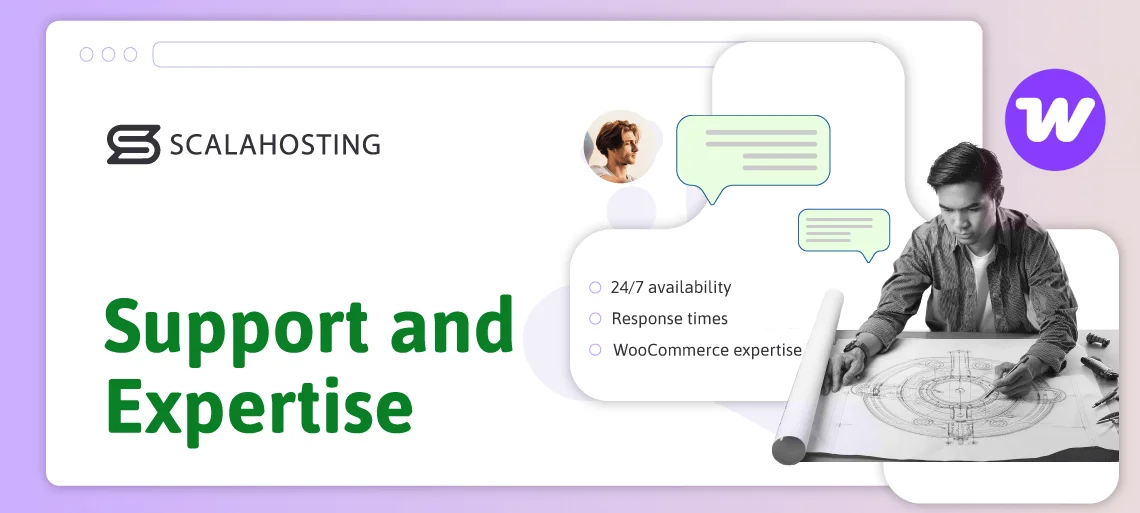
Even with the best hosting technology in the world, things can go wrong. When they do, an experienced and efficient support team can mean the difference between a minor hiccup and a full-blown outage.
Unfortunately, many hosting providers don’t pay enough attention to the quality of their technical support. Thanks to the AI craze and in their attempt to improve their profit margins, some hosts are even replacing real support agents with chatbots. Artificial intelligence has indeed come a long way, and what it can do now is nothing short of amazing.
However, do you prefer it over a technical support expert who has dealt with hundreds of WooCommerce-related issues and knows from experience how the platform works?
We thought so.
Here’s what to consider when searching for a WooCommerce hosting solution that offers high-quality technical support.
- 24/7 availability
Your ecommerce business doesn’t sleep, and neither should your hosting provider. Round-the-clock technical support ensures that, regardless of when you encounter an issue, you always have someone you can rely on. It has turned into an industry standard, and there’s no point even considering hosts who don’t offer it.
Live chat tends to be the most popular communication channel, with ticketing reserved for more complex technical issues. Some customers still prefer to speak to their provider over the phone, but potential language barriers, coupled with the need to convey a lot of information over a voice line, mean that it is generally considered a more dated and less efficient method.
- Response times
There’s no point in being able to contact your host and report a potential issue if they don’t do anything about it. The support agents you’re speaking to must be quick and responsive.
They must start investigating the problem as soon as you submit a ticket or open a live chat, and they should keep you posted on any progress during their troubleshooting process. If anything needs to be done on your end, their instructions should be clear and easy to understand.
Before signing up for a particular service, contact the host through a live chat or a ticket to see how quickly they respond to your inquiry. Customer reviews can also be a good indicator of the support team’s speed.
- Specialized WooCommerce expertise
An experienced host has dealt with hundreds of projects like yours. Over the years, it has had the opportunity to hone and optimize its troubleshooting process to provide the fastest and best resolution to all WooCommerce-related issues.
Its support agents understand the nuances of caching, database optimization, and plugin conflicts that affect the platform. Even when faced with a less common problem, they know where to look.
All this experience can also help the provider create the best possible hosting environment for WooCommerce, so it should not be overlooked.
How ScalaHosting Does It
We’ve been in the web hosting business since 2007. Over the years, we’ve learned how WooCommerce works, what website owners using the platform need, and how to ensure our hosting infrastructure provides them with a service that is both fast and reliable.
We also know that high-quality support makes the difference between a mere provider of infrastructure and a long-term partner invested in your success. That’s why our technical support team consists of highly trained professionals who are available 24/7 via live chat and tickets, and can address any issues that affect your WooCommerce store.
“Time is money” may be a cliche, but it stands true when it comes to ecommerce businesses, which is why we promise industry-leading response times to both chats and tickets. The investigation of any issue will start within 15 seconds of you opening a live chat, and we have the WooCommerce expertise to resolve it as quickly as possible.
You don’t even have to take our word for it. Online reviews boast a 98.9% customer satisfaction rating, demonstrating our commitment to the businesses operating on top of our hosting infrastructure.
| Factor # | How ScalaHosting covers it | How SPanel helps |
|---|---|---|
| 1. Performance & Speed | ScalaHosting emphasises high‑performance hardware (NVMe SSDs, fast CPUs), LiteSpeed or OpenLiteSpeed web server options, and VPS isolation so your store doesn’t suffer from noisy‑neighbours. | SPanel includes performance‑optimized stacking (e.g., one‑click switching to LiteSpeed, caching options) making your WooCommerce site faster with less manual tuning. |
| 2. Reliability, Scalability & Resources | The managed Cloud VPS plans allow you to pick guaranteed resources (CPU, RAM, storage) and scale when needed. ScalaHosting claims strong uptime and supports resource‑upgrades. | With SPanel, you get an easy interface for managing your server environment (adding websites, managing accounts, etc) and thus smoother scaling and management than traditional setups. |
| 3. Security & Ecommerce‑specific Support | ScalaHosting includes security features like daily offsite backups, free SSLs, malware protection (their “SShield” security), and support for ecommerce sites. | SPanel integrates security modules (SShield) right into the control panel so you can view and manage security easily (rather than installing siloed tools). |
| 4. Storage, Bandwidth & Resource Limits | Their VPS plans come with NVMe SSD storage, “unmetered” bandwidth (in many cases), and storage flexibility. | SPanel simplifies the management of storage and accounts so you can allocate and monitor your usage more transparently. Also, unlimited sites/accounts features in many plans. |
| 5. WooCommerce‑Friendly Features & Compatibility | ScalaHosting explicitly offers WooCommerce‑ready features (see their “WooCommerce hosting” page) and an environment that supports WordPress + WooCommerce well. | SPanel provides one‑click installers for WordPress, staging/cloning tools, easy PHP version switching, etc — all helpful for WooCommerce stores. |
| 6. Backup, Restore & Disaster Recovery | ScalaHosting includes daily backups, off‑site storage of backups, and free migrations in many cases. | Through SPanel, you can manage backups and restores in a more intuitive UI (instead of needing manual server‑level actions). This helps reduce downtime/risk. |
| 7. Support, Expertise & Service Level | Reviews highlight ScalaHosting’s strong 24/7 human support, quick response times, especially for VPS/managed plans. | Because SPanel is an in‑house system, support is more aligned and aware of the full stack (rather than “we manage the server, panel is separate”). That unified stack improves support effectiveness. |
| 8. Location, Data Centres & Global Reach | ScalaHosting has data centres (including one in Europe), which helps for European stores (important for you in Bulgaria/Europe). They also support CDN use. | SPanel integrates easily with CDNs and makes it easier for non‑technical store owners to enable such features without complex server‑admin work. |


Conclusion
Choosing the best WooCommerce hosting service is about so much more than finding a place for storing your site’s files and databases. It’s about establishing a foundation that supports your store’s performance and long-term growth.
A high-quality WooCommerce host gives you the tools, speed, and reliability necessary to deliver a flawless shopping experience, all while offering expert support and bulletproof security that protects your business every step of the way.
At ScalaHosting, our mission is to make the process completely seamless. From lightning-fast cloud infrastructure and unique security features to automated backups and an unmatched quality of customer service – we’ve built an environment that empowers your WooCommerce store to thrive and scale.
FAQ
Q: Does WooCommerce need hosting?
A: Yes. WooCommerce is a WordPress plugin, so to build a store using it, you need access to a WordPress-compatible server. A dedicated WooCommerce hosting plan provides an environment optimized to support your ecommerce business with the proper hardware resources, performance, and security, ensuring you can handle traffic, orders, and transactions smoothly.
Q: How much does WooCommerce hosting cost?
A: A serious WooCommerce business requires a proper cloud-based VPS solution. Prices typically start at around $20 per month and can go up into the three-figure range as you add hardware resources. The hosting bills you’ll be paying depend on your site’s traffic levels and complexity.
Q: Which hosting type is usually used for WooCommerce sites?
A: Most successful WooCommerce stores use advanced cloud VPS hosting solutions. They provide an isolated environment and guaranteed resources, giving you consistent performance and excellent security. They’re ideal for ecommerce projects that need impeccable uptime, quick page loads, and the flexibility to grow without site migrations or outages.