When you white-label SPanel, the people you host see your brand instead of ScalaHosting. This tour follows a client of a fictional reseller, Northwind Hosting, from the branded login page on the client’s own domain through the dashboard, email, files, and webmail.
Sava runs a six-person design studio in Budapest with about a dozen retainer clients. Each one gets a website, a few mailboxes, and the occasional “how do I reset my email password?” message.
For years, the answer meant sending a client off to a control panel that wore someone else’s name at someone else’s address. A few clients clicked that vendor’s name, found cheaper hosting, and asked questions Sava would rather avoid. So she moved the studio’s managed VPS to a branded SPanel.
This article shows what her clients see now, screen by screen.
What “fully branded” actually means
Most white-labeling guides show you the settings screen and stop there. The only side that decides whether branding worked is the client’s monitor.
Simply put, white-labeling a hosting panel means presenting it under your own company name, logo, and login URL, so the people who use it see your brand rather than the panel vendor’s.
In SPanel, three main things can showcase a brand: the company name, the logo, and the panel URL, which switches from the default /spanel to the neutral /hostpanel path. The owner sets all three in the Admin Interface, flips one switch, and SPanel rewrites the configuration across all hosted domains.
For the parts that live outside the panel, follow the complete white-label checklist for a branded hostname and nameservers too.
Branding is a free toolset on every ScalaHosting managed VPS, with no white-label surcharge and no per-account fee. In the wider control panel category, white-labeling is often a paid reseller tier.
One honest caveat: the login page, URL, and webmail entry carry your brand, but tools embedded in the experience keep their own product names, as on every panel.
A tour through your client’s eyes
Each step below is one screen of a Northwind Hosting client’s visit.
Demo flow
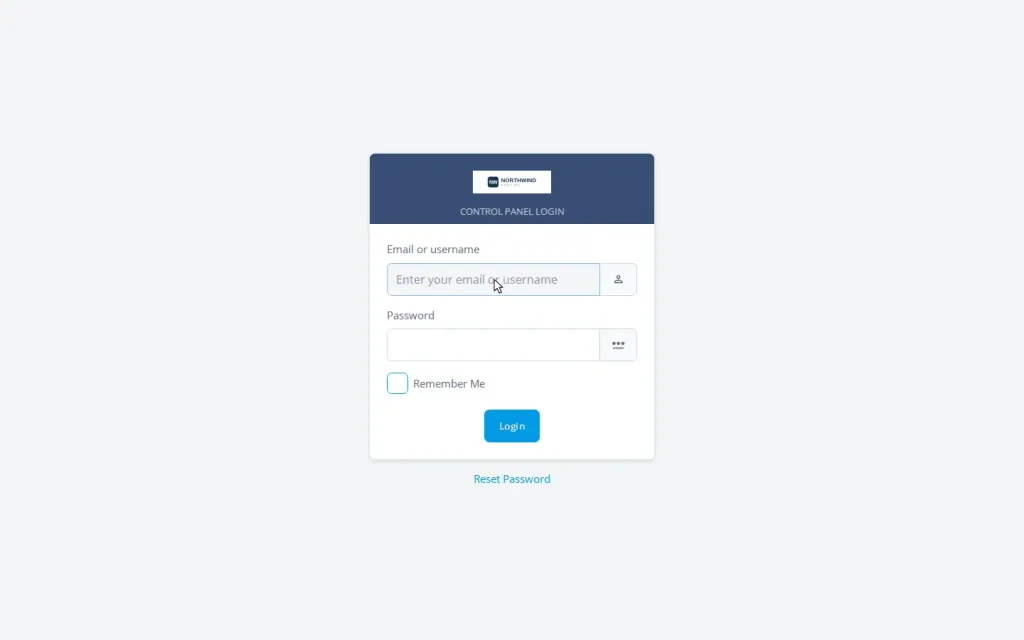
- The client opens their own domain at the branded path, northwind-client.example.com/hostpanel/login. The page shows the Northwind Hosting logo, no SPanel wordmark, and a URL that gives nothing away.
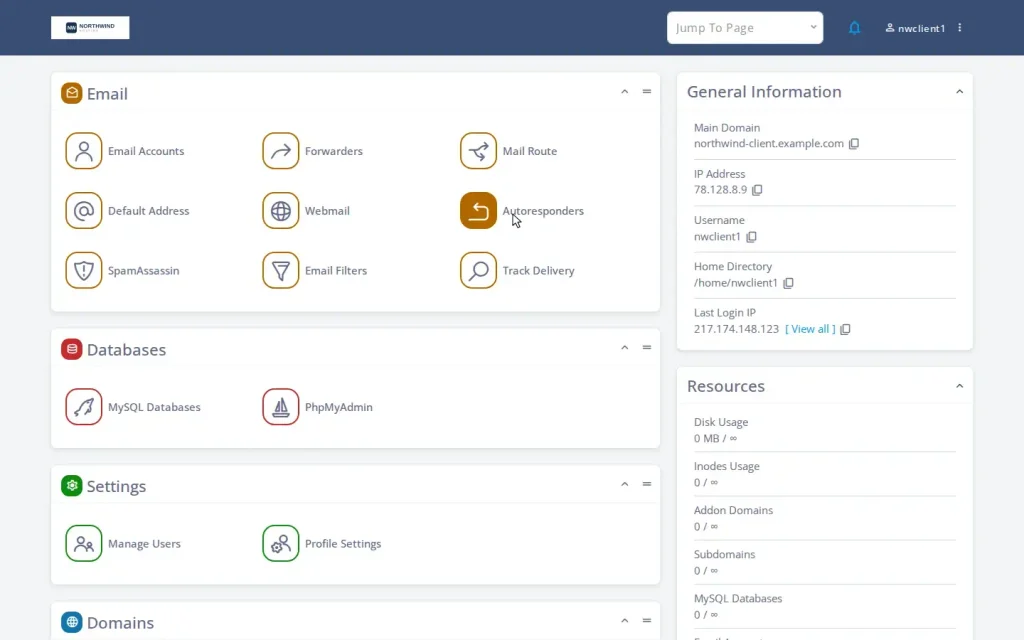
- After signing in, the client is taken to the User Interface dashboard. The Northwind logo sits in the header, and the tiles for email, files, databases, and domains are the same fast SPanel tools, now wearing the studio’s brand.
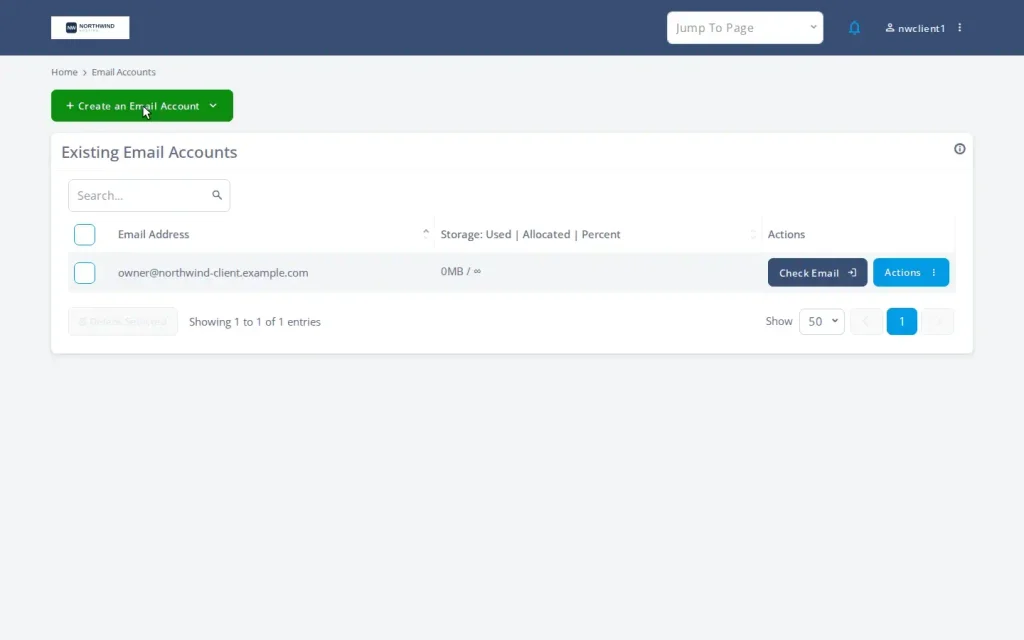
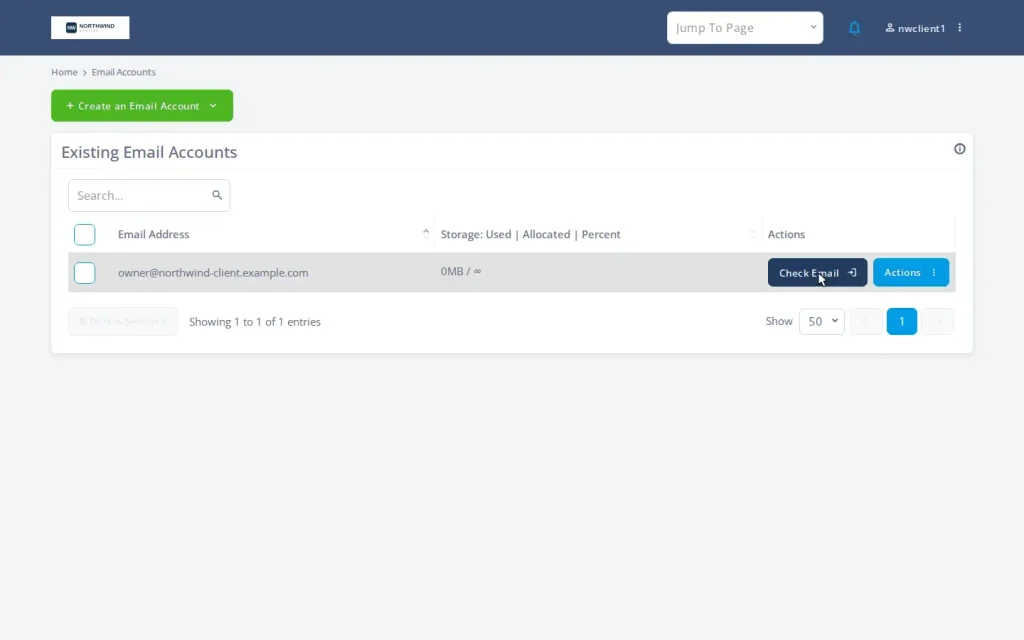
- The client opens Email Accounts to add a mailbox. This is the most common reason a client logs in, and it happens entirely within the branded panel.
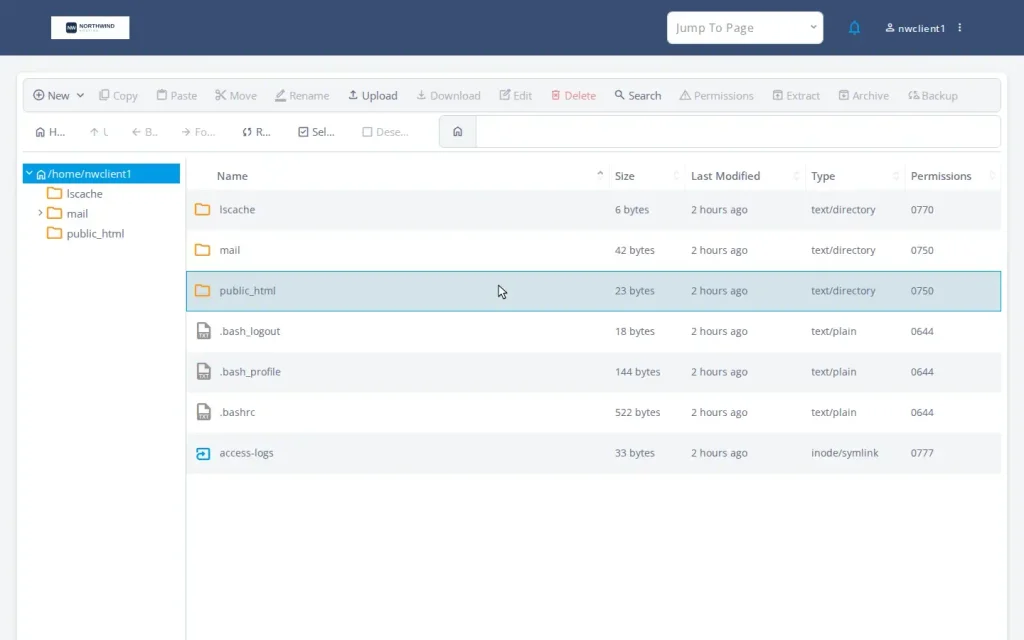
- From File Manager, the client edits website files without touching FTP. Same branding in the header, same neutral URL in the address bar.
- The client clicks the webmail entry point to check mail. SPanel rewrites this link to the branded path, so the round trip stays on your URL rather than a default address.
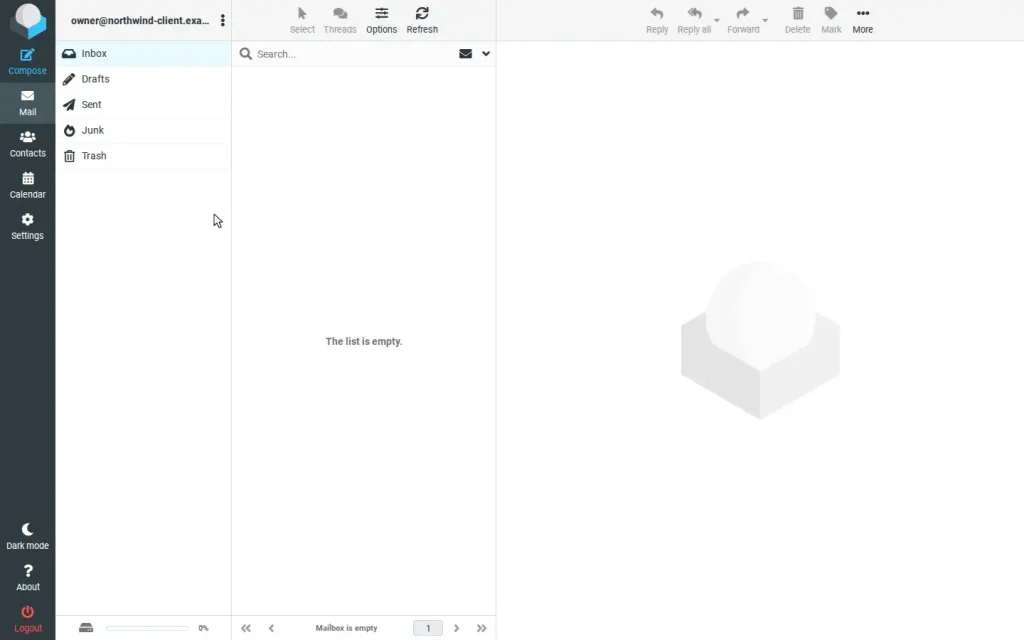
- Webmail opens. Here is the honest edge of branding: the webmail client shows its own interface, the way an email program does everywhere. The link that got the client here was branded, but the tool kept its name.
- The client returns to the dashboard. Logging out lands them back on the Northwind login page, not on a generic vendor screen.
At no point does the client encounter an unfamiliar server hostname or a panel vendor logo.
“Branding isn’t paint on top of the panel; every new domain we add writes your brand in from the first line of its configuration.”
See it from your client’s side. Every managed cloud VPS with ScalaHosting includes SPanel with white-label branding – set your name and logo, choose the /hostpanel login path, and walk these same screens yourself.
What stays branded, and what keeps its own name
This table sorts the client-facing surfaces, so you can set expectations honestly with your own clients.
| Client-facing surface | Under a branded SPanel | Under a typical default panel |
| Login page | Your logo and company name | The panel vendor’s logo |
| Login URL | The client’s own domain at /hostpanel | A shared host address |
| Dashboard chrome | Your brand in the header | The vendor’s brand |
| Webmail entry link | Follows your branded URL | Often points back to the vendor |
| Embedded tools (webmail, installers, phpMyAdmin) | Their own product names | Their own product names |
The cPanel ecosystem’s own support documentation states that its login page cannot be rebranded, which is why SPanel’s branded login at the client’s own domain is the difference clients actually notice. The Embedded Tools row is honest physics that applies to every panel, SPanel included.
This is why letting clients log in at their own domain matters: it’s the touchpoint clients see most, and the one default panels handle worst.
The settings behind the experience
Sava only did three things: set the company name to Northwind Hosting, uploaded the studio logo, and enabled branding from the Admin Interface. SPanel rewrote the configuration across every hosted domain and reloaded the web services. Every new client account automatically inherits the branding, and SPanel updates reassert it rather than reset it.
Two settings finish the picture beyond the panel:
- Server hostname on your own domain
- Branded nameservers.
The branded hostname and nameserver setup is the rest of the professional checklist.
For developers, the SPanel API endpoint follows the branded URL too, documented in the official SPanel API docs.
Why this is the show-don’t-tell version
Resellers lose clients when a client sees a name they did not expect and goes looking. That exact scenario is on ScalaHosting’s public feature board we call Cloud Democracy. On it, every SPanel user can suggest new panel functionalities. The most popular ones are promptly added in subsequent SPanel versions.
ScalaHosting powers more than 700,000 websites across 120+ countries, running managed hosting since 2007. This branded experience runs on that same infrastructure, at no extra cost on every managed VPS.
FAQ
Q: What does a client actually see when I white-label SPanel?
A: Your company name and logo on the login page, your brand in the dashboard header, and a login URL on their own domain at the /hostpanel path. They do not meet the SPanel or ScalaHosting name on those surfaces.
Q: Can my clients log in at their own domain?
A: Yes. Every hosted domain serves the branded login page, so a client whose site is client-site.com logs in at client-site.com/hostpanel/login. No shared server address appears in your instructions.
Q: Will my clients ever see the SPanel or ScalaHosting name?
A: Not on the panel identity, login page, login URL, or webmail entry. Embedded third-party tools keep their own names. For a fully vendor-free setup, also set a hostname on your own domain and use branded nameservers.
Q: Does the webmail screen show my brand too?
A: The link that opens webmail is branded and follows your URL. The webmail client itself shows its own interface, like any similar email program.
Q: Do I have to rebrand the panel for every new client?
A: No. New accounts, addon domains, and subdomains generate their configuration with branding already applied. You enable it once, and the server keeps it consistent.
Q: Is hiding the panel name a security feature?
A: Treat it as reduced fingerprinting, not security. Real protection comes from SShield and the hardening stack.
Q: Does branding cost extra?
A: No. It is included free with every ScalaHosting managed VPS, with no white-label surcharge and no per-account fee.
Q: Can I run two different brands on one server?
A: No. Branding is server-wide: one name, one logo, one path per server. Two distinct brands belong on two servers, which helps for a cleaner operation anyway.
See it on your own server
The fastest way to judge a branded client experience is to log in as your client would. Spin up a ScalaHosting managed VPS plan, set your name and logo, flip the branding switch, and walk the same seven screens.
As simple as 1-2-3.