SPanel‘s User Interface lets you create a sub-user for a team member and allow access only to the pages that person needs. You don’t need to give them full permissions. For email work, grant them access to the Email tools; for uploads, let them use the File Manager; for database debugging, the MySQL utilities. The sub-user logs in and sees nothing else. When the sub-user is no longer needed, it can be deleted easily.
Team Members and Permissions: A Real-World Scenario
Imagine a small business consisting of a few team members managing a hosting account. The office manager handles the mailboxes and forwarders. A freelance designer uploads product photos and images every now and then. At the same time, a developer regularly logs in to add new features, fix bugs, and optimize the site. Three people, three completely different jobs, and not one of them needs the keys to the whole account.
Handing all three the main SPanel login is not the best idea. The designer may delete a mailbox by accident, or the developer may wander into the DNS editor.
SPanel has the solution. You can create a sub-user for each person and grant access only to the pages their job requires. This guide walks all three cases using the exact SPanel labels.
What Is a Sub-User, and How Granular Is the Control?
A sub-user is an extra login to the SPanel User Interface, created by the account owner and granted an exact set of permissions. You have one account and as many sub-users as you need.
SPanel grants access page by page, not by a named role. When you add a sub-user, you get a permission grid grouped under category headings (Email, MySQL, User, Domain, File, Git, Tool, Software), and inside each sit individual tool checkboxes. You compose the exact set of utilities the sub-user can reach without compromising or relying on roles like “Editor” or “Billing Manager.” SPanel’s public API exposes the same structure, down to a call that lists the current permission pages so tooling never hard-codes them (see the SPanel API documentation).
How Do You Create a Limited Sub-User in SPanel?
The steps are pretty straightforward:
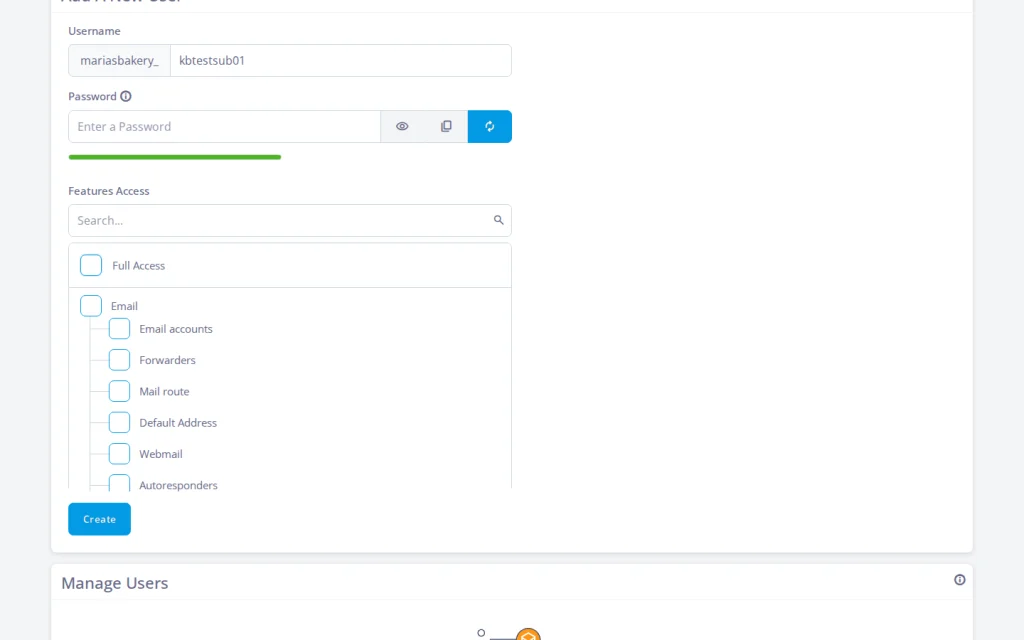
In the SPanel User Interface, click Manage Users under the Settings section. Then, click the Add User button.
Type a username (placeholder: subusername). The login is stored as <mainuser>_<subusername>. Usernames must be between 3 and 30 alphanumeric characters long, no hyphens.
Set a Password and repeat it. It must be at least eight characters, with at least one letter and one number. You can also use the built-in generator to create a truly strong, unique password.
By default, the Full Access checkbox is selected. Deselect it to decide what permissions the new sub-user will have.
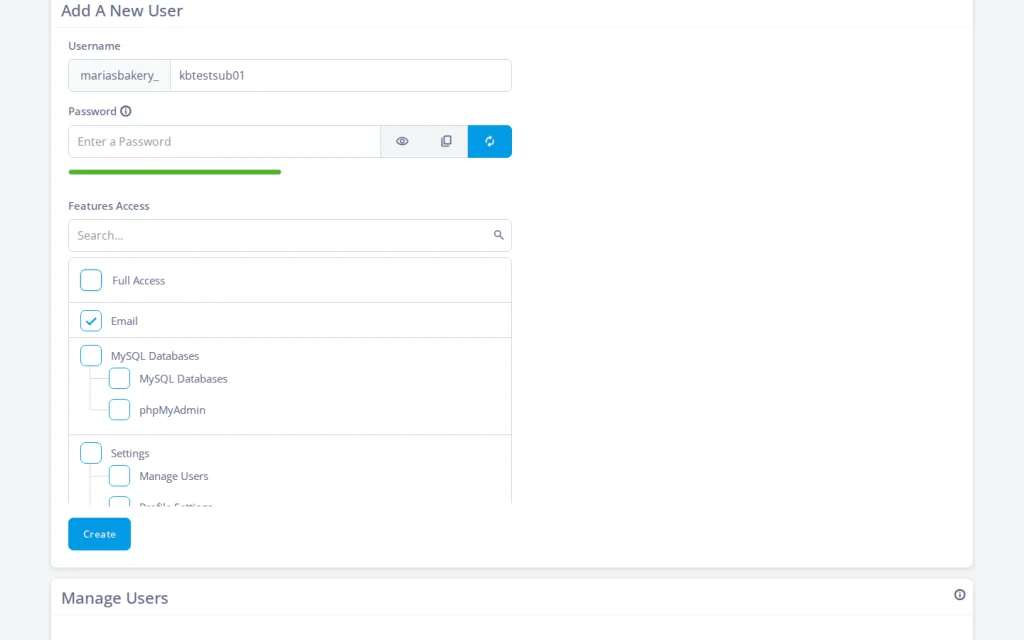
In the permission grid below, tick only the pages this person needs, then click Create.
The table below maps each person to what you tick; the sections after it spell out each category.
File Manager, FTP Accounts, Disk usage (Backups optional)
Developer (debugs a slow query)
MySQL and Files
MySQL Databases, phpMyAdmin File Manager and Backups (optional)
Email only: the office manager
Open the Email category and tick the pages the office manager will use. The full set is Email accounts, Forwarders, Mail route, Default Address, Webmail, Autoresponders, SpamAssassin, Email filters, and Track Delivery.
For most office managers, granting the whole Email category is often the right call: creating mailboxes, forwarders, spam filtering, and Webmail are all Email pages. Sometimes, you may want to leave things like spam protection to the technical experts, but almost every time, you should leave every other category untouched. That way, when the office manager logs in, SPanel’s homepage will display email tools and nothing else.
Files only: the designer
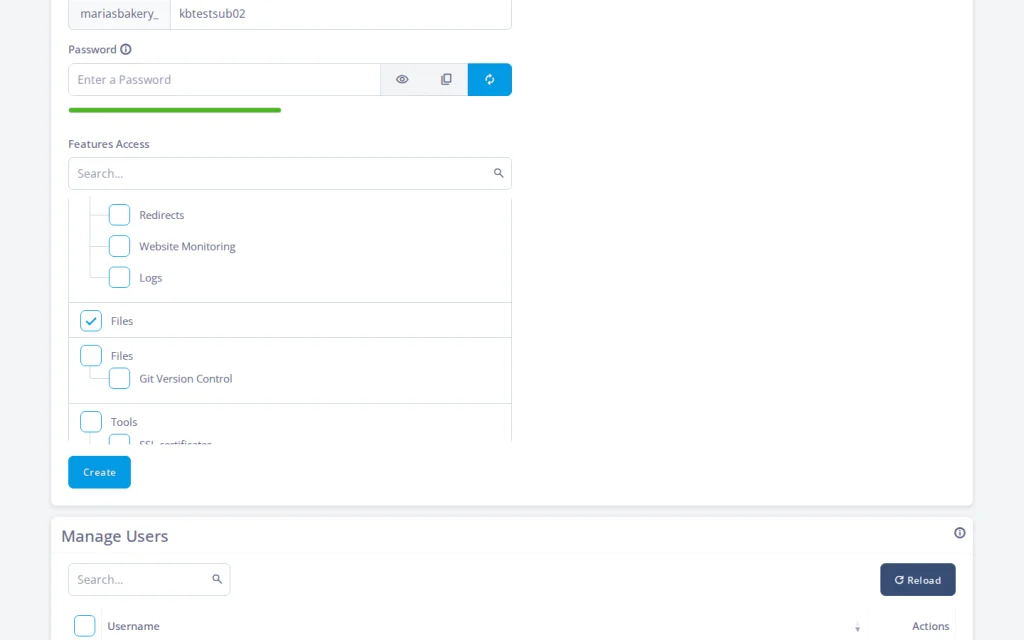
Open the File category. It holds four pages: File Manager, Backups, FTP Accounts, and Disk usage. A designer dropping in assets needs File Manager (browse and upload in the browser), FTP Accounts (an FTP login for an upload tool), and Disk usage (see how much storage is left). Leave Backups off unless you want them handling restores. That is the entire grant. The designer moves files around and never sees a mailbox or a database table.
Databases only: the developer
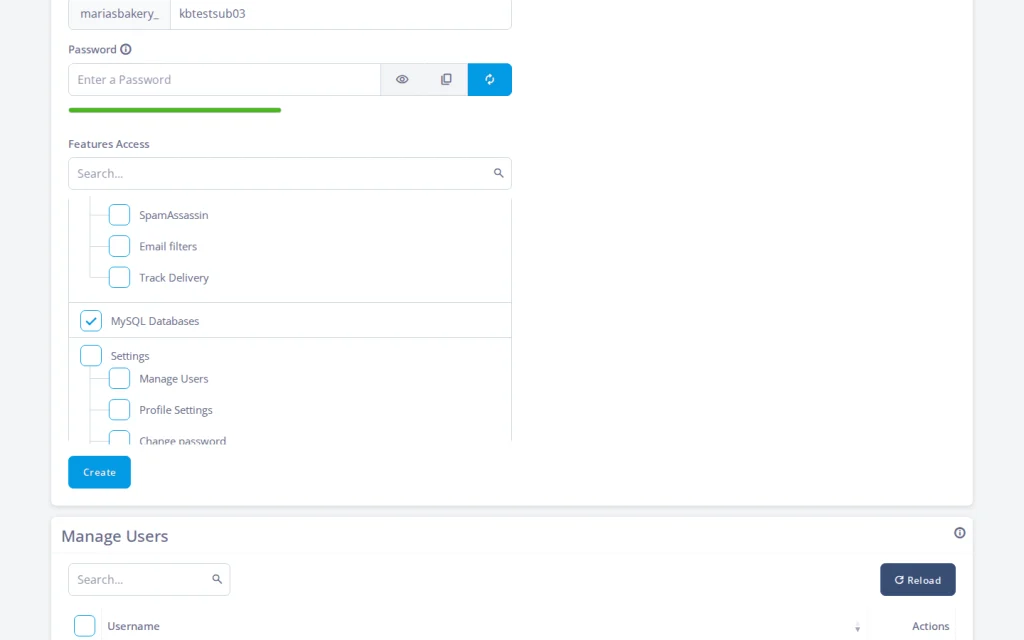
Open the MySQL category. It has two pages: MySQL Databases and phpMyAdmin. Tick both. The first lets the developer create databases and users and manage privileges; the second is phpMyAdmin, to run queries and read tables directly. Together that is everything needed to debug a slow query.
Depending on the project, the developer may also need the File Manager and Backups pages, plus the tools for installing software like WordPress (WordPress Manager or Softaculous).
When the project ends or a team member is no longer a part of it, delete the sub-user (each row has a Delete action). Their access is gone from the next login forward, and the rest of the account never changed.
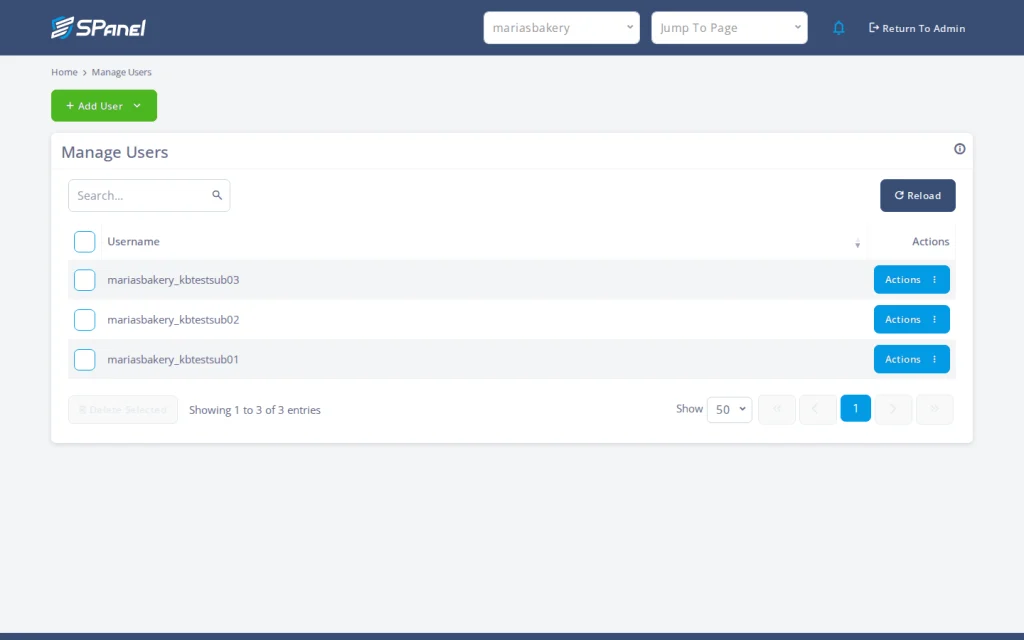
After creating all three, Manage Users lists them all, each with an Actions drop-down allowing you to change the password, edit privileges, or delete.
When to use a sub-user (and when not to)
Use a sub-user when you want to give a trusted person, such as a team member, contractor, or freelancer, scoped access to a few pages without handing over the main login. Use a separate hosting account instead when the person is untrusted or you need full isolation, because every sub-user still operates inside the same account.
SPanel vs. cPanel: How Sub-Account Permissions Compare
If you are coming from cPanel, the mental model shifts. cPanel’s sub-accounts historically lean on separate feature logins (email, FTP) rather than one sub-user login carrying a hand-picked set of pages.
The difference is structural: SPanel composes one scoped login out of individual pages. For the full feature-by-feature and cost comparison, see how SPanel compares to cPanel.
What Sub-User Permissions Don’t Do
Here are three honest limits, so nobody plans around a feature that isn’t there.
No named roles. SPanel gives you page-level grants, not a catalog of preset roles you assign by title. You get the granularity to build any role by hand.
No auto-expiring logins. A sub-user does not stop working on a schedule. When the project ends, you delete the sub-user deliberately; nothing removes them for you. (API tokens can carry an optional expiration date, but that is a token’s lifetime, not a login’s.)
Logs you can view, not erase. Actions in the interface are recorded, and those activity logs live centrally on SPanel’s control server, off your own hosting server. You can view the record, but you cannot delete it. This is a real accountability property (a log a sub-user can’t clear), but it is not a tamper-proof, exportable audit feed, and there’s no SIEM or syslog integration.
FAQ
Q:Can I limit a sub-user to only email in SPanel?
A: Yes. Add the user under Manage Users, leave Full Access off, and tick only the Email category pages (Email accounts, Forwarders, Webmail, and so on). They log in and see email tools only.
Q:How do I give a designer file access without the rest of the account?
A: Create a sub-user and grant only the File pages: File Manager, FTP Accounts, and Disk usage. Leave Backups off unless they need to restore data.
Q:Can a developer get database access without the full account?
A: Yes. Tick the MySQL category’s two pages, MySQL Databases and phpMyAdmin, and nothing else. That covers creating databases and running queries, with no reach into email, files, DNS, etc.
Q:Does SPanel have roles like “Editor” or “Admin”?
A: There are no named roles. Instead, you get per-user, page-level permission grants and compose the exact page set each person can reach. It’s the same control you’d use to build a role, applied one person at a time.
Q:How do I remove a sub-user’s access when the work is done?
A: Open Manage Users and click Delete on that sub-user’s row. From the next login attempt on, their credentials stop working, and nothing else on the account changes. You can also reopen a sub-user’s Edit Privileges later to add or remove pages.
Q:Can I do all of this through an API?
A: Yes. The full sub-user lifecycle (add, list, edit privileges, change password, delete) is available through SPanel’s public HTTP API, documented at spanel.io/docs, including bulk deletion by username array.
Conclusion
Scoped access is the kind of thing you set up in two minutes and benefit from for years. The office manager never trips over a database, the designer can’t touch DNS, and the developer’s login disappears the day the project closes. That is least privilege (give each person only what their job needs) made practical, and it’s a part of every SPanel server.
Working in the web hosting industry for over 13 years, Rado has inevitably got some insight into the industry. A digital marketer by education, Rado is always putting himself in the client's shoes, trying to see what's best for THEM first. A man of the fine detail, you can often find him spending 10+ minutes wondering over a missing comma or slightly skewed design.