
There are various ways you can identify your web hosting account’s server name. While most user-interface-based methods are similar, you can also use command-line access to retrieve this information. The latter method will require SSH access to your server.
Method 1. Determine Account Server Name Using SPanel
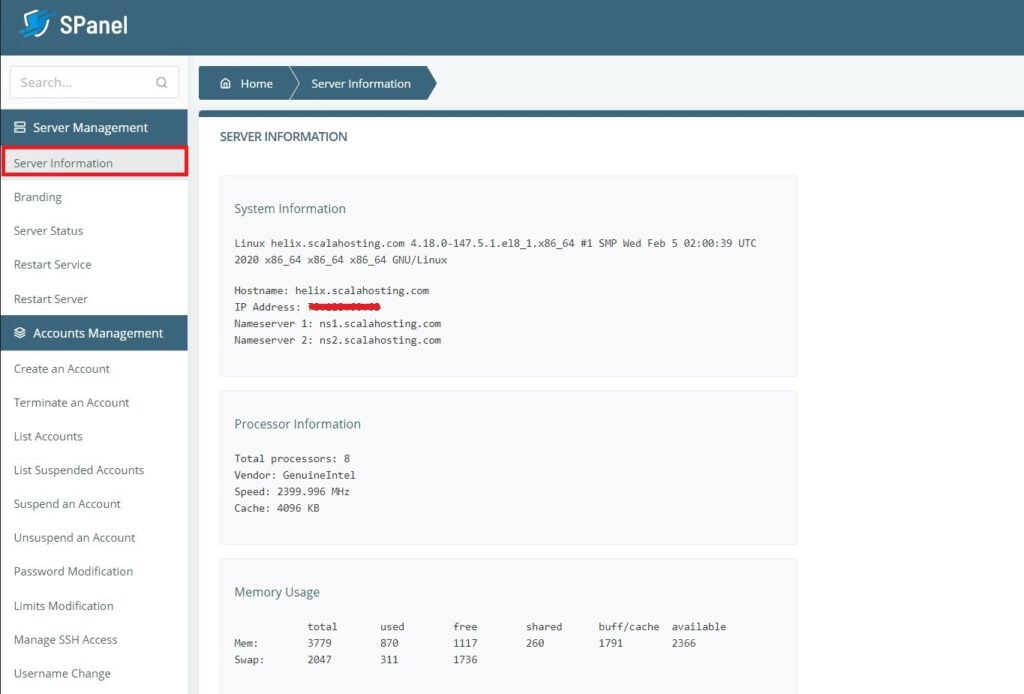
The easiest is by logging in to your SPanel account, then clicking on the “Server Information” link on the left-hand navigation bar. By doing so, you will see a complete summary of your server information on the display area to the right of the navigation bar.
Method 2. Determine Account Server Name Using cPanel
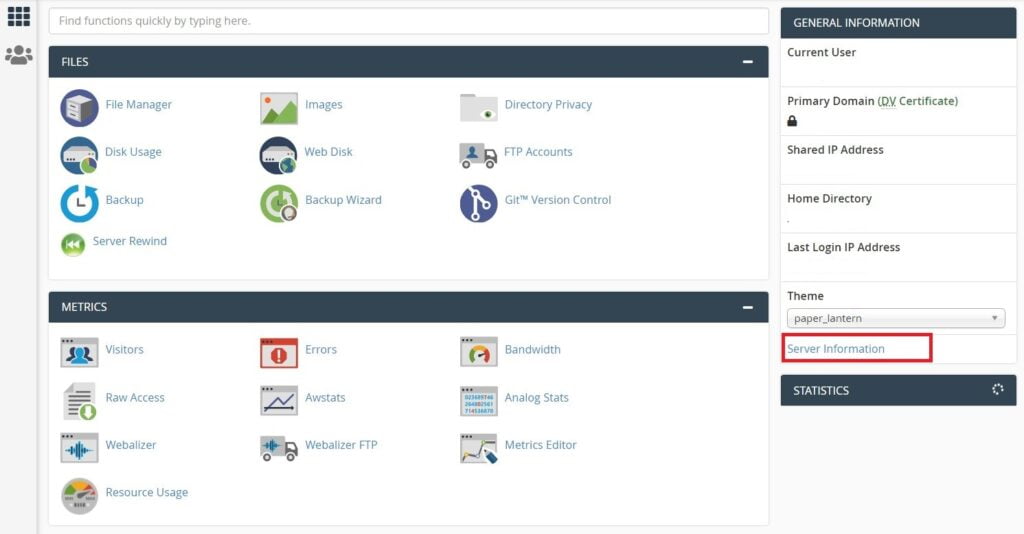
In the “General Information” display area on the right side of the screen, you will see a “Server Information” link. Click that link to open an information screen. Among the information displayed will be your server name.
Method 3. Determine Account Server Name Using SSH
One additional method will involve accessing your server via SSH. While this method may take a bit more time, it is generic to most web hosting services. Before you begin, ensure that you have SSH access to your web hosting server.
If you do not yet have SSH access, see our article “Connect to My Server with SSH.”
Once connected to your web server via SSH, it will behave like any Linux-based system. To identify your server name, simply type “hostname”. This command will display the complete name for your hosting server.
