
SPanel’s Git Version Control clones any public or private repository from GitHub, GitLab, Bitbucket, or a self-hosted server directly onto your VPS, then keeps it in sync so a git push becomes a live update.
You pick how it pulls: on a timed schedule, instantly through a webhook, or by hand. Add an executable .autodeploy script to the repository root, and SPanel runs your build steps after every pull.
The steps are simple:
- Connect over HTTPS or SSH from GitHub, GitLab, Bitbucket, or a self-hosted Git server.
- Choose automatic pulls every 3, 5, or 15 minutes, a webhook on push, or manual pulls.
- A .autodeploy script in the repository root runs your build commands after every pull.
- Failed automatic pulls trigger a panel notification and an email to your contact address.
- Removing a repository from tracking leaves its files on disk untouched.
Why this matters
Uploading code by FTP is slow and easy to get wrong. You have to drag a folder across, and if you miss just one file, the entire site breaks. For a team pushing changes daily, that manual step is a running tax on everyone’s time.
Git already knows what your code should be.
The gap most hosting setups leave open is the last hop – getting the exact committed state onto the server without a person watching it. SPanel’s Git Version Control closes that hop, so your repository stays the source of record, and the VPS follows it.
What most people get wrong
The common assumption is that “auto-deploy” means a full pipeline with test stages, image builds, and rollback buttons – heavier than most sites need.
That is not the case in SPanel.
Git Version Control is the lighter model as it syncs a branch and runs a script, not your unit tests.
Another mistake is treating a timed pull as instant. A three-minute interval can pass before the change appears; when you need near-immediate deployment, use the webhook method instead.
How it actually works
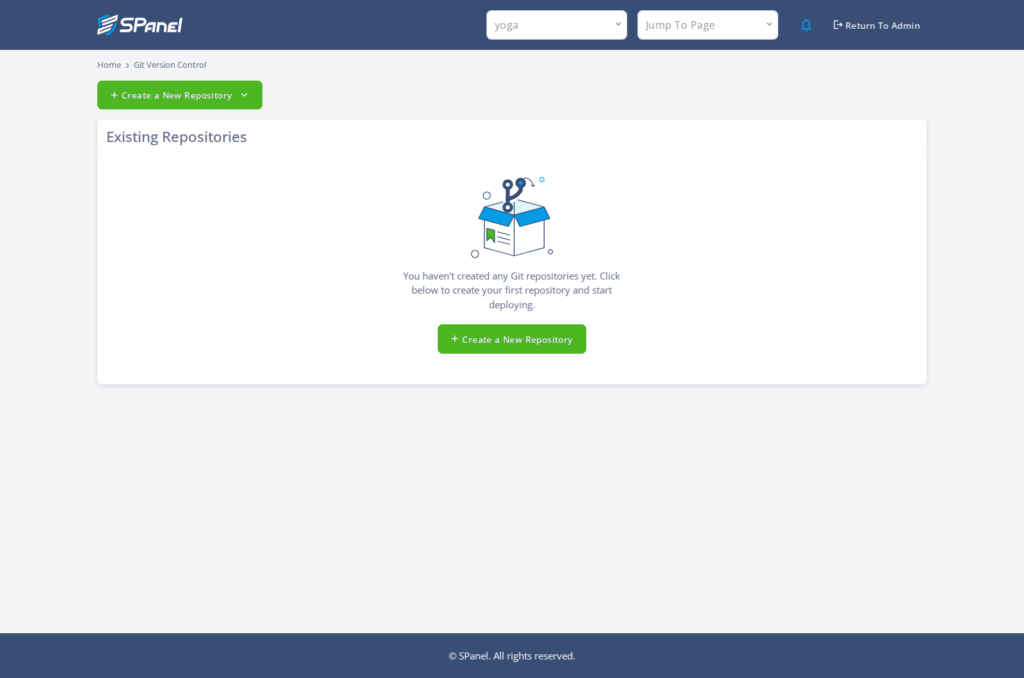
Inside SPanel, the feature lives at Git Version Control (Home > Git Version Control). Click Create a New Repository and a form will appear.
You give the checkout a Repository Name, set a Repository Path under your account home (with a Browse button), and choose a Repository Type of Public or Private.
You should then paste the Repository URL – an HTTPS or SSH address – and set the Branch, which defaults to main. Private repositories add two authentication fields, PAT Token and SSH Authentication.
The Automatic Pull & Deploy dropdown decides the sync behavior, with options Disabled, Every 3 minutes, Every 5 minutes, Every 15 minutes, and Webhook. Pick one, click Clone Repository, and SPanel fetches the branch into your path.
Deployment is driven by a script you control.
An on-screen callout titled Automatic Deployment gives the contract: create an executable file named .autodeploy in your repository root, starting with an interpreter line such as #!/bin/bash or #!/opt/remi/php84/root/usr/bin/php. After every pull, SPanel runs it.
Where SPanel is different
Plenty of control panels can clone a repository once. The difference here is that the sync method, deploy script, and failure handling sit together, included on every managed ScalaHosting VPS plan at no extra cost.
Failure handling is the part teams underrate.
When an automatic pull fails, SPanel sends a notification to your account’s contact email, then sends a recovery notice once pulls succeed again. You learn the sync broke early, instead of finding out because the site stopped updating.
Practical examples
Imagine this.
You have a small bakery site built as a static generator. As you have some technical experience, you commit a new menu, push to main, and your VPS pulls the change within minutes. Your .autodeploy script rebuilds the HTML, and the menu is live – no file transfer client involved.
A two-person agency works differently, though.
They connect a private PHP repository with a PAT Token, set the method to Webhook so pushes deploy quickly, and run composer install from a .autodeploy script. A staging branch on a second path lets them preview first.
Choosing a sync method
Each pull method trades immediacy against simplicity.
| Sync method | Timing after a push | Setup effort | Best for |
| Every 3 / 5 / 15 minutes | Up to the interval you pick | Lowest – one dropdown | Sites where a short delay is fine |
| Webhook | Near-immediate on push | Provider-side webhook setup | Frequent deploys that must appear fast |
| Manual (Disabled) | Only when you click Pull & Deploy | None | Cautious releases you trigger by hand |
The exact webhook endpoint and provider-side steps you paste into GitHub, GitLab, or Bitbucket are Product confirmation required.
Limitations and trade-offs
This new feature syncs and runs a script. It is not a full continuous-integration system. It does not run automated tests, gate deploys on their results, build container images, or keep a rollback history. If you need test gates or artifact registries, pair Git Version Control with a dedicated build service and let SPanel handle only the final checkout.
There is no per-plan limit on repository count or size, but you should always check your plan before cloning large histories. And because a .autodeploy script runs real commands on your server, a bad script can break a running site – test it on a non-production checkout first.
Recommended workflow
Start with a manual or timed pull while you confirm the checkout lands where you expect. The Existing Repositories list shows each repository’s Name, Path, URL, Status, and Branches, with row actions for Pull & Deploy, Log, and Remove.
Once a manual Pull & Deploy runs cleanly, switch to a timed interval or a webhook. Keep production on main and preview work on a separate branch and path. Remove takes a repository out of the list without deleting its files, so a mistaken removal costs nothing on disk. You can rebuild your database through the Database Server Manager without disturbing it.
Demo flow
- Open Git Version Control in the SPanel user area (breadcrumb Home > Git Version Control).
- Click Create a New Repository to open the “Create A New Repository” form.
- Enter a Repository Name and set the Repository Path, using Browse if needed.
- Choose the Repository Type – Public or Private. A private repository needs a PAT Token or SSH Authentication.
- Paste the Repository URL and set the Branch (default main).
- Pick an Automatic Pull & Deploy option: Disabled, Every 3 minutes, Every 5 minutes, Every 15 minutes, or Webhook.
- Click Clone Repository to fetch the branch into your path.
- On Existing Repositories, use Pull & Deploy, Log, or Remove as needed.
FAQ
Q: Which Git providers does SPanel support?
A: Git Version Control clones from GitHub, GitLab, Bitbucket, and self-hosted Git servers. You connect with an HTTPS or SSH repository URL through the same Create a New Repository form, so switching providers means no new workflow. Private repositories authenticate with a PAT Token or SSH Authentication.
Q: How fast does a change go live after I push?
A: It depends on the pull method you chose. A timed interval of Every 3 minutes, Every 5 minutes, or Every 15 minutes means the change appears within that window. The Webhook option pulls on push for near-immediate deployment, while manual mode waits until you click Pull & Deploy yourself.
Q: What does the .autodeploy script do?
A: .autodeploy is an executable file in your repository root. After every pull, SPanel runs it, which is where your build steps go – installing dependencies, compiling assets, or restarting a process. It must begin with an interpreter line such as #!/bin/bash.
Q: Will removing a repository delete my files?
A: No. The Remove action takes a repository out of the tracked Existing Repositories list, but it leaves the checked-out files in place on your VPS. That makes removal safe when you only want to stop syncing. To delete the files too, remove the directory through your account’s file tools.
Q: What happens if an automatic pull fails?
A: SPanel raises a notification and emails your account’s contact address when an automatic pull fails, so a broken sync does not pass unnoticed. When pulls succeed again, it sends a recovery notice. You can also open the repository’s Log action to read the most recent output.
Q: Is this a replacement for a full CI/CD pipeline?
A: Not entirely. Git Version Control syncs a branch and runs your .autodeploy script; it does not run test suites, gate deploys on test results, or build container images. For those stages, keep a dedicated build service and let SPanel handle the final step onto the server.
