

ON THIS PAGE
SPanel’s white-label branding is one switch in the Admin Interface, but it rewrites configuration across every web server the panel supports: Apache behind Nginx, and OpenLiteSpeed.
Enabling it moves the panel to the neutral /hostpanel path on every hosted domain, updates the webmail entry links, and reloads the web services. New domains inherit the branding, and SPanel updates reassert it. White-label branding is included for free on every ScalaHosting managed VPS.
A reseller who never re-applies anything
Here is a hypothetical scenario.
Tomas runs a 40-client reseller business out of Tallinn. Most of his clients never think about who supplies the hardware, exactly how he wants it. The panel they log into shows his company name, carries his logo, and answers at their own domain.
What Tomas never sees is the part that holds it together: every time he adds a client and every time SPanel updates, the branded login has to be re-stamped into the web server configuration – and he has never re-applied it by hand.
That reliability is the unglamorous engineering work behind a single toggle.
What the branding toggle actually does
When you enable branding from the SPanel Admin Interface, you set three things: your company name in the “Enter Your Brand” field, your logo under “Custom logo“, and the branded state itself – chosen under “Login URL” as either the default /spanel or the neutral /hostpanel. From there, SPanel does the mechanical work.
To put it simply, the branding toggle rewrites the web server configuration that routes panel traffic on every hosted domain, so the panel answers at the neutral /hostpanel path instead of the default /spanel path.
That rewrite is the whole story.
The panel does not move to a different server or port; the same backend answers. What changes is the public path the web server hands those requests to, plus the name and logo shown once you see the page. The login page, the webmail entry links, and the API endpoint all follow the branded /hostpanel path, which says nothing about which panel runs underneath.
Three web servers, one switch
Here is where the word “toggle” undersells the work.
SPanel servers do not all run the same web stack. Some run Apache with Nginx in front of it as a reverse proxy – a front-line web server that receives each request and forwards it to the right backend; others run OpenLiteSpeed, a separate high-performance web server that handles the request directly.
That is three distinct web server programs, each with its own configuration format, and branding has to speak all three dialects so a reseller never has to know which one their server runs.
| What the toggle rewrites | Apache + Nginx stack | OpenLiteSpeed stack |
| Panel routing path | Virtual host and proxy rules updated to /hostpanel | Virtual host config updated to /hostpanel |
| Per-domain coverage | Every hosted domain’s vhost rewritten | Every hosted domain’s vhost rewritten |
| Webmail entry links | Login and logout links repointed | Login and logout links repointed |
| Going live | Web services reloaded automatically | Web services reloaded automatically |
From the Admin Interface you see one confirmation.
Underneath, SPanel has rewritten every domain’s configuration, recorded the branded state, and reloaded the web services – without you opening a config file or restarting a service.
Planning your own white-label setup? The mechanics matter more than the logo upload. Enable branding on a managed VPS, add a second hosted domain, and watch the panel serve both at your brand’s /hostpanel login, nothing left to re-apply.
Why new domains inherit branding
A branding setting that only applies to the domains present when you flip it is a trap. You would enable branding on Monday, add three client domains on Tuesday, and quietly ship them the default /spanel login. SPanel avoids that by treating branding as a property the server checks, not a one-time action it performs.
Every code path that writes a fresh web server configuration consults the branded state first. New account creation, adding an addon domain, adding a subdomain, changing an account’s main domain – each one generates its virtual host with the branded path already in place. You enable branding once, and the server keeps every future domain consistent with it.
That is the difference between a branding setting and a branding system, and it is why your clients always log in at their own domain without you lifting a finger.
Because the branded state is server-wide, one server carries one brand. If you want to manage two brands, that means two servers, which is cleaner anyway.
Why an update doesn’t strip your brand
Anyone who has customized software has been burned by an update that quietly resets it. SPanel’s updater is branding-aware. When it regenerates configuration, it reasserts the branded path in everything it touches, including the webmail login and logout links. There is no post-update checklist, and no clients staring at /spanel while you notice and fix it.
One more surface follows the brand: the API endpoint.
With branding enabled, SPanel’s API answers at the branded path too, so integrations address the same neutral URL the panel uses. That behavior is in the official SPanel API documentation, which matters for resellers wiring the panel into a billing system.
A branding feature you have to babysit isn’t a feature. Its real job is staying true after every new domain and every update.
This is where SPanel diverges from the wider category.
Per cPanel’s own documentation, that panel’s login page cannot be rebranded at all. SPanel makes the login page the centerpiece of the brand and moves it with one switch. For the full set of places a provider’s name can leak, the complete white-label checklist is the reference to keep open.
Demo flow
Steps to reproduce this on a demo SPanel server:
- Log into the Admin Interface and open the branding screen (Server Management → Branding). Set “Enter Your Brand” to your business name and upload your logo under “Custom logo“.
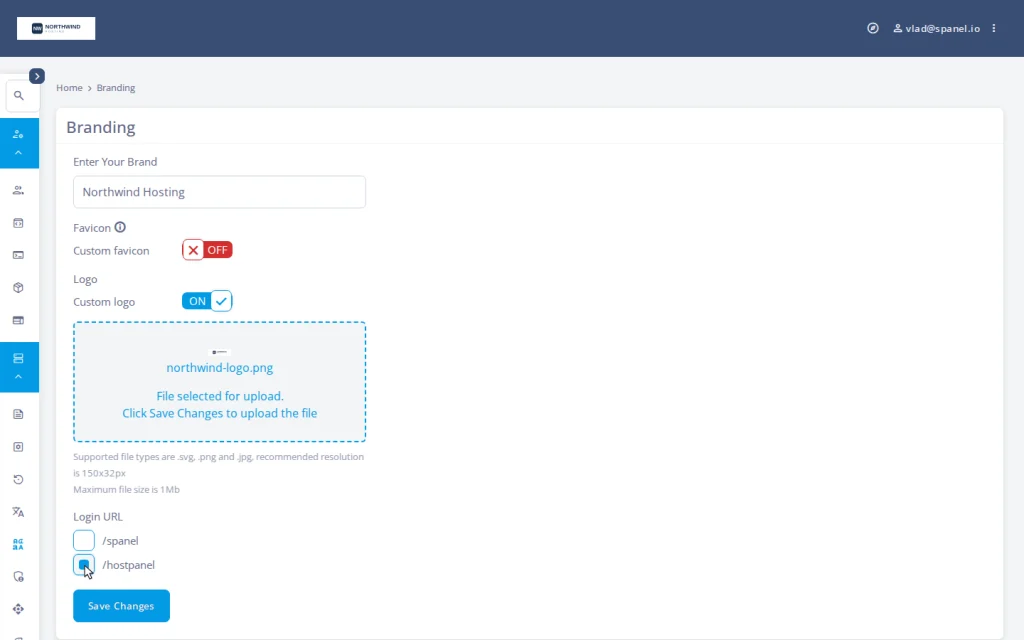
- Under “Login URL“, select the neutral /hostpanel path and click Save Changes. SPanel rewrites the configuration for every hosted domain and reloads the web services.
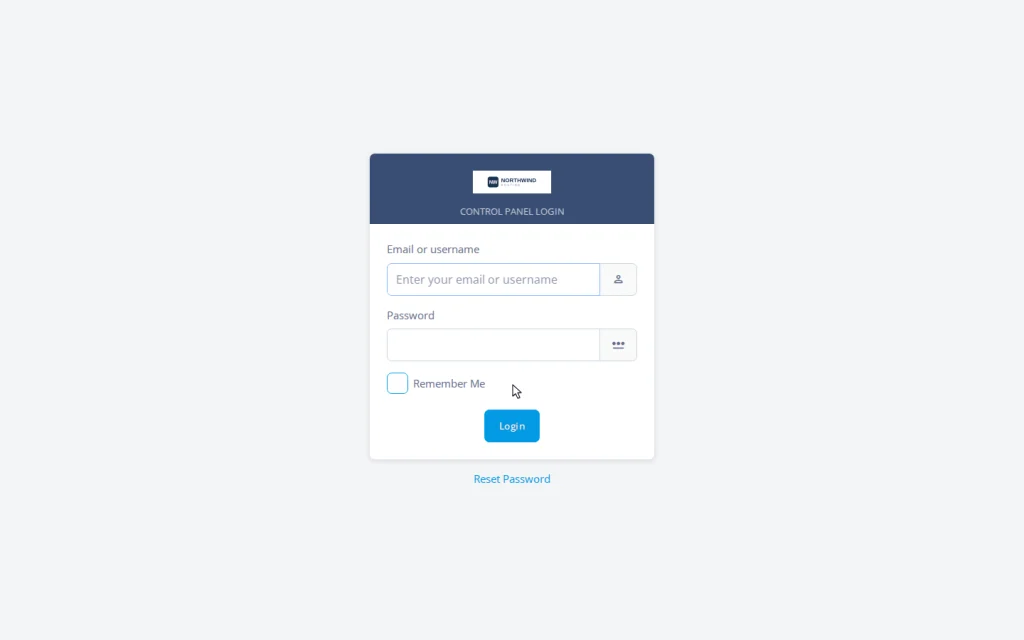
- Open a hosted client domain at the branded login path to confirm the panel answers there under the new brand.
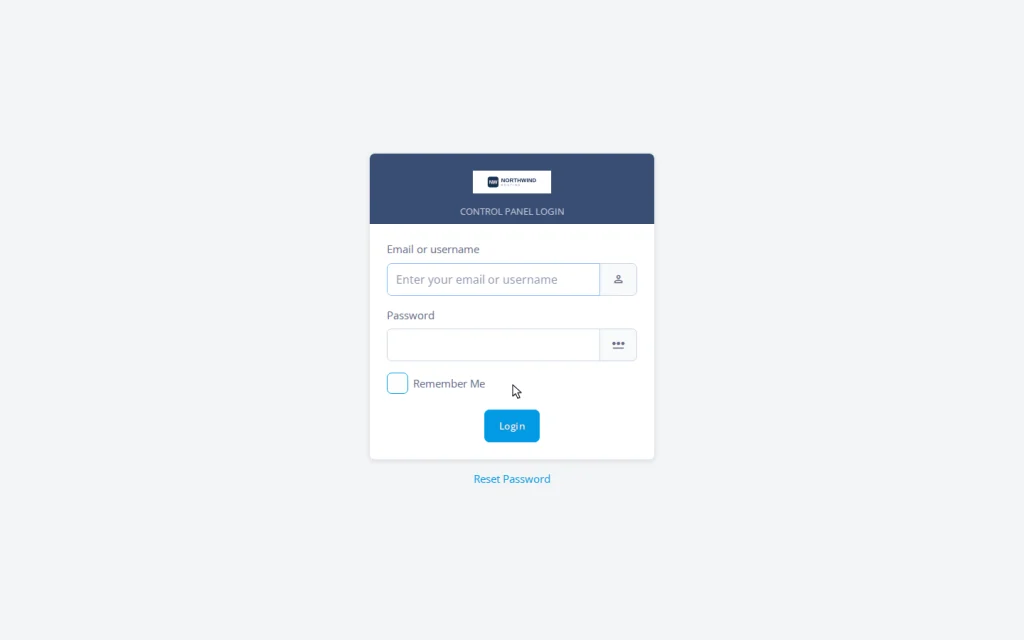
- Open a second hosted domain and visit its branded login. The new domain serves the branded page with no extra step, demonstrating inheritance.
See it on a real server
Branding is included free on every ScalaHosting managed VPS, with no per-account fee. SPanel runs the infrastructure behind over 700,000 websites across 120+ countries (ScalaHosting), for a company in business since 2007.
If there is a branding behavior you wish SPanel handled differently, the Cloud Democracy board at features.spanel.io is where resellers vote on it.
Frequently asked questions
Q: What exactly does the branding toggle change on the server?
A: It rewrites the configuration that routes panel traffic on every hosted domain, switching the panel from /spanel to the neutral /hostpanel path, and repoints the webmail entry links and the API endpoint to match.
Q: Does it work the same on Apache and OpenLiteSpeed servers?
A: Yes. The toggle writes the correct configuration for whichever stack the server runs, so the result is identical from the reseller’s side.
Q: Do I have to re-apply branding when I add a new client domain?
A: No. New accounts, addon domains, and subdomains generate their configuration with the branded path already applied. You only need to enable it once.
Q: Will an SPanel update reset my branding?
A: No. The updater reasserts the branded path in the configuration it regenerates, including the webmail login and logout links.
Q: Can I set a completely custom login path like /mybrand?
A: No. The “Login URL” setting on the branding screen offers two choices – the default /spanel or the neutral /hostpanel – not an arbitrary custom path. The neutral /hostpanel reveals nothing about the panel software and is inherited by every new domain.
Q: Does hiding the /spanel path make my server more secure?
A: Treat it as reduced casual fingerprinting, not security. It removes the most obvious signal of which panel runs the server, but a determined party can still identify it. SPanel’s real protection is SShield.
Q: Does the API use the branded path too?
A: Yes. With branding enabled, the SPanel API endpoint follows the branded URL, so your integrations address the same neutral path as the panel.
Q: Can one server show two different brands?
A: No. Branding is server-wide: one company name, one logo, one path per server. To run two brands, run them on two servers.