Backblaze B2 Object Lock stores backups on a write-once-read-many (WORM) basis: once SPanel uploads a file into a locked bucket, nothing can delete or change it until its retention period runs out. B2 is a built-in SPanel backup destination, and its storage runs well under $10 per terabyte per month, a fraction of S3’s price. You enable the lock and a default retention period in Backblaze, then point SPanel at the bucket.
Why the cheap copy is the one that has to survive
Ransomware operators learned long ago that the backup, not the website, is the real prize. A 2024 Sophos study of 2,974 organizations hit by ransomware found attackers went after backups in 94% of incidents and succeeded in 57% of those attempts. Median recovery cost $3 million with compromised backups versus $375,000 with intact ones. An attacker who can delete your last good copy sets the ransom; one who can’t is bluffing.
Offsite copies are the line item small businesses cut first, which is why B2 matters here. At the time of writing, B2 storage starts at $6 per terabyte per month, the first 10 GB are free, and downloads are free up to three times your average monthly storage. A server keeping 50 GB of locked backup history pays about 30 cents a month to be impossible to extort.
Two SPanel facts frame the rest. B2 is one of four destinations a SPanel server can run at once, next to local disk, a remote server, and Amazon S3 or any S3-compatible provider, and the whole backup system ships free with every ScalaHosting managed VPS. SShield, SPanel’s security layer, already blocks 99.998% of attacks in real time; the locked bucket is just additional security.
What SPanel adds on top of raw B2
Backblaze B2 on its own is storage, nothing more. Getting backups into it, and back out when you need them, is normally your problem: you install and configure rclone, generate and rotate application keys, write the retention logic, and add lifecycle rules to clear expired versions. When disaster hits, you also restore by hand.
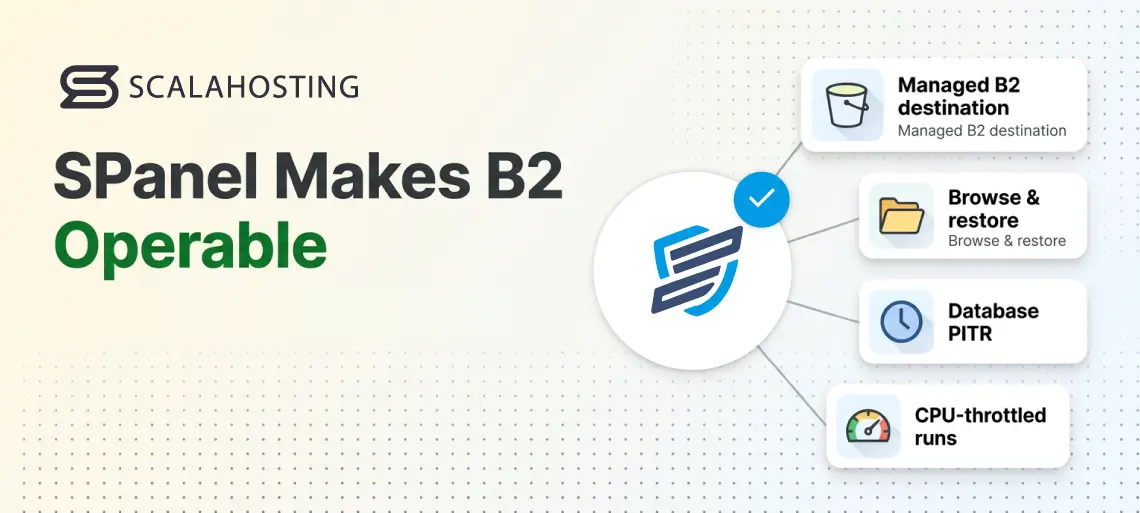
SPanel does that work for you. Your technical team wires B2 in as a managed destination, and from then on the bucket behaves like every other backup target in the panel. B2 restore points sit in the same browse-and-restore flow as your local and remote copies, so recovering a full account or a single file is the same short task whatever the destination. Database point-in-time recovery syncs to the bucket automatically, backup runs are CPU-throttled so live sites stay responsive, and one schedule governs all four destinations at once. The result is cheap offsite storage that is actually operable, not a heap of objects you have to build your own tooling around.
What B2 Object Lock actually does
Object Lock is a bucket-level B2 feature enforcing WORM storage: write once, read many. Per Backblaze’s documentation, files can be locked for 1 to 3,000 days, and the lock holds across both the B2 Native API and the S3-Compatible API, covering SPanel’s uploads either way. Four ideas carry it.
Default retention. A bucket-wide rule: every new upload is locked automatically for a set number of days, counted from its upload timestamp. For scheduled backups, this rule does all the work.
Compliance mode. The strict variant. Retention settings in compliance mode cannot be removed by any user. Retention dates can be extended, never shortened.
Governance mode. The rehearsal variant. Locks can be modified or overridden, but only by clients holding special application key capabilities that your backup key will never carry.
Legal hold. A per-file freeze with no expiry date. Built for litigation, not backup rotation.
Governance mode
Compliance mode
Delete before retention expires?
Only with special app key capabilities
No one
Shorten the retention period?
Yes, with those capabilities
Never; dates can only be extended
Best for
Testing your configuration
Production ransomware protection
B2 simply refuses any attempt to delete or overwrite a locked version before its retention date. For a closer look at the two modes, see our guide to Object Lock compliance vs governance mode.
What it costs next to Amazon S3
SPanel treats Amazon S3 and Backblaze B2 as separate first-class destinations, and both providers offer Object Lock, so the choice is mostly economics. List prices at the time of writing, per Backblaze and AWS:
Backblaze B2
Amazon S3 Standard
Storage, per TB per month
$6
About $23 ($0.023/GB, first 50 TB)
Downloads
Free up to 3x average monthly storage, then $0.01/GB
Billed per GB
Minimum storage duration
None
None on the Standard tier
Neither provider charges separately for Object Lock itself; the cost is the storage that locked versions occupy until retention lapses, which on raw storage makes B2 less than a third of S3 Standard’s price. For the AWS version of this setup, see our guide to ransomware-proof SPanel backups with S3 Object Lock.
Choosing between B2 and S3. For pure ransomware-proof offsite backup, both deliver the same WORM guarantee, so the decision is economics and ecosystem. Choose B2 when cost is the priority and restores are occasional, since its storage runs a fraction of S3’s and egress is free up to three times what you store. Choose S3 when you need AWS-region proximity, or you already run infrastructure there and want backups beside it. For most small businesses protecting a few servers, B2 is the cheaper path to the same immutability.
Where the lock lives (and why SPanel doesn’t hold the key)
There is no immutability switch inside SPanel. The lock is a property of the bucket, enforced on Backblaze’s infrastructure; SPanel’s role is delivery. The application key on your server can write backups, while the lock rules answer only to your Backblaze login, which belongs behind two-factor authentication. Even an attacker with root access on the server holds credentials that add backups but never subtract them.
Part 1: Prepare the locked bucket in Backblaze
These steps happen in the Backblaze web console, following Backblaze’s Object Lock guide as written at the time of writing.
Step 1 – Create the bucket and enable Object Lock. Create a private bucket for backups, or reuse one. On the Buckets page, click Object Lock: Disabled on that bucket and select Enable Object Lock on this bucket. The lock can be switched on at creation or added later, with two caveats from the docs: not available on restricted buckets or buckets configured for replication, and permanent once enabled.
Step 2 – Set the default retention period. Click Object Lock: Enabled on the same bucket, enter the number of days, from 1 to 3,000, and save. Order matters: Backblaze notes that until a default retention period is set, new files are not yet immutable. From this point, every backup SPanel uploads is sealed for your chosen window.
Thirty days is a sensible starting point for most small businesses. The console flow asks only for a number of days; to pin the retention mode explicitly, governance for rehearsal or compliance for production, both of B2’s APIs accept the mode as part of the default retention configuration.
Step 3 – Create a scoped application key. Generate an application key restricted to this one bucket, with just enough capability to list, read, and write files, and nothing that manages retention or bypasses governance locks. The key lives on your server, so assume an attacker will eventually read it; with the lock in place, that worst case is an anticlimax.
Part 2: Point SPanel at the bucket
With the locked bucket and its scoped application key ready in Backblaze, the SPanel side is what delivers backups into it on schedule. SPanel does not currently expose a self-service screen for adding a Backblaze B2 destination, so if you want to use B2, contact ScalaHosting’s technical team and they will set it up for you.
Send them the key ID, application key, and bucket name from Part 1. They install the rclone transfer tool on the server if it isn’t already there, verify the credentials by listing your buckets so any mistake surfaces at setup rather than mid-disaster, and set the retention schedule you want.
That schedule is worth thinking through before you reach out. Each SPanel destination carries its own retention plan across hourly, daily, weekly, and monthly tiers, each with its own count of how many to keep. The table below is a good example of what a budget-friendly backup policy can look like for a business:
Tier
When it runs
Keep
Daily
Every night
Two weeks
Weekly
Every Sunday
Six weeks
Monthly
The 1st of each month
Six months
Keep a local destination running too: local restores are fastest for everyday accidents; the locked B2 copy is for disasters. SPanel runs each destination independently, throttles backup CPU so production sites stay responsive, and can ship database point-in-time recovery archives (snapshots as often as every five minutes) to the same offsite destination.
Worst-case scenario and how a Backblaze B2 backup helps
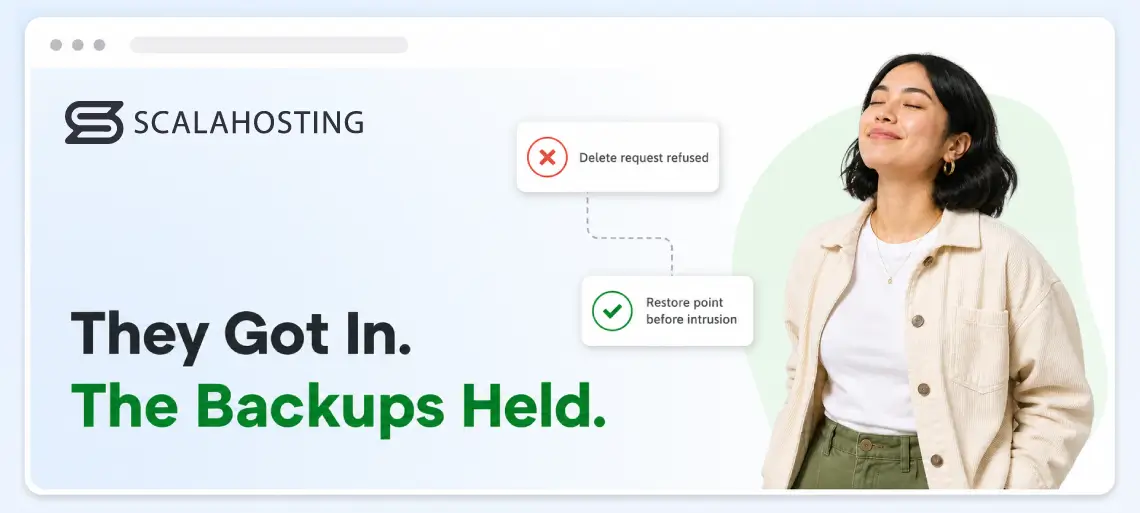
Stolen admin credentials, sites encrypted, local backups wiped, and then the attacker finds the B2 key in the server’s configuration. Here the script breaks: every request to delete or overwrite a locked version comes back refused, because the retention rule lives in your Backblaze account, and nothing on the machine can shorten it.
When you kick the attacker out, you browse the B2 restore points, pick one dated before the intrusion, and restore a full account or individual files; a database can be restored under a different name first to compare last week’s tables with today’s.
SPanel’s full-server disaster rebuild reads from local or remote-server backups, not directly from B2. If the server is a total loss and the bucket holds the only copy, seed a remote backup server from the bucket first, then run the full restore against that. Slower path, same data.
Limitations and costs to plan for
You pay for every locked day. Each version persists, and bills, for its full retention window no matter what SPanel’s rotation does. Size the lock window and the keep counts together, and add a lifecycle rule to clear versions once their locks lapse. At these prices, oversizing is a cheap mistake, but still a mistake.
The lock has no off switch. Enabling Object Lock on a bucket is permanent, and compliance-mode retention cannot be cut short by anyone. Rehearse with a short window before committing to a long one.
A locked copy of malware is still malware. A backup taken while an infection sat unnoticed preserves it perfectly. The countermeasure is history: keep enough restore points to reach back before the compromise.
Immutability is recovery, not prevention. Object Lock makes recovery certain; it stops nothing at the front door. SShield, updates, and strong passwords still carry the prevention load.
The schedule is server-wide. SPanel’s backup schedule covers every account on the server, with per-account and per-database exclusions available, so retention planning happens at the server level.
Before you rely on it
Start with a rehearsal bucket: a 1-day retention window costs nearly nothing to test.
After the first backup lands, try to delete it in the Backblaze console. The refusal is the product working.
Restore one file and one database through SPanel to prove the return path.
Set your production window and confirm the retention mode is the one you intend.
Add the lifecycle rule for expired versions, then check storage spend against the window once a quarter.
FAQ
Q:Does SPanel support Backblaze B2 Object Lock?
A: Yes. B2 is a built-in SPanel backup destination, and the lock is a bucket property Backblaze enforces on everything SPanel uploads. No SPanel-side setting is needed: lock the bucket, connect it, and every backup arrives immutable.
Q:Can ransomware delete my B2 backups if it steals the key from my server?
A: Not while retention is active. B2 refuses deletion and modification of locked versions no matter which credentials ask, and a compliance-mode lock cannot be removed by any user.
Q:What does immutable backup storage actually cost on B2?
A: At the time of writing, $6 per terabyte per month, with the first 10 GB free and downloads free up to three times your average monthly storage. Locked versions bill until their retention lapses, so the window length is a cost dial too.
Q:Should the default retention use governance or compliance mode?
A: Rehearse in governance mode, which special application key capabilities can still override, then run production in compliance mode, which no user can remove early. The trade-off is rigidity: a compliance lock outlives every mistake made while setting it.
Q:What retention period should I set?
A: B2 accepts 1 to 3,000 days. Thirty days covers the usual gap between compromise and discovery. Regulated industries often need far longer. Windows can be extended later; compliance windows can never be shortened.
Q:Is B2’s Object Lock as strong as Amazon S3’s?
A: The guarantee is the same WORM contract: locked versions cannot be deleted or altered until retention expires, and compliance locks cannot be removed by any user on either platform. The differences are price and packaging, not protection; choose on economics.
The cheapest insurance a website can buy
Every ScalaHosting managed VPS includes SPanel’s complete backup, restore, and disaster recovery system at no added cost. Add one locked Backblaze bucket for a few dollars a terabyte, and the next crew that comes hunting for your backups finds copies it cannot touch, attached to a business with no reason to pay.