ON THIS PAGE
After the cPanel Authentication Bypass CVE: Why Your Control Panel Login Method Matters

TL;DR
An authentication bypass in a hosting control panel lets someone reach an account or admin area without valid credentials, which makes your control panel login method a real security threat, not a cosmetic preference. SPanel’s login page supports a password, Google or GitHub sign-in, and passwordless passkeys, with time-based two-factor authentication still available. Passkeys are phishing-resistant because there is no shared secret on the server to steal or replay, so a stronger login method shrinks the damage when a password leaks.
- Authentication bypass is a recurring class of control-panel flaw – plan for “when,” not “if.”
- SPanel offers password login, Continue with Google, Continue with GitHub, and Login with Passkey, alongside TOTP (Time-based One-Time Password).
- Passkeys use public-key cryptography, so nothing reusable is stored server-side to grab.
- OAuth moves credential handling to Google or GitHub, where you enforce strong account protection.
- No login method patches a server-side bypass on its own; updates and monitoring still matter.
Why an Authentication Bypass Matters For You
When a control panel ships an authentication bypass, the login form stops being the front door and becomes a side window left unlatched. Authentication bypass is a documented category of flaw in hosting panels, and it keeps returning because a panel sits on a wide attack surface, with billing, DNS, email, and files all behind one login.
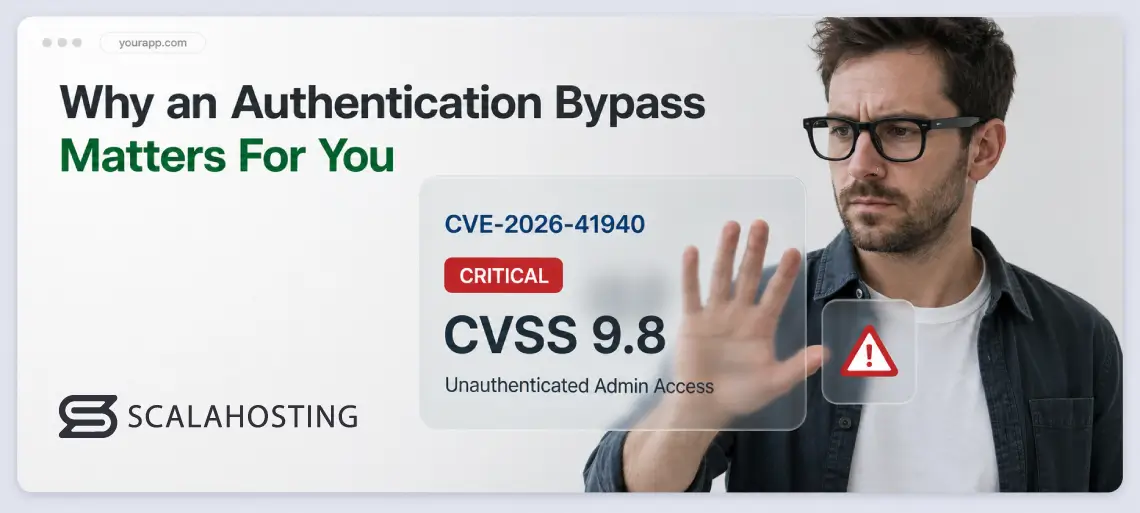
The most recent reminder is CVE-2026-41940, a critical authentication bypass in cPanel and WHM that cPanel patched on April 28, 2026. It carries a CVSS score of 9.8, affects cPanel and WHM versions after 11.40 (and WP Squared), and allows an unauthenticated attacker to access the panel with full administrative access. The U.S. CISA added it to its Known Exploited Vulnerabilities catalog after confirming active exploitation in the wild, and researchers traced exploit attempts back to late February 2026, months before the fix shipped.
The lesson holds regardless of the identifier: one bug in the code that checks “are you really logged in?” can undo a careful setup. The real question becomes not “is my panel patched?” but “if my password leaks, how far does that get an attacker?” – and your control panel login method answers that.
What Most People Get Wrong About Authentication Bypasses
The common mistake is treating “the panel had a CVE” as a reason to panic about one product, then relaxing once the patch lands. Patching fixes the last bug, not the next one; the habit worth building is reducing what a single stolen credential is worth.
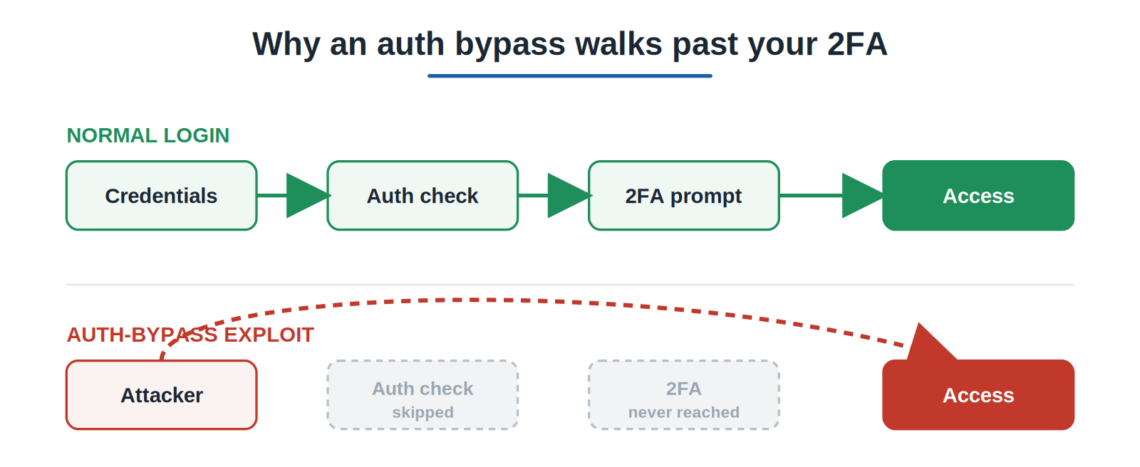
Another misread is that people assume two-factor authentication makes the login method irrelevant. It does help, and SPanel keeps TOTP two-factor available, but many bypass flaws skip the authentication check altogether. This means the code never reaches the step where your second factor is requested.
CVE-2026-41940 worked exactly this way, manipulating the session file before the login was ever validated. A phishing page can also relay a typed TOTP code in real time, the exact trick passkeys defeat.
How the Three Login Methods Work
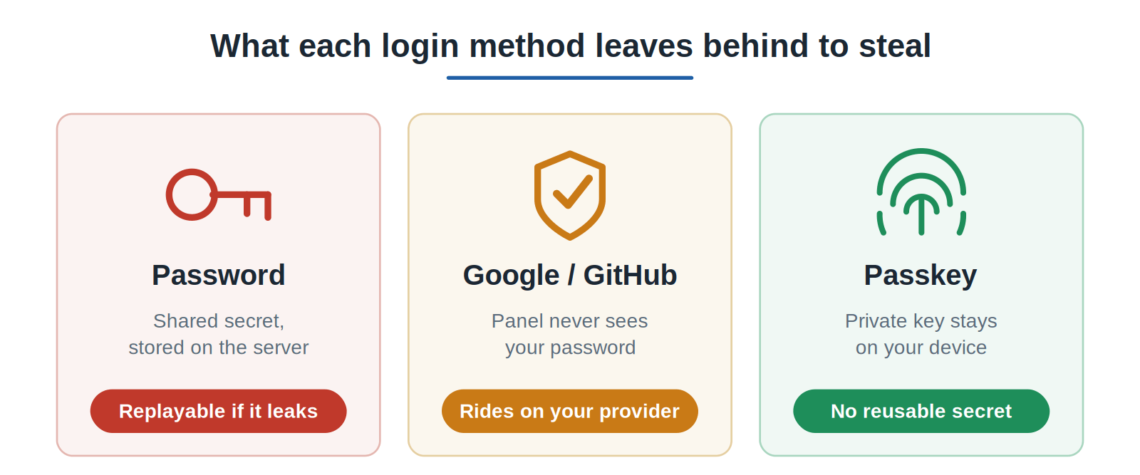
The three methods differ in what the doorkeeper checks.
A password is a word anyone who overhears it can repeat.
OAuth is a pass issued by an office you already trust, which the panel verifies with that office, so the panel never sees your provider password. A passkey answers a one-time puzzle only your private key can solve, so no reusable secret changes hands.
Passkeys use WebAuthn, the browser standard behind Touch ID, Face ID, Windows Hello, and hardware security keys. Because the private key never leaves your device and the response is tied to the real site’s origin, a phishing domain cannot collect anything worth replaying.
Where SPanel Makes a Difference
SPanel puts your login choices on one screen.
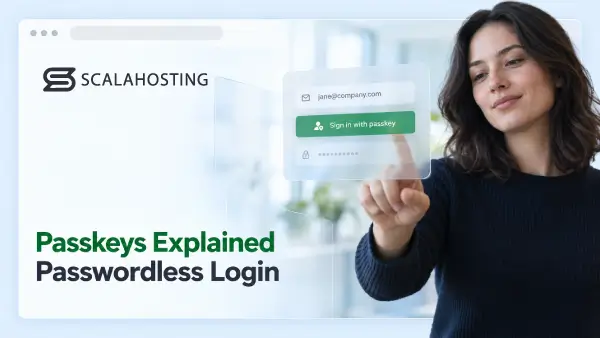
Its login page (/spanel/login) shows the familiar Email or username and Password fields, a Remember Me checkbox, plus a Login button. Below a divider reading “or,” three buttons appear in order: Continue with Google, Continue with GitHub, and Login with Passkey, with a Reset Password link under the card.
You pick the method that fits your preferences.
SPanel is a free control panel, developed by ScalaHosting, available on every managed cloud VPS plan. It is currently responsible for the easy management of more than 700,000 websites in over 120 countries. And because SPanel is ScalaHosting’s own control panel on a separate codebase, a cPanel-specific flaw like CVE-2026-41940 does not apply to it. Still, you have to keep in mind that no panel is immune to its own bugs, which is exactly why login choice and prompt patching both matter.
Practical Examples
Kevin runs a small jewelry site and reuses one password across a few tools; if one of them leaks its database, her panel password is suddenly for sale. Moving her to Login with Passkey means that even if a password is leaked, it no longer opens her hosting account.
An agency managing forty client sites worries about turnover instead. Routing logins through Continue with Google lets it enforce hardware-key two-factor and instant offboarding inside Google Workspace, so a departing contractor loses panel access the moment their Google account is disabled.
Enrolling a passkey is a one-time step: from your account’s security settings inside SPanel, you register a device so its public key is stored against your account, and from then on a fingerprint, face scan, PIN, or hardware key signs you in.
Comparing the Login Methods
Here is how the methods compare on what actually matters when a credential leaks.
| Login method | Shared secret stored? | Phishing-resistant? | Outside provider needed? | Best fit |
|---|---|---|---|---|
| Password only | Yes (hashed) | No | No | Simple, low-risk accounts |
| Password + TOTP two-factor | Yes | Partly – a relayed code can be phished | No | A solid default upgrade |
| Google / GitHub (OAuth) | No panel password | Depends on the provider | Yes | Teams on Google or GitHub |
| Login with Passkey (WebAuthn) | No | Yes – origin-bound | No | Anyone wanting the strongest factor |
Limitations and Trade-Offs
Be clear about what a login method does not fix.
It cannot patch a server-side authentication bypass; only the vendor’s update does that, so keep the panel current. Passkeys tie a login to a device, so losing every enrolled device without a backup can lock you out – keep a recovery path in reserve.
OAuth trades one dependency for another: if your Google or GitHub account is compromised or unreachable, your panel access also becomes exposed.
Which methods you can require or restrict for a team depends on your panel’s security settings, so check what your setup allows before standardizing on one. And remember – none of these methods replaces backups, least-privilege access, or monitoring.
Recommended Workflow for Passwords
Upgrade the weakest thing first, then work through it in order:
- Add two-factor today. If you are on a password alone, turn on TOTP two-factor now – a real gain for just minutes of setup.
- Pick a primary method by team shape. A solo operator or small business gains most from a passkey, while a team inside Google Workspace or a GitHub organization gets faster onboarding and offboarding from OAuth.
- Keep one independent fallback. A lost phone should never leave you stranded, so keep a second enrolled method or a recovery path.
- Treat patching as routine, not reactive. The next control-panel bypass will land on someone; the aim is to make sure one stolen secret is not enough to walk in.
The next auth-bypass headline is a matter of when, not if, and the fix is not one product – it is making a stolen password worth less. See how SPanel bundles password, OAuth, and passkey login with real-time protection on ScalaHosting’s managed VPS plans.

Supercharge Your Business with an All-inclusive Fully Managed Cloud
Free, Effortless & No-Downtime Migration
Anytime Unconditional Money-back Guarantee
Full Scalability & 24/7 Expert Cloud Support
FAQ
Q: What Is a Control Panel Authentication Bypass?
A: Control Panel Authentication Bypass is a class of vulnerability in which an attacker gains access to an authenticated area without valid credentials, typically by exploiting a flaw in the code that verifies the login state. Because a hosting control panel governs files, email, DNS, and databases behind one login, a bypass can expose everything at once – which is why patching promptly and limiting each credential’s value both matter.
Q: Was SPanel Affected by the cPanel CVE (CVE-2026-41940)?
A: No. CVE-2026-41940 is a flaw in cPanel and WHM (and WP Squared), which are separate products from SPanel. SPanel is ScalaHosting’s own control panel, built in-house on a different codebase, so this specific cPanel vulnerability does not apply to it. No control panel is immune to its own bugs, though, which is why SPanel pairs a choice of stronger login methods with prompt updates and real-time monitoring.
Q: Does Two-Factor Authentication Stop an Authentication Bypass?
A: Not always. Two-factor authentication strengthens a password login, and SPanel keeps TOTP two-factor available, but many bypass flaws skip the authentication check entirely, so the code never reaches the point of asking for a second factor. It is worth enabling, but it is a layer on top of your login method, not a replacement for one that has fewer reusable secrets.
Q: Are Passkeys Really More Secure Than a Strong Password?
A: For most account-takeover risks, yes. A passkey uses public-key cryptography, so the server stores only a public key and there is no shared secret to leak, replay, or brute-force. The login is bound to the real site’s origin, which prevents lookalike phishing pages from collecting any usable data. A strong password helps, but it stays a reusable secret a breach can capture.
Q: What Login Options Does SPanel Offer?
A: SPanel’s login page supports the standard Email or username and Password fields with a Remember Me option, plus three buttons: Continue with Google, Continue with GitHub, and Login with Passkey. Passkeys use WebAuthn (Touch ID, Face ID, Windows Hello, or a hardware key), and TOTP two-factor authentication remains available too.
Q: Should I Use Google or GitHub Login for My Hosting Panel?
A: It depends on your team. OAuth through Google or GitHub means the panel never stores your provider password, and you manage access centrally – useful for teams already running Google Workspace or a GitHub organization, since disabling a person’s account revokes panel access. The trade-off is a dependency: if that provider account is compromised or down, your panel access is affected.
Q: How Do I Enroll a Passkey in SPanel?
A: Enroll it once from your account’s security settings inside SPanel: register a device so its public key is stored against your account. After that, the device authenticates you with a fingerprint, face scan, PIN, or hardware key, and nothing reusable is sent to or kept on the server.