Passkeys Explained: Why Passwordless Login Beats Every Password

A passkey is a cryptographic login credential stored on your device that replaces the password entirely. Instead of typing a shared secret, you sign in with Touch ID, Face ID, Windows Hello, or a hardware security key, so no password crosses the network. SPanel supports this through the Login with Passkey option available on the login page.
Here’s a rundown of what you need to know:
- Passkeys use public-key cryptography (the WebAuthn standard), so the server stores nothing an attacker can replay.
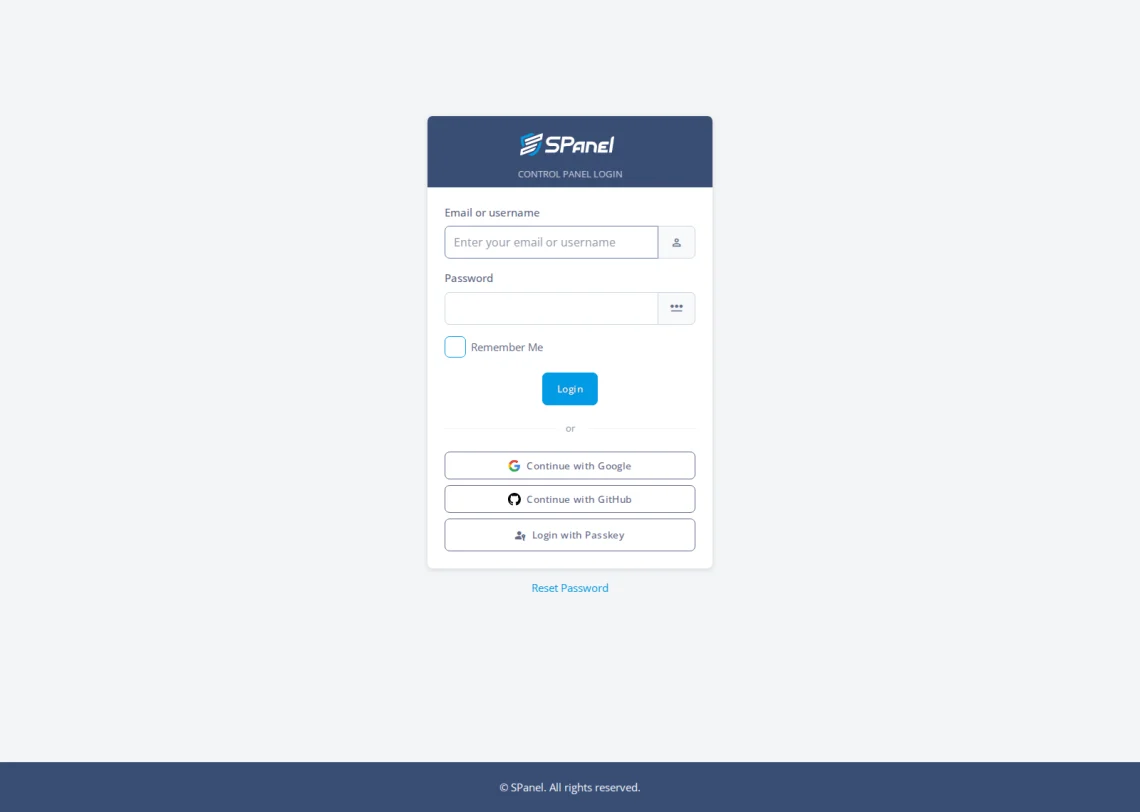
- SPanel’s login page adds three choices beyond email and password: Continue with Google, Continue with GitHub, and Login with Passkey.
- A phishing page cannot harvest a passkey, because it is bound to the real site’s domain.
- Existing TOTP two-factor authentication still works alongside these options; passkeys change how account recovery is planned.
Why Would You Prefer to Use a Passkey
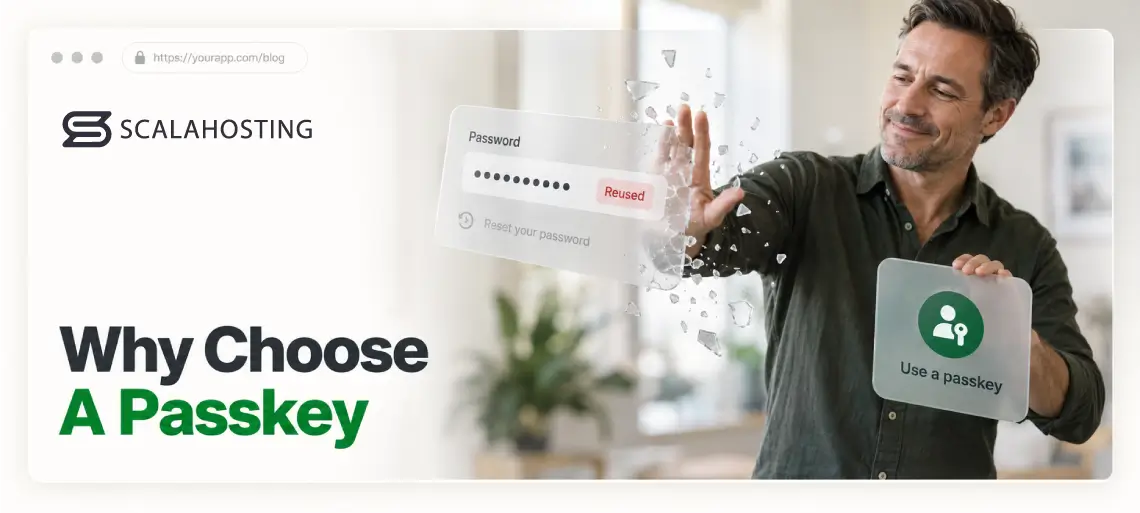
Passwords are the weakest link in most account security. People reuse them, write them on sticky notes, and hand them to convincing fake login pages without realizing it. For a hosting control panel – the place that holds your sites, email, databases, and the tools for managing them – a weak or compromised password poses a threat to your entire business.
Advice from security professionals barely helps. Making a password longer does not stop phishing, and forced 90-day resets often do little more than append a ! to what you already had.
The real problem is structural: a password is a shared secret, and any shared secret can be stolen, guessed, or tricked out of you. Passkeys remove the secret entirely, which is why the FIDO Alliance has pushed them since 2022.
Passkey Definition: The Short Version
A passkey is two mathematically linked keys: a private key that never leaves your device, and a public key on the server, useless to a thief alone. Signing in proves you hold the private key without sending anything reusable over the wire.
A Passkey Is a Lot More Than a Strong Password
The biggest misconception is that a passkey is “just a fancier password” saved in your browser. It is not.
A saved password is the same secret string, and a phishing page can fool the user into handing it over, whereas a passkey only answers the exact domain it was created for – even the most convincing phishing page can’t trick the browser into providing it.
A second myth is that passkeys lock you to one gadget. They sync through your Apple, Google, or Microsoft account, so a passkey made on your phone works on your laptop, and losing that phone is not losing the account if you set up recovery first.
How It Actually Works
WebAuthn, the standard behind passkeys, is an official W3C recommendation supported across current versions of Chrome, Safari, Firefox, and Edge. When you register, your device generates the key pair and sends only the public key to the server. On your return, the server sends a random challenge, and your device confirms that it’s really you in front of the screen with the use of a fingerprint or face scan, a PIN, or a tap on a security key. Then, the challenge is signed locally with your personal keys and is sent back to the server.
Two properties make this strong. The biometric data and the cryptographic keys never leave your device – SPanel only ever sees a signature, not your fingerprint. And the signature is tied to the requesting domain, so it cannot be replayed against another site. That is what “phishing-resistant” means in practice.
Passkeys Are Now Fully Supported in SPanel
SPanel introduced passkey login support in July 2026. Below the Email or username and Password fields, there are three more choices: Continue with Google, Continue with GitHub, and Login with Passkey.
Passkeys are the best option for people who want the strongest protection with the least friction.
Passkeys handle one layer of the problem: they stop stolen or phished credentials from working in the first place. Behind that, SShield monitors traffic in real time and blocks threats before they reach your sites, so login security and runtime protection both come standard on ScalaHosting’s managed VPS plans rather than as paid add-ons.
To use the passkey login functionality, you must first log in to your SPanel admin or user account. Click on your username in the top-right corner of the screen and click Profile Settings.
In the Login Security section, you’ll see the toggle enabling two-factor authentication as well as the buttons for connecting your SPanel account to your Google and GitHub profiles. Just below them, you have the Register a new Passkey link.
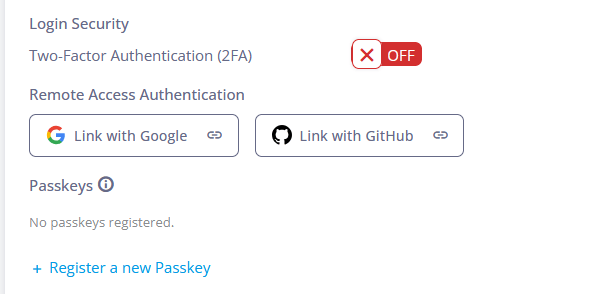
The steps that follow depend on the browser, operating system, and the rest of the software installed on your device. For example, on a mobile device, you’ll be asked to confirm your identity with the built-in biometric authentication system. If you’re using a desktop computer, you’ll likely be asked to scan a QR code with a mobile device or use a dedicated hardware security token. Many password managers can also generate passkeys and sync them across devices.
Passwords vs. Passkeys: A Decision Table
| Property | Password (± TOTP) | Passkey (WebAuthn) |
|---|---|---|
| Secret stored on server | Yes – a password hash | No – only a public key |
| Phishing-resistant | No; codes can be relayed | Yes; bound to the real domain |
| Works across your devices | Yes, if you remember it | Yes, when synced via your platform account |
| Something to type | Yes | No |
| Reusable across sites | Yes, and often reused | No; unique per site |
| Needs a recovery plan | Yes | Yes |
Limitations and Trade-Offs
Passkeys are strong, not magic. They do not remove account-recovery planning: rely on one device, lose it without a synced backup or a second registered key, and you can be locked out. They also do not protect an already-compromised device – malware running on your phone is a separate problem no login method fixes.
Older browsers and some corporate-managed machines may not support WebAuthn well, which is why password sign-in stays on the SPanel login page.
Recommended Workflow
Add a passkey while you still have working password access, so you are never mid-switch without a way in. Register it on your main device, then add a backup – a synced platform account or a spare hardware security key – before relying on it daily. Keep TOTP two-factor authentication on during the transition. Once passkey sign-in has worked cleanly for a couple of weeks, make it your default and treat the password as a rarely-used fallback.
The Bottom Line on Passkeys
The reason passkeys matter comes down to one structural change: there’s no shared secret to phish, reuse, or steal off a server. SPanel now puts that protection right on the login page, so the practical move is to register a passkey while your password still works and keep two-factor authentication on until passkeys are your daily default. You can turn on passkey login from your SPanel dashboard today, backed by the real-time threat monitoring SShield already runs on your account.
FAQ
Q: What is a passkey in simple terms?
A: A passkey is a login credential stored on your device that replaces your password. You approve sign-in with your fingerprint, face, PIN, or a hardware security key, and your device proves your identity with cryptography instead of a stored secret – nothing to type, nothing reusable to steal.
Q: Are passkeys safer than passwords with two-factor authentication?
A: Generally yes. A password plus a one-time code beats a password alone, but the code can still be relayed through a convincing phishing page. A passkey is bound to the site’s real domain, so a fake page gets nothing. The FIDO Alliance calls passkeys phishing-resistant; app and SMS codes are not.
Q: Can I still use a password to sign in to SPanel?
A: Yes. The SPanel login page keeps the standard Email or username and Password fields alongside Login with Passkey, so password sign-in stays available. That matters on a browser or managed machine that does not support WebAuthn. Passkeys are a stronger choice, not a forced replacement.
Q: What happens if I lose the device holding my passkey?
A: If your passkey syncs through your Apple, Google, or Microsoft account, it is already on your other devices, so a lost phone is an inconvenience, not a lockout. If you use a device-bound hardware key, register a second key or keep another sign-in method ready first.
Q: Do passkeys work across different browsers and computers?
A: Yes, across current versions of Chrome, Safari, Firefox, and Edge, because they use the W3C WebAuthn standard. A synced passkey follows you from phone to laptop, and a hardware security key works on any machine you plug it into. Very old browsers may lack support.
Q: Does a website ever see my fingerprint or face?
A: No. Your fingerprint or face data never leaves your device. The biometric only authorizes the private key locally, and the site receives a one-time signature – not the biometric, not the private key. Every WebAuthn service verifies only that signature against the public key you registered.