
A subdomain is an additional URL that stems from your primary domain name. For example, blog.yourdomain.com is a subdomain of www.yourdomain.com. To create a website on a subdomain, you need to assign a subdomain in your web hosting control panel.
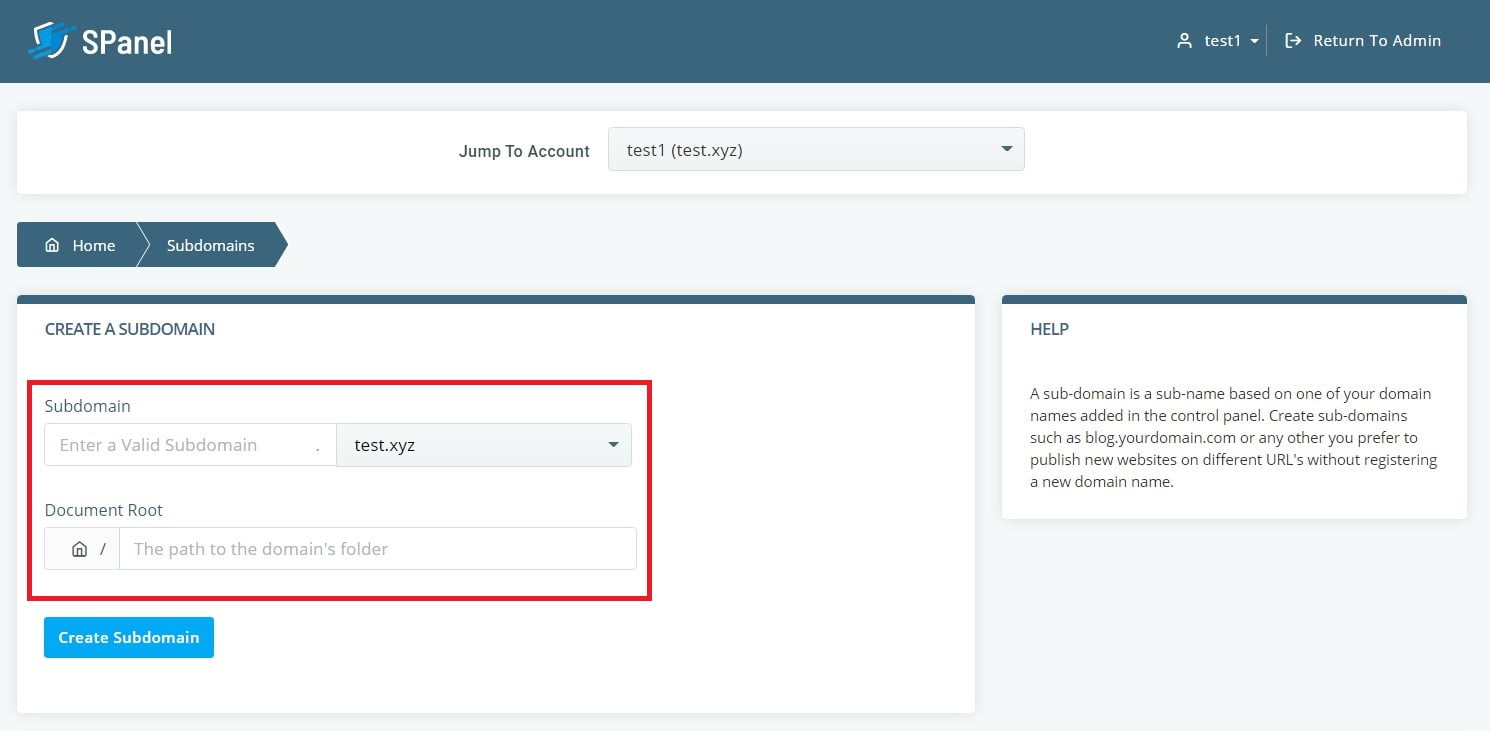
- Step 1. Log in to your web hosting control panel and click on the “Subdomains” option.
- Step 2. Type in the name of your subdomain and select the primary domain to which you want to attach it.
- Step 3. Specify the root folder for the subdomain and click “Create Subdomain.”
Subdomains can each have unique content and even a separate web application driving it. For example, you may create a static website on your primary domain and have WordPress running on your subdomain.To create a website on the subdomain, you must place its files in the correct location. This location is the one specified during the creation of the subdomain.
How To Point a Domain Name To a Web Hosting Provider

