Using Secure Shell Protocol (SSH) is a safer way of connecting to your web hosting server. SSH uses key pairs to ensure that the right client-server duo is communicating. This method offers greater integrity over a username and password authentication.
For SSH, the key pair involved is a private and public key. You must generate them at the same time on the same device. The method for SSH key pair generation will vary depending on what device you are using.
SSH Key Generation on Mac OS
- Step 1. Open the Terminal via Applications -> Utilities -> Terminal
- Step 2. Enter the following command: “ssh-keygen -t rsa”
- Step 3. Provide the location where you wish to save the generated keys. Remember to include the file name to which you want to save them. For example, “/home/username/.ssh/mykeys_rsa”
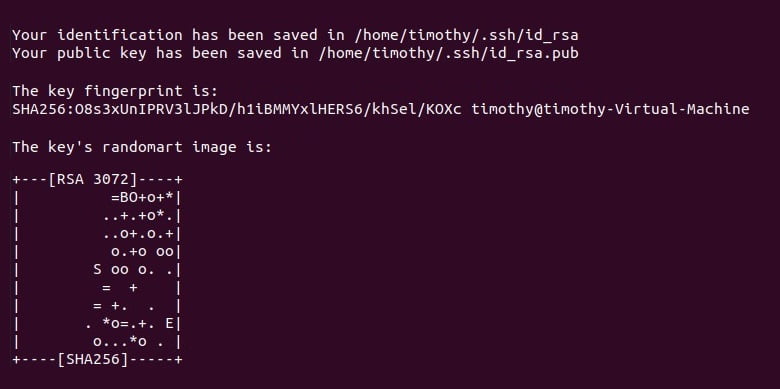
If you do not wish to provide a custom location, hit enter to accept the default save location. By default, generated keys are save in “/home/yourusername/.ssh/” with the public and private keys named “id_rsa” and “id_rsa.pub” respectively.
- Step 4. After key generation, the system will ask for a passphrase. You may skip this step by hitting the enter key. Hit the enter key again when asked to reconfirm the passphrase.
When complete, you should see a message similar to the following: