
Domain name masking displays the content of a website other than that of the URL. For instance, when your visitors type in www.yourwebsite.com, they will be shown content from www.anotherwebsite.com.
There are a few ways you can achieve domain name masking, but the simplest technique is to rewrite the URL using your .htaccess file.
The .htaccess file is located in the document root folder of your primary domain, and you can edit it directly on the server with the help of your control panel’s File Manager.
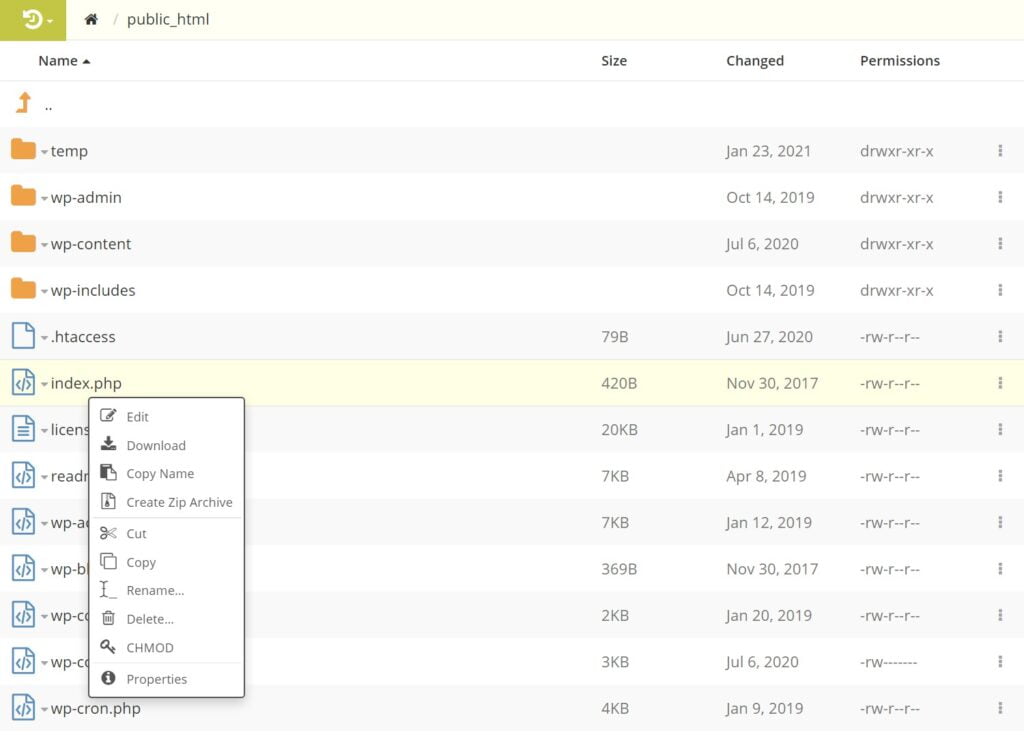
You can find the code you need to add below:
- RewriteEngine On
- RewriteRule “^currentfolder/?$ /newfolder
Replace “currentfolder” with the directory the content is currently in and “newfolder: with the folder of the new content you wish to present when the URL is loaded.
When done, remember to save the file.
How To Point a Domain Name To a Web Hosting Provider

