n8n for Ecommerce: Automating WooCommerce & Online Store Operations

Every order that comes in triggers the same sequence. Copy the details into your CRM, send a confirmation email, update the inventory spreadsheet, notify the fulfillment team, repeat.
For a store processing ten orders a week, that’s manageable. For one processing fifty, it quietly becomes a part-time job. And it’s entirely unnecessary.
n8n can handle all of that automatically – the moment a WooCommerce order lands, every downstream action happens without anyone lifting a finger. This guide walks through the workflows store owners can use to automate operations, reduce errors, and recover revenue they were previously leaving on the table.
What Is n8n Ecommerce Automation?
n8n is a workflow automation platform that connects your WooCommerce store with the other tools in your stack – your CRM, email platform, inventory system, messaging tools, reporting dashboards, and more. When something happens in your store, n8n detects it and triggers a chain of actions across those connected systems, without any manual input.
The core idea is simple: you define a trigger (a new order, a canceled subscription, an abandoned cart) and a set of actions (send an email, update a record, post a Slack message). n8n handles execution every time the trigger fires.
For WooCommerce specifically, n8n offers a dedicated integration node that connects directly to your store’s REST API. This enables it to read and write order data, customer records, product details, and inventory levels, giving it full visibility into your store’s operations.
What sets n8n apart from simpler automation tools is its flexibility. You’re not constrained to predefined templates. If your store has a specific workflow that doesn’t fit a standard pattern, you can build it. And because n8n is self-hosted, you’re not paying per task or handing your store data to a third-party cloud service.
Why WooCommerce Stores Use n8n
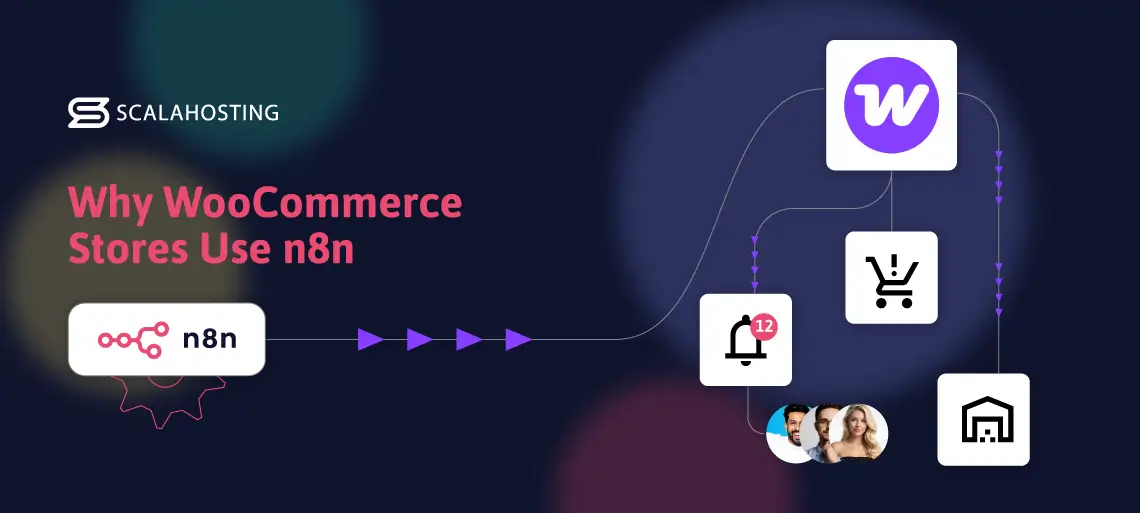
The short answer is time and money.
Every manual process in your store – updating inventory after a sale, sending a follow-up email, generating a weekly report – takes time. Multiply that by every order, every customer, every week, and you’re looking at significant operational overhead that doesn’t scale.
n8n removes that overhead. Workflows run in real time, triggered the instant an event occurs. An order placed at 2 AM gets processed, confirmed, and logged as soon as the customer completes the checkout.
There’s also the cost argument. Many store owners start with Zapier or Make for automation, and those tools work – up to a point. But per-task pricing adds up quickly as your order volume grows. n8n’s self-hosted model means you pay for the server it runs on, not the number of tasks it executes. For high-volume stores, that difference is substantial.
The self-hosted model also means your order data, customer records, and business logic stay on your own infrastructure – not on a third-party platform you don’t control.
One practical note: n8n’s performance depends heavily on where it’s hosted. The platform processes real-time triggers and executes workflows the moment events occur, so server reliability and response time directly affect how well your automation performs. We’ll come back to this.
Key n8n Workflows for WooCommerce Stores
These are the workflows that deliver the most immediate value – from the moment an order comes in to the reports that land in your inbox at the end of the week.
Automated Order Processing
Trigger: A new order is placed in WooCommerce.
The moment a customer completes checkout, n8n executes a sequence of actions without any manual involvement:
- Sends a branded confirmation email via your email platform (Mailchimp, SendGrid, or similar)
- Creates or updates a contact record in your CRM (HubSpot, Zoho, Salesforce)
- Posts an order notification to your team’s Slack channel or inbox
- Logs the order details to a Google Sheet or internal dashboard
The operational value is immediate. Orders are processed the same way, every time, regardless of volume or time of day. There’s no risk of a confirmation email being missed because someone was busy, or a CRM record not being updated because the data entry fell through.
Inventory Sync Automation
For stores managing stock across multiple locations – or pulling inventory from suppliers and third-party warehouses – keeping WooCommerce’s stock levels accurate is a persistent challenge.
n8n can sync inventory data across your systems on a schedule or in real time. When a sale is made, stock levels update. When a supplier confirms a shipment, quantities are adjusted before the product runs out on your storefront. When inventory drops below a threshold you define, n8n can automatically send an alert or trigger a reorder request.
The alternative – manually reconciling stock levels across systems – is the kind of task that eventually leads to overselling, customer complaints, and refund requests. Automating it removes human error from the equation.
Customer Notifications & Order Updates
Post-purchase communication is one of the strongest drivers of customer trust – and one of the easiest things to let slip when you’re managing a store manually.
n8n can send automated updates at each stage of the fulfillment process: order confirmed, payment processed, order shipped, delivery estimated, order delivered. Each notification goes out the moment the relevant status changes in WooCommerce, without requiring anyone to trigger it manually.
Beyond transactional emails, you can use n8n to automate follow-up sequences – a review request a few days after delivery, a re-engagement email after a period of inactivity, or a loyalty reward notification when a customer hits a purchase threshold. These are workflows that most stores know they should run, but rarely do consistently. n8n makes consistency automatic.
Abandoned Cart Recovery
Cart abandonment is one of the most direct revenue hits for most ecommerce stores. A customer adds items to their cart, gets distracted, and leaves. Most website owners have no reliable system for bringing them back.
n8n can automate abandoned cart recovery if cart data is exposed through an abandoned cart plugin, a custom webhook, WooCommerce extension, or scheduled polling/API logic.
n8n can be set up to monitor WooCommerce abandoned carts and automatically trigger a recovery sequence. A typical workflow looks like this:
- A cart is abandoned after a defined time window (e.g., 60 minutes with no completed checkout)
- n8n sends a reminder email with the cart contents and a direct link back to checkout
- If there’s no response after 24 hours, a second email goes out – this time with a discount code
- Conversion is tracked and logged back to your reporting system
The revenue impact of a well-structured abandoned cart workflow is measurable and compounds across a month of trading.
Sales Reporting Automation
At the end of every trading day or week, most store owners want the same information: total revenue, orders processed, top-selling products, and any anomalies worth investigating. Getting that information manually means pulling reports from WooCommerce, formatting them, and distributing them – repeatedly.
n8n can automate the entire reporting cycle. A scheduled workflow pulls order data from WooCommerce at a defined time, formats it, and delivers it wherever you need it – an email summary, a Google Sheet, a Slack message, or a business intelligence dashboard.
This is also where n8n’s AI capabilities start to open up additional possibilities. By connecting n8n to an AI model like OpenAI, you can go beyond raw data and automate content tasks like generating product descriptions or writing meta tags for new listings – all running on the same workflow logic as your other automations.
How to Connect n8n with WooCommerce
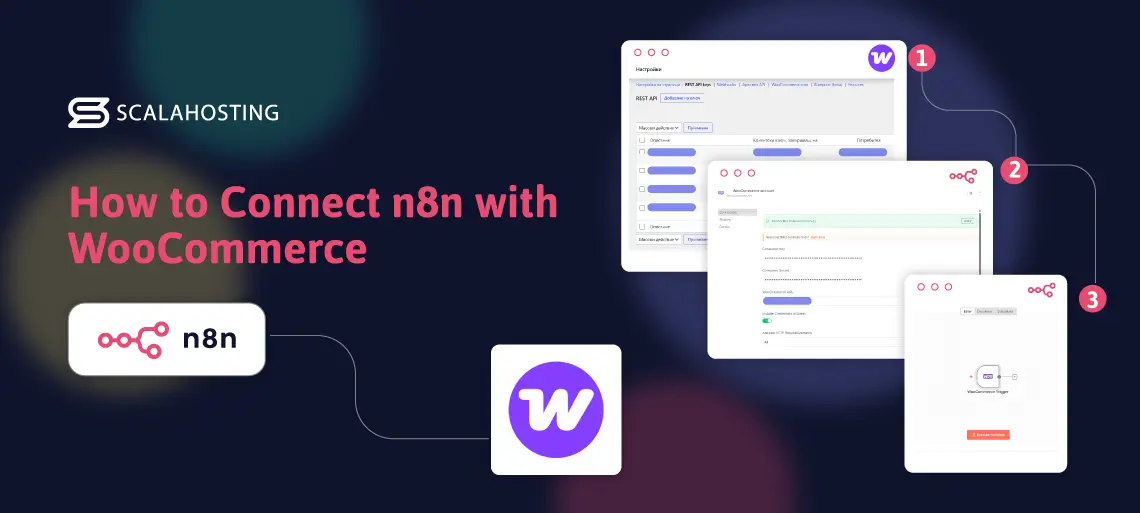
Connecting the two platforms takes a few minutes of setup. Here’s exactly how to do it.
Step 1: Enable the WooCommerce REST API
In your WordPress dashboard, go to WooCommerce → Settings → Advanced → REST API. Click Add Key, give it a description (e.g., “n8n Integration”), set the permissions to Read/Write, and click Generate API Key. You’ll be shown a Consumer Key and a Consumer Secret – copy both immediately. The Consumer Secret won’t be displayed again after you navigate away from this page.
Step 2: Add Your WooCommerce Credentials in n8n
In n8n, open Credentials → New and search for WooCommerce. Enter your store’s URL, the Consumer Key, and the Consumer Secret from Step 1. Save the credentials.
Step 3: Add the WooCommerce Node to Your Workflow
In the n8n workflow editor, add a WooCommerce node (for actions like retrieving or updating order data) or a WooCommerce Trigger node (for event-based workflows like new orders, order status changes, customer updates, product updates, and coupon events — plus custom webhooks or plugin data for workflows such as abandoned cart recovery). Select your saved credentials and configure which events or resources you want to work with.
Step 4: Build Your Workflow Logic
Connect the WooCommerce node to the other tools in your stack – your email platform, CRM, Slack, Google Sheets, or any other service you use. n8n has native nodes for hundreds of integrations; for anything not natively supported, the HTTP Request node lets you connect to any service with an API.
Step 5: Test and Activate
Use n8n’s built-in test execution to run the workflow with real data and confirm every step behaves as expected. Once you’re satisfied, toggle the workflow to Active. It runs automatically from that point forward.
A Real-World n8n WooCommerce Workflow in Action
Here’s what a complete order processing workflow looks like for a mid-sized WooCommerce store selling outdoor equipment.
A customer places a $180 order for a tent and two sleeping bags at 11:15 PM on a Tuesday. No one on the team is online.
The moment the order is confirmed in WooCommerce, the n8n workflow triggers. Within seconds:
- A branded order confirmation email goes to the customer with their items, delivery estimate, and support contact – sent via SendGrid, formatted exactly to their template
- The customer’s HubSpot record is updated with the purchase details and tagged for a post-delivery follow-up sequence that will fire automatically in five days
- A Slack message lands in the #orders channel: “New order #4821 – $180.00 – Tent + 2x Sleeping Bags”
- The transaction is logged to their Google Sheets sales tracker, which feeds into a weekly revenue dashboard
The customer receives their confirmation in under a minute. The team wakes up to a Slack summary of overnight orders rather than a list of tasks to work through. Nothing was done manually.
That’s the operational shift n8n delivers – a store that processes orders correctly and consistently, whether anyone’s at their desk or not.
Where to Host n8n for Your WooCommerce Store
n8n is a self-hosted platform, which means it runs on whatever server you deploy it on. That choice matters more than most store owners expect.
Shared hosting is not a viable option. n8n needs persistent processes, low-latency connections to external APIs, and the ability to handle multiple simultaneous triggers. Shared environments throttle resources, restrict long-running processes, and introduce the kind of unpredictability that breaks time-sensitive automation. An abandoned cart workflow that fires 90 minutes late because the server was under load is pretty much useless, and a failed trigger that drops an order confirmation entirely is a customer experience problem.
A Cloud VPS is the right fit. It provides n8n with dedicated CPU and RAM, consistent uptime, and the performance headroom to reliably handle real-time triggers as your order volume grows.
ScalaHosting’s managed cloud VPS hosting is built for exactly this kind of workload. We handle server management, security, and updates, so you can focus on running your store instead of dealing with highly technical stuff. n8n integration is also as straightforward as it gets. SPanel, ScalaHosting’s proprietary server management platform, lets you install n8n in just a few clicks – no manual Docker setup and no command-line work.
The virtual servers are also powerful enough to run WooCommerce and n8n on the same machine – no need to maintain separate hosting environments for your store and your automation layer. One well-resourced VPS handles both without compromise.
When the time comes to scale, you stay in control. SPanel gives you clear visibility into your server’s resource usage, so you can see exactly when additional CPU, RAM, or storage is needed. Adding them takes a couple of clicks – no migration, no downtime, and no disruption to the WooCommerce store or the n8n workflows running on the same machine.
Common Mistakes to Avoid
No error handling in workflows
Every workflow that touches critical operations – order processing, inventory updates, customer notifications – needs error handling built in. If a step fails (an API times out, a CRM is temporarily unavailable), you need n8n to alert you rather than silently dropping the task. Use n8n’s error workflow feature to route failures to a notification channel so nothing slips through undetected.
Hosting n8n on an unreliable server
Delayed or failed triggers are almost always due to a hosting issue. If n8n is running on a shared server that throttles CPU under load, your real-time workflows won’t be real-time. The abandoned cart email scheduled for 60 minutes might go out after three hours – or not at all. Reliable hosting isn’t an optional upgrade; it’s a prerequisite for automation that actually works.
Incomplete inventory sync
Inventory workflows need to account for every source of stock change – not just WooCommerce sales, but manual adjustments, supplier updates, and returns. A sync that only watches for new orders will eventually drift out of step with reality, leading to overselling or artificially low stock counts.
Overcomplicating workflows from the start
It’s tempting to design a multi-step workflow that handles every edge case upfront. In practice, complex workflows are harder to debug, trickier to maintain, and more likely to break in ways that are difficult to diagnose. Start with the simplest version of each workflow that delivers the core value. Add complexity only once you’ve confirmed the basics are running reliably.
Conclusion
Manual processes don’t just consume time – they introduce the kind of inconsistency that costs you customers. A confirmation email that goes out late, a cart abandonment that never gets followed up, an inventory sync that’s a day behind: each is a small friction that compounds at scale.
n8n gives WooCommerce store owners a way to run operations reliably without scaling their workload as their order volume grows. Set the workflows up once, and the store handles the repetitive work for you.
The one thing that separates automation that works from automation that doesn’t is where you run it. ScalaHosting’s managed cloud VPS plans give you the reliable, scalable foundation your workflows need to run without interruption, no matter how fast your store grows.
Frequently Asked Questions
Q: Can n8n Connect to WooCommerce?
A: Yes. n8n has a dedicated WooCommerce integration that connects directly to WooCommerce’s REST API. You can use it to trigger workflows based on store events – new orders, order status changes, customer updates, product updates, and coupon events — plus custom webhooks or plugin data for workflows such as abandoned cart recovery.
Q: Is n8n Good for Ecommerce Automation?
A: n8n is well-suited to ecommerce automation, particularly for WooCommerce stores that need flexible, custom workflows. Its self-hosted model keeps your store data on your own infrastructure, Its source-available, self-hostable model gives technical teams more control, while keeping workflows and customer data on infrastructure they manage.
Q: Can I Automate Order Processing with n8n?
A: Yes. You can build n8n workflows that trigger the moment a new WooCommerce order is placed and automatically execute downstream actions – sending confirmation emails, updating your CRM, notifying your team, and logging the transaction – without any manual intervention.
Q: Does WooCommerce Support Automation?
A: WooCommerce supports automation through its REST API, which allows external tools like n8n to read and write store data. WooCommerce also supports webhooks, which can push event notifications to n8n the moment specific actions occur – new orders, refunds, status changes, and more.
Q: Is n8n Better Than Zapier for WooCommerce?
A: For WooCommerce stores with significant order volume, n8n’s self-hosted model is typically more cost-effective than Zapier, which charges per executed task. n8n also offers more flexibility for building custom, multi-step workflows and keeps your data on your own infrastructure. The trade-off is that n8n requires a server to run on and a slightly steeper initial setup than Zapier’s plug-and-play interface.