cPanel VPS Hosting: Pricing, Setup & Alternatives

In 2025, VPS hosting powers 40% of enterprise websites, with cPanel accounting for 70% of control panels due to its ease of use. If you’re evaluating hosting solutions that balance performance, control, and simplicity, VPS hosting should be on your radar. It combines the dedicated resources and reliability of a virtual private server with cPanel’s intuitive graphical interface for streamlined server and site management, even if you’re not a sysadmin.
Drawing on real-world experience and expert insight, this guide breaks down the essentials of cPanel VPS, including how it works, its tangible benefits and limitations, cost considerations, and emerging trends shaping the market. We’ll also explore why control panel alternatives, such as SPanel, are gaining traction and challenging the status quo.
Whether you’re migrating from shared hosting or managing a growing eCommerce site, this guide will help you choose and optimize a cPanel VPS…or upgrade to something better.
What is cPanel VPS Hosting?
As the name suggests, cPanel VPS hosting combines two distinct services: a virtual private server and a control panel. Both work in unison to ensure a hosting environment that every client can easily manage.
Let’s look at each element:
- VPS (Virtual Private Server) – this is a type of hosting service where the user gets a dedicated share of server resources in an isolated environment. The client is independent of other users on the same physical server and can easily scale CPU and RAM as needed. The service is much faster and more secure than shared hosting, as well as more flexible and less expensive than a dedicated server.
- cPanel – the most popular control panel tool on the market, cPanel is a well-rounded solution for hosting management. Combining an intuitive interface with a plethora of features, you can operate most of your day-to-day tasks through cPanel – domain names, emails, website files, databases, and many more.
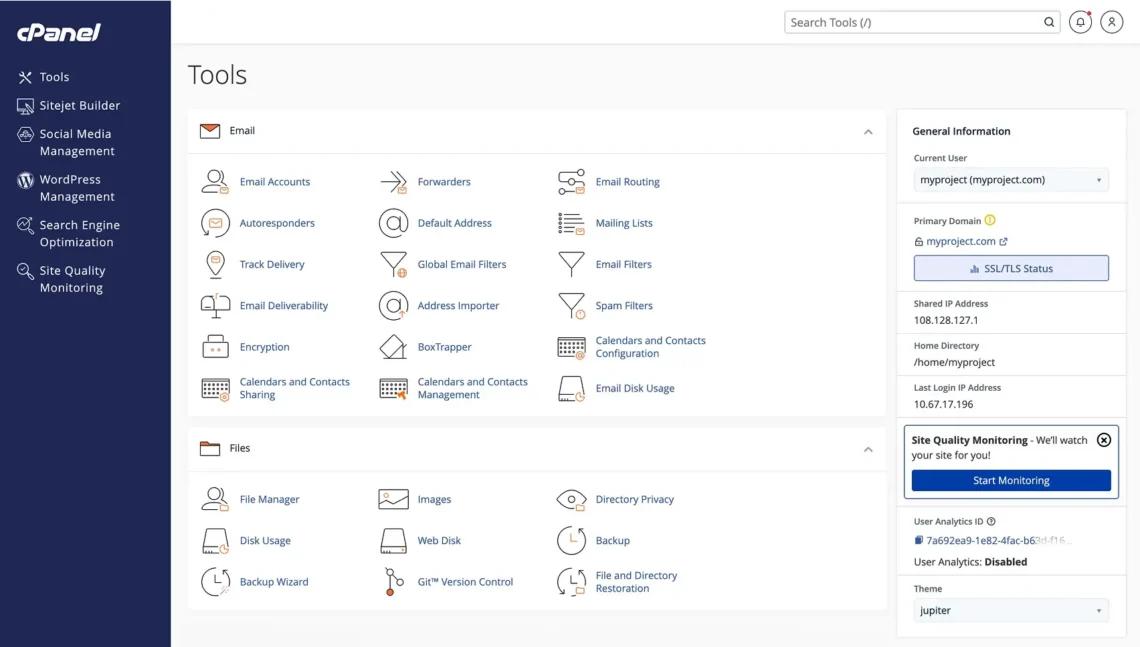
cPanel VPS hosting as a service is a reliable and optimal way to start any kind of website – from a personal project to a commercial ecommerce store. Should your project require it, you can integrate the platform with a wide variety of third-party tools to add even more functionalities to the mix.
Benefits of cPanel VPS Hosting
We now know what cPanel VPS hosting is all about, but there are so many different hosting types to choose from. So why should we pick this one? What makes this service stand out from the rest?
Here are some advantages to help you answer these questions and convince you in the way moving forward:
- Scalability
This is undoubtedly one of the strongest benefits of VPS hosting. The way virtual private servers are set up, you can easily upgrade your configuration with more CPU and RAM, removing the need to change servers whenever you start hitting your account limits. In this case, the cPanel dashboard allows you to make this upgrade with just a few mouse clicks.
- Ease of Management
Operating your own server is best done by professionals. Many business owners are not that technically experienced to perform tasks via a command terminal, plus they have plenty of other things to worry about. This is where tools like cPanel provide an indispensable help. Their interface simplifies most day-to-day actions (like installing an app or restarting the server), so even completely novice users can perform them.
- Security
Virtual private servers are inherently secure, especially compared to shared hosting. The virtualization processes allow the host to isolate the environment and apply several layers of security – starting from the data center, going through the network, all the way to the individual account. Of course, the user is also responsible for their protection – through cPanel, they can integrate a CDN, install an SSL certificate, or activate SSH access.
- Performance
A VPS is the most optimal solution when it comes to site speed and performance. Especially if we are talking about a cloud VPS, the limitless access to server resources allows your online project to grow without any performance hiccups.
- Cost-Effectiveness
The best thing about virtual servers is that you can have your own hosting environment at a fraction of the cost of a dedicated server. You have full control over your server, and its scalability ensures you won’t pay for resources you’re not using.
Here is a breakdown of the cPanel VPS benefits:
| Benefit | Description | Real-World Impact |
|---|---|---|
| Scalability | On-demand CPU/RAM upgrades | Handles 10k+ daily visitors |
| User-Friendly | Drag-and-drop file manager | Reduces setup time by 80% |
| Security | ModSecurity & Imunify360 integration | Blocks 99% of common attacks |
| Performance | NVMe SSD + caching | Page speeds under 2 seconds |
*Disclaimer: cPanel works on a per-account model and has increased its prices several times in the last few years. If you are looking for something more cost-effective and predictable – SPanel is much more affordable and even comes at no added cost for managed VPS clients.
Step-by-Step Guide: Installing cPanel on a VPS
If you are using a managed VPS solution, cPanel is already installed on your account, saving you the time and hassle of configuring it yourself.
But self-managed VPS clients have to go through this process on their own. Here is how they can install cPanel on a virtual server with minimum effort:
Prerequisites
- A fresh VPS (no other control panels installed)
- Supported OS (required by cPanel):
AlmaLinux OS
- Root SSH access
- At least 2 GB RAM (4 GB+ recommended)
- Valid hostname (FQDN), e.g., server.example.com
⚠️ IMPORTANT: cPanel does NOT support Ubuntu or Debian.
Step 1: Provision the VPS
- Create a VPS from your provider using the latest version of AlmaLinux.
- Set the hostname:
hostnamectl set-hostname server.example.com
- Verify:
hostnamectl
Step 2: Update the Operating System
- Log in via SSH as root:
ssh root@SERVER_IP
- Update packages:
dnf update -y
reboot
- Reconnect after reboot.
Step 3: Install cPanel
- Download and run the official cPanel installer:
cd /home
curl -o latest -L https://securedownloads.cpanel.net/latest
sh latest
⏳ Installation takes 20–45 minutes.
Step 4: Access WHM (WebHost Manager)
- Once complete, open in your browser:
https://SERVER_IP:2087
- Login with:
Username: root
Password: root password
- Accept the license and complete the initial setup wizard.
Step 5: Configure Firewall (CSF)
- Install CSF (ConfigServer Firewall):
dnf install perl-libwww-perl -y
cd /usr/src
wget https://download.configserver.com/csf.tgz
tar -xzf csf.tgz
cd csf
sh install.sh
- Allow required ports:
2087 (WHM)
2083 (cPanel)
22 (SSH)
80 / 443 (Web)
- Restart firewall:
csf -r
*Disclaimer – The CSF firewall is officially in its end-of-life stage, meaning its developers no longer work on its functionalities and updates. Although the service is still operational, please note that it may cease functioning at any time in the future.
Step 6: Migrate Existing Sites
You only need this step if you have an existing web project elsewhere.
- Upload your .tar.gz backup file (e.g., cpmove-youruser.tar.gz) to the /home directory of the server
- Run the following command:
/scripts/restorepkg cpmove-youruser.tar.gz
- Alternatively, check if your hosting provider offers free data transfer to skip this step completely.
Step 7: Troubleshooting Common Issues
WHM Not Loading (Port 2087 Blocked)
Open the port:
csf -a SERVER_IP
csf -r
cPanel Services Not Running
Restart services:
/scripts/restartsrv_cpsrvd
/scripts/restartsrv_httpd
Check Logs
tail -f /usr/local/cpanel/logs/error_log
Step 8: (Optional) Monitoring & Alerts
Pro Tip: Integrate a monitoring tool (e.g., Nagios, Uptime Kuma, or Zabbix) to:
- Monitor server load
- Detect service downtime
- Receive email/Slack alerts
Key cPanel Features for VPS Users
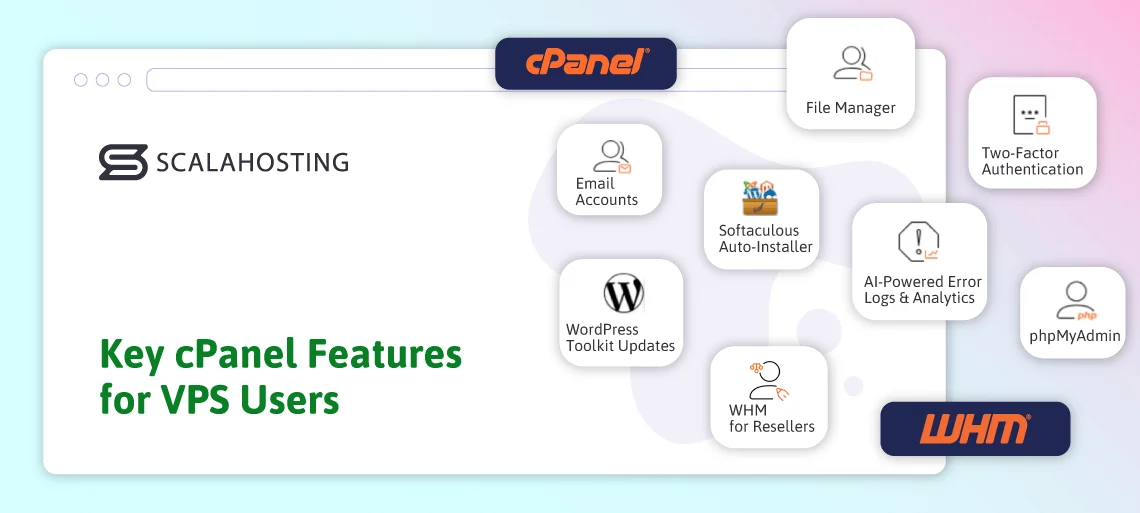
cPanel remains one of the most widely used control panels for web hosting, especially in VPS environments. In this chapter, we’ll explore the core cPanel features that make this tool attractive to developers, agencies, and hosting resellers alike.
Core Tools: Everyday Essentials
At its heart, cPanel provides an intuitive graphical interface for managing essential aspects of your web hosting account:
- File Manager
The File Manager gives you direct control over your site files without the need for an FTP client. You can upload, delete, copy, move, and edit files from within your browser with a simple drag-and-drop functionality.
- Email Accounts
cPanel allows you to easily handle your online communication. You can create mailboxes, set forwarders, configure autoresponders, and control filtering rules. The platform integrates with standard protocols (IMAP/POP3/SMTP) by default and supports several webmail clients out of the box.
- phpMyAdmin
Database management in cPanel is powered by phpMyAdmin, allowing you to browse, edit, import/export, and optimize MySQL/MariaDB databases with a familiar interface. This is crucial for developers who need smooth control over application databases.
- Softaculous Auto-Installer
Softaculous is a one-click application installer integrated into many cPanel setups. It lets you install 400+ web-building apps, including WordPress, Joomla, Drupal, Magento, and more. It also supports backups, restores, and staging for many of the offered scripts.
Advanced Management: WHM for Resellers and Security
For VPS hosting that’s shared with clients or resold, cPanel pairs with WHM (WebHost Manager) to give administrators elevated control:
- WHM for Resellers
WHM lets you create and manage multiple cPanel accounts, define packages, set resource limits, and automate provisioning, making it ideal for hosting providers and resellers looking to scale their operations.
- Staging Area
An increasingly popular enhancement in cPanel is the addition of staging support to the file management workflow. This lets developers create a working copy of a site for testing purposes before deploying to production. This significantly reduces the risk of fatal errors in your production environment.
- Two-Factor Authentication (2FA)
Both cPanel and WHM support two-factor authentication (2FA) to protect logins with an additional verification step beyond a password. Even if a hacker gains control over your account password, they would also need access to your physical device to break into your online premises.
2025 Enhancements: Smarter Hosting Tools
cPanel continues to evolve in 2025, with features that reflect modern hosting needs.
- AI-Powered Error Logs & Analytics
cPanel began rolling out AI-assisted monitoring and diagnostics, including smarter analysis of error logs and system events. These tools help pinpoint common issues (e.g., PHP errors or misconfigurations) using pattern recognition and contextual insights, reducing the time admins spend troubleshooting.
- WordPress Toolkit Updates
The WP Toolkit has grown into a cornerstone of WordPress management within cPanel. You can now manage multiple WordPress sites from a central UI, use a staging area, automate smart updates, manage plugins/themes in bulk, and more. Recent updates have also introduced vulnerability scanning and protection tools.
cPanel VPS Hosting Pricing and Plans
When evaluating cPanel VPS Hosting, understanding the licensing and total cost of ownership is as important as the hosting resources themselves. cPanel licenses are typically priced per month and vary by account tier – from single-account plans to larger, reseller-oriented packages.
Еffective December 2025, cloud/VPS license tiers include Solo, Admin, Pro, and Premier. Here is a price breakdown for each of the packages:
- Solo – 1 account – $29.99/mo
- Admin – up to 5 accounts – $35.99/mo
- Pro – up to 30 accounts – $53.99/mo
- Premier – up to 100 accounts – $69.99/mo
There is a specific package for WordPress users. It includes some performance boosters, security tools, and AI-powered add-ons for site building.
- WP Squared – for 10 WordPress sites (+$0.40 for each additional) – $84.99/mo
Keep in mind that those prices are for licensing fees only. You would also have to include the price for the VPS with your chosen provider.
The problem with cPanel’s business model is that surprise price hikes are not unlikely. The company has raised its licensing fees several times in recent years, often at alarmingly high rates.
In comparison, SPanel’s licensing fees for up to 100 accounts for self-managed servers are just $39.95 with all features and professional management. If you get a managed VPS from ScalaHosting, SPanel is included with your chosen plan for free.
Top cPanel Alternatives: Why SPanel Is Revolutionizing VPS Hosting
cPanel might still be ahead of the competitors in terms of market share, but more and more people are seeking alternatives due to the high pricing and infrequent feature updates.
But what other options are there?
Plesk is the first name that comes to mind. But very few people realize that cPanel and Plesk are actually owned by the same company – Oakley Capital. While the two tools still appear as competitors, this is not really the case.
Tools like DirectAdmin have been on the market for quite some time, but their development seems to have stalled to a level that is just acceptable.
This is where SPanel takes center stage. It took this hosting management platform some time to gain traction, but right now things are looking bright. The control panel is very lightweight, intuitive, and user-requested feature updates are applied regularly.
Comparing the two, here is what we can see:
| Feature/Aspect | SPanel | cPanel |
|---|---|---|
| Pricing | Completely free on a managed plan (lifetime, no licenses) | $27–$64/mo + annual hikes |
| Speed | Native LiteSpeed/OpenLiteSpeed support; 12x faster PHP, 40% better resource use | Relies on add-ons; heavier on CPU/RAM |
| Security | SShield AI (predictive threats, isolation); auto-backups | Basic tools; requires paid plugins |
| Ease of Use | Modern UI, one-click WordPress Manager; supports Apache/Nginx/LiteSpeed | Familiar but bloated; steeper reseller curve |
| Support | Fully managed by ScalaHosting (24/7 experts) | Community forums; paid pro support |
| Scalability | Cloud VPS integration; unlimited domains/emails | Limited without CloudLinux upgrades |
Looking at the SPanel advantages more closely, we can see:
- Cost Savings: In terms of fees, even on a self-managed VPS, you are saving around 40-50% from licensing alone. If you are on a managed virtual server, SPanel fees are non-existent.
- Performance Edge: Benchmarks show 40% lower resource consumption, ideal for high-traffic VPS projects.
- Security Superiority: SShield is included with SPanel and blocks attacks before they reach your server. cPanel relies on a reactive approach.
- User-centric Design: SPanel offers a cleaner dashboard with built-in backups, staging, and SEO tools. While the interface may look similar to cPanel’s, it removes all the unnecessary bloat.
Common cPanel Challenges and How to Overcome Them
While cPanel is known for its user-friendly interface and rich feature set, VPS users can still encounter challenges as their hosting environments grow. Understanding these common issues and how to address them helps users ensure smoother operations and optimal performance.
1. Resource Limitations on VPS
One of the most frequent challenges is hitting CPU, RAM, or disk I/O limits, especially when hosting multiple websites or during traffic spikes. cPanel itself is efficient, but combined workloads from PHP, databases, and email services can strain a modest VPS.
Solution:
Monitor resource usage via cPanel and WHM metrics, optimize applications (caching, image compression, database tuning), and upgrade your VPS plan when needed. Proper account isolation and setting realistic per-account resource limits also prevent one site from impacting others.
2. Security Misconfigurations
Out-of-the-box cPanel installations are secure, but misconfigured permissions, outdated software, or weak passwords can expose vulnerabilities. Shared or reseller environments are especially sensitive to security lapses.
Solution:
Enable two-factor authentication (2FA), keep cPanel and all applications up to date, and use security tools such as firewalls and malware scanners. Regularly audit user accounts and permissions to minimize attack surfaces.
3. Licensing and Cost Management
cPanel’s account-based licensing can become expensive as the number of hosted accounts grows, surprising VPS owners who scale quickly.
Solution:
Plan account structures carefully, consolidate low-traffic sites where appropriate, and regularly review unused accounts. For resellers, aligning hosting packages with license tiers helps control costs and maintain profitability.
Future Trends in cPanel VPS Hosting (2025 and Beyond)

As web hosting evolves, cPanel VPS web hosting is poised to adapt with innovations that emphasize automation, security, and AI-driven insights. The idea is to make server management smarter, faster, and more accessible.
Here is what we can expect:
AI-Driven Troubleshooting and Analytics
cPanel is increasingly incorporating AI-powered tools that help administrators diagnose issues faster. Automated error log analysis, performance bottleneck solutions, and security event monitoring help virtual servers to surface actionable recommendations and improve uptime.
Enhanced WordPress & CMS Management
WordPress remains one of the most common applications on cPanel. Future updates will focus on deeper integration with CMS management toolkits, enabling one-click staging, cloning, and intelligent updates with enhanced safeguards. Expect expanded vulnerability scanning, automated patching, and tighter integration with performance plugins from within the cPanel dashboard.
Security at the Core
Security remains a top priority for users worldwide. Two-factor authentication and firewalls are useful, but not enough in the current cybersecurity environment. Behavior-based access controls, anomaly detection, and automated threat mitigation services are among the measures that help tackle malicious hacking attempts in real time without user intervention.
Serverless and Container Support
While cPanel traditionally manages full servers, future hosting environments will likely adopt hybrid serverless and container-oriented architectures. Integration with container engines like Docker or Kubernetes may allow developers to deploy microservices alongside traditional apps.
Sustainability and Efficiency
Eco-conscious hosting is on the rise. VPS providers will increasingly highlight resource-efficient plans and power-optimized infrastructure, with cPanel offering tools to monitor and reduce energy usage.
Final Takes
cPanel remains the market leader in web hosting control panels, but its lead is no longer as dominant as it once was. Hosts are making migrations simpler than ever before, and users are more likely to make a switch under the right conditions.
Stepping on the solid foundation of a rich feature set and an intuitive interface, SPanel is slowly but surely making a revolution in the industry. More and more people appreciate getting support from real people and having their voice heard, especially when it comes to functionality upgrades.
If you are looking for better performance, tighter security, and limitless scalability – check out the ScalaHosting Managed VPS plans. Next-level hosting solutions that won’t break your bank.


FAQs
Q: What is the difference between cPanel and WHM?
A: cPanel provides a user-friendly dashboard where hosting clients can manage essential services, including domain names, website files, databases, email, and more. In comparison, WHM (Web Host Manager) gives you administrative control over your entire hosting server. You can create/suspend accounts, allocate system resources, and restart the server, among many other options. Think of cPanel as the frontend and WHM as the backend of your web hosting.
Q: Is cPanel VPS better than shared?
A: Yes, a cPanel VPS offers much more than any shared hosting plan. Virtual private servers come with isolated accounts and scalable, dedicated resources. Each client is separated from all others on the physical machine, having complete control over their performance and security. Shared hosting plans see hundreds, even thousands of people on the same server, all sharing its resources. This poses numerous problems related to uptime, speed, and proper account safety.
Q: Is cPanel VPS better than a dedicated server?
A: Yes, a cPanel VPS excels over a dedicated server in many aspects. Virtual servers offer many of the benefits of dedicated machines – account isolation, customization freedom, and rock-solid security. Furthermore, cloud VPS solutions are more scalable and susceptible to upgrades. Most importantly, the price of a dedicated server is significantly higher than that of even the most powerful VPSs. Only heavily customized projects might need their own physical machine.
Q: How much does SPanel cost?
A: SPanel is included for any managed and self-managed hosting plan at no additional cost. Unlike cPanel, there is no limitation to the number of accounts you can create with your license and no extra per-account fees. If you have a server set up elsewhere and want to add SPanel as your hosting management platform, you can get it at www.spanel.io
Q: Why is SPanel better than cPanel?
A: SPanel takes all the benefits of cPanel and adds some unique tools to elevate the user experience to the next level. You can find one-of-a-kind solutions like SShield (security monitoring) and WordPress Manager (WP enhancer). There are regular updates with new features suggested and voted on by the users. SPanel’s native support for LiteSpeed/OpenLiteSpeed significantly accelerates websites, and adding more resources happens with a couple of clicks.