



ON THIS PAGE
CodeIgniter 404 Page Not Found: Causes and Fixes (With Code Examples)

TL;DR
A CodeIgniter 404 Page Not Found error is almost always a web-server routing problem, not a bug in your code.
Quick test: if yoursite.com/index.php/controller loads but yoursite.com/controller returns a 404, your rewrite layer is broken. The four usual causes and fixes: repair the .htaccess file, enable mod_rewrite in Apache, set the correct base URL, and align your route definitions with your controller names (case matters on Linux). On Nginx, there is no .htaccess at all; you route requests with a try_files directive instead.
Your CodeIgniter app runs fine on your laptop. You push it to a live server, load the homepage, and it seems to work. Then you click a link, and the screen reads “404 Page Not Found.” Nothing you routed is reachable.
A CodeIgniter 404 Page Not Found error almost always comes down to how the web server hands requests to the framework, not a defect in your controllers. Four culprits cause the overwhelming majority of cases: a missing or broken .htaccess file, mod_rewrite not being enabled, an incorrect base URL, and route definitions that do not match your controllers.
Here is how to spot which one you are hitting, and the exact CodeIgniter 404 error fix for each, across both CodeIgniter 3 and CodeIgniter 4.
What Causes a CodeIgniter 404 Page Not Found Error?
A 404 error in CodeIgniter means one of two things: the router received a request it could not match to a controller and method, or the request never reached the router at all. Four root causes account for nearly every case:
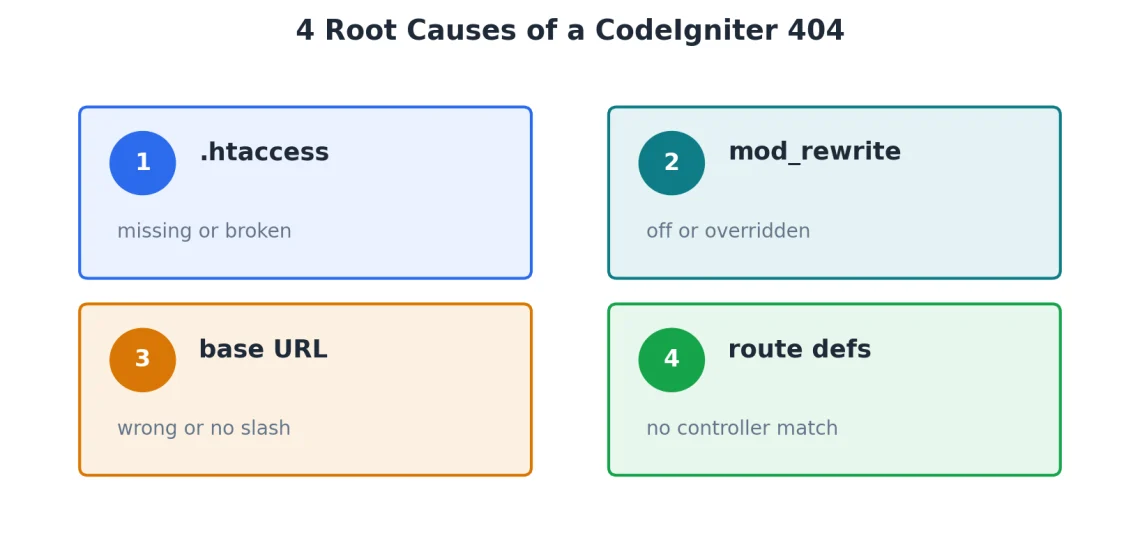
- Missing or broken .htaccess. The framework never receives the request because Apache has no rewrite rule to route it through index.php.
- mod_rewrite not enabled. Apache ignores your rewrite rules because the module is off or AllowOverride blocks the .htaccess file.
- Incorrect base URL. The framework builds wrong links and cannot resolve them back to the right controller.
- Wrong route definitions. The URL does not map to any controller and method, so the router falls through to a 404.
A 30-second test tells you which is the correct issue to investigate. Load your site with index.php in the path, like yoursite.com/index.php/products.
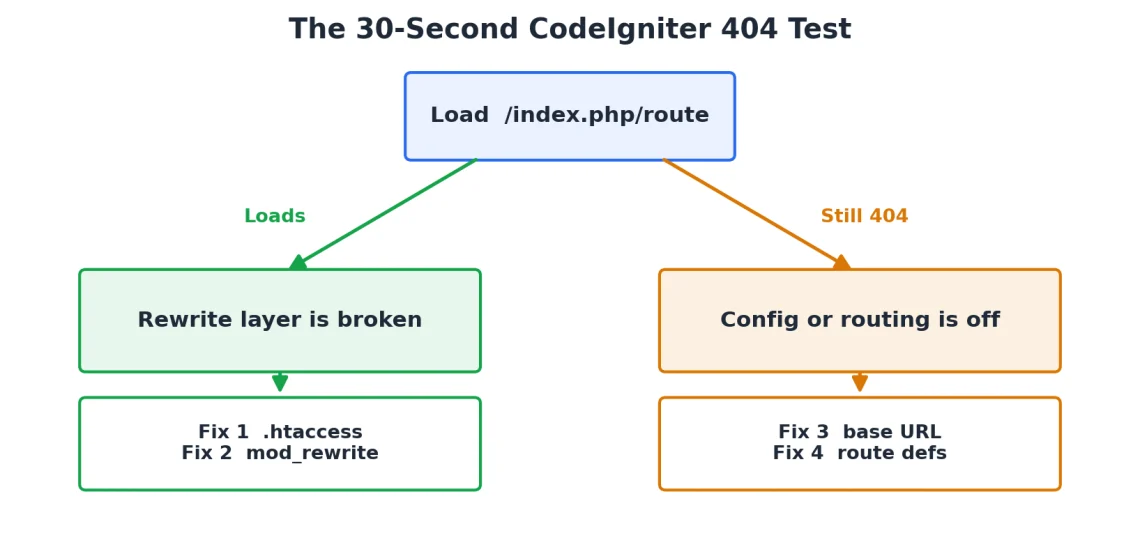
If that works but yoursite.com/products returns a 404, the problem is your rewrite layer: .htaccess or mod_rewrite (Fixes 1 and 2). If neither URL works, the problem is your configuration or routing: base URL or route definitions (Fixes 3 and 4).
Fix 1: Add or Repair the .htaccess File
CodeIgniter routes every request through a single front controller, index.php. The .htaccess file is what tells Apache to send clean URLs like /products/42 to that front controller instead of looking for a real file or folder named products. No rewrite rule, no routing.
In CodeIgniter 4, .htaccess is located in the public/ directory and is shipped with the framework. In CodeIgniter 3, it belongs in the project root. If it is missing, corrupted, or overwritten during deployment, recreate it with this minimal, reliable rule set:
RewriteEngine On
RewriteCond %{REQUEST_FILENAME} !-f
RewriteCond %{REQUEST_FILENAME} !-d
RewriteRule ^(.*)$ index.php/$1 [L]
Those two conditions say the same thing in plain English: if the request is neither a real file nor a real directory, hand it to index.php. That is exactly what a framework front controller needs.
CodeIgniter 4 ships a longer public/.htaccess with extra handling. If you deleted or mangled it, restore the original from a fresh framework download rather than trimming it down.
Fix 2: Enable mod_rewrite in Apache
If yoursite.com/index.php/products works but yoursite.com/products throws a 404, Apache is not applying your rewrite rules. Two things cause this: the mod_rewrite module is off, or Apache is configured to ignore .htaccess files.
On a server you control, enable the module and restart Apache:
sudo a2enmod rewrite
sudo systemctl restart apache2
Restarting Apache briefly interrupts every site on the machine, so run it during a quiet window.
Enabling the module is only half the job. Apache also has to be told to read .htaccess overrides in your web root. In your virtual host or directory block, set AllowOverride All:
<Directory /var/www/yoursite/public>
AllowOverride All
Require all granted
</Directory>
With AllowOverride None (a common default), Apache silently ignores every .htaccess file, and no amount of correct rewrite rules will help.
On shared hosting, mod_rewrite is usually enabled already. If it is not, and you have no access to the Apache config, you need a host that gives you that control.
Fix 3: Set the Correct Base URL
An incorrect base URL will not always produce a 404 on the homepage, but it breaks every generated link, form action, and asset path, which then surface as 404s the moment a visitor clicks through. Always end the value with a trailing slash.
In CodeIgniter 3, edit application/config/config.php:
$config[‘base_url’] = ‘https://example.com/’;
$config[‘index_page’] = ”;
Setting index_page to an empty string is what lets you drop index.php from your URLs once rewriting works.
In CodeIgniter 4, the base URL lives in app/Config/App.php:
public string $baseURL = ‘https://example.com/’;
public string $indexPage = ”;
Better practice in CodeIgniter 4 is to set it per environment in the .env file, which keeps environment-specific values out of version control:
app.baseURL = ‘https://example.com/’
Fix 4: Correct Your Route Definitions
If the URL reaches the framework but still returns a 404, the router cannot map it to a controller and method. This is the heart of most CodeIgniter routing 404 reports.
In CodeIgniter 4, routes live in app/Config/Routes.php and are defined explicitly:
$routes->get(‘/’, ‘Home::index’);
$routes->get(‘products’, ‘Products::index’);
$routes->get(‘products/(:num)’, ‘Products::show/$1’);
In CodeIgniter 3, the file is application/config/routes.php:
$route[‘default_controller’] = ‘welcome’;
$route[‘products/(:num)’] = ‘catalog/product_lookup_by_id/$1’;
Two things cause most of these 404s.
Case sensitivity. This is the single most common reason a CodeIgniter app works locally and 404s on a live server. Windows and macOS treat file names as case-insensitive; most Linux servers do not. If your controller file is app/Controllers/Products.php, the class must be Products and your route must reference it as Products, not products. A mismatch that your laptop forgives will result in a 404 in production.
Auto-routing is off by default in CodeIgniter 4. Older CodeIgniter automatically mapped URLs to controllers and methods with no route definitions. Modern CodeIgniter 4 disables that behavior by default. If you assumed the framework would find Products::show on its own, define the route explicitly, or turn on auto-routing deliberately if you understand the trade-offs.
CodeIgniter 404 on Apache vs Nginx
Everything above assumes your web server is Apache. The moment your app runs on Nginx, the rules change, and this is where a lot of copied-and-pasted advice might fail.
Nginx does not read .htaccess files. At all. You can drop a perfect CodeIgniter .htaccess onto an Nginx server, and it will do absolutely nothing, because Nginx has no equivalent of per-directory override files. The rewrite logic has to live in the server block instead.
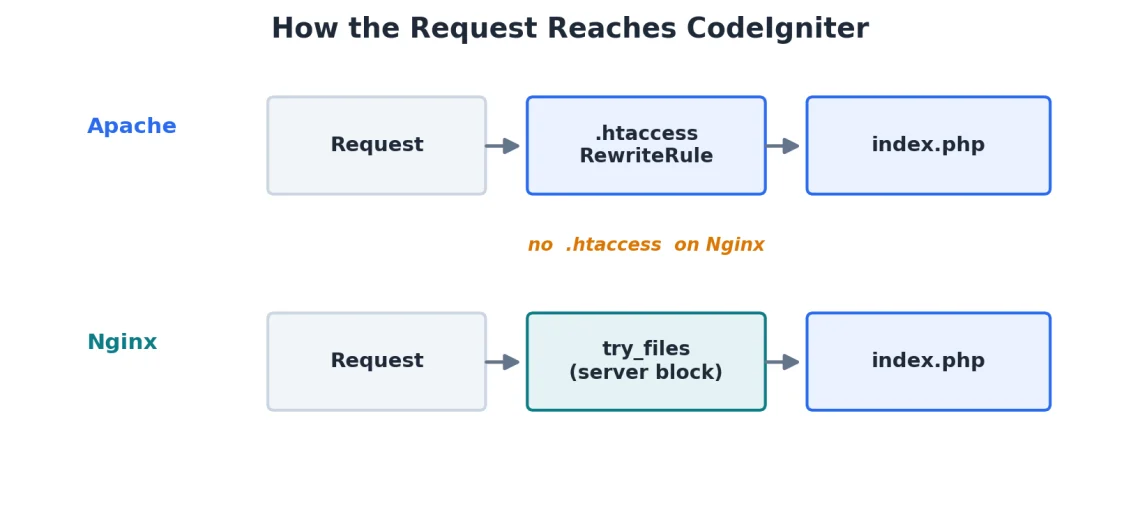
Here is the CodeIgniter-friendly Nginx configuration. It sends any request that is not a real file to index.php, which is the Nginx equivalent of the .htaccess rule from Fix 1:
server {
listen 80;
server_name example.com;
root /var/www/example.com/public;
index index.php;
location / {
try_files $uri $uri/ /index.php$is_args$args;
}
location ~ \.php$ {
include snippets/fastcgi-php.conf;
fastcgi_pass unix:/run/php/php8.3-fpm.sock;
}
error_page 404 /index.php;
}
The try_files line is the workhorse here. It checks for the file, then the directory, then falls back to the front controller with the query string intact.
IMPORTANT: The FPM version and socket path vary by server. Ensure you enter the correct version; you can consult your host’s technical support team to confirm.
Here is how the two web servers compare for a CodeIgniter app:
| Concern | Apache | Nginx |
|---|---|---|
| .htaccess | Read per directory | Never read |
| Rewrite lives in | .htaccess or vhost | Server block only |
| Clean URLs via | mod_rewrite + RewriteRule | try_files directive |
| Change needs restart | No (for .htaccess) | Yes (reload Nginx) |
| Points at | Project root or public/ | public/ in root |
There is a middle case worth knowing, because it is how many managed platforms actually run. When Nginx sits in front of Apache as a reverse proxy, the Apache backend still reads .htaccess. Your CodeIgniter .htaccess works even though Nginx is the public-facing server. Knowing which of these three setups you are on tells you exactly where your fix belongs.
Where Your Hosting Environment Fits
Every fix above assumes something: that you can edit .htaccess, toggle mod_rewrite, point the document root at CodeIgniter’s public/ folder, and choose a PHP version. On locked-down shared hosting, you often have very limited access, which turns a five-minute fix into a support ticket.
That control is the difference a proper environment makes.
On ScalaHosting’s managed PHP hosting, the web stack runs Nginx as a reverse proxy in front of Apache, so the Apache backend reads your CodeIgniter .htaccess directly. The Fix 1 rewrite rule works without translating anything into an Nginx server block.
Two more things that specifically prevent CodeIgniter 404s are handled inside SPanel, ScalaHosting’s control panel. You can point your document root straight at the public/ directory, which is exactly where CodeIgniter 4 expects the web server to serve from, and you can assign a PHP version per directory rather than being stuck with one server-wide version. Both are self-service and covered in SPanel’s documentation, so a version mismatch or a wrong-docroot 404 does not mean waiting for an administrator.
If you would rather not manage the web server layer yourself, a fully managed VPS puts that configuration in the hands of a team that has done it thousands of times, while still giving you root access when you want it.


Supercharge Your Business with an All-inclusive Fully Managed Cloud
Free, Effortless & No-Downtime Migration
Anytime Unconditional Money-back Guarantee
Full Scalability & 24/7 Expert Cloud Support
Conclusion
A CodeIgniter 404 Page Not Found error is rarely a code problem and almost always a routing one, so start with the index.php test and let it point you at the right fix. Get your web-server layer right once in an environment you can control, and these errors stop being a deployment ritual.
Frequently Asked Questions
Q: How Do I Fix a CodeIgniter 4 404 Page Not Found Error?
A: Start with the index.php test: load a route with /index.php/ in the path. If that works but the clean URL does not, restore the public/.htaccess file and confirm mod_rewrite is enabled with AllowOverride All. If neither URL works, check that your base URL is set correctly in app/Config/App.php or .env, and that your route in app/Config/Routes.php matches your controller’s exact class name and capitalization.
Q: Why Does My CodeIgniter Site Work With index.php but Not Without It?
A: Your rewrite layer is not active. The framework itself is fine, but Apache is not routing clean URLs to index.php. That means either mod_rewrite is disabled, the .htaccess file is missing, or AllowOverride is set to None so Apache ignores the file. Fixing the rewrite layer removes index.php from your URLs.
Q: Why Does CodeIgniter Routing Return a 404 on My Live Server but Not Locally?
A: Almost always case sensitivity. Your local Windows or macOS file system treats products.php and Products.php as the same file, but the Linux server does not. Make sure your controller file name, class name, and route reference all use identical capitalization.
Q: Does the CodeIgniter 404 Fix Differ on Nginx?
A: Yes. Nginx never reads .htaccess, so the Apache rewrite rules do nothing there. On Nginx you route requests through a try_files $uri $uri/ /index.php$is_args$args; directive inside the server block, and point root at your CodeIgniter public/ directory.