How to Pass Core Web Vitals in WordPress Without Hiring a Developer

Passing Core Web Vitals is mostly about how your site is hosted and cached, not about writing code.
Google measures three things – Largest Contentful Paint (LCP), Interaction to Next Paint (INP), and Cumulative Layout Shift (CLS) – and the biggest wins come from caching, a fast web server, and a modern PHP version.
On a ScalaHosting managed VPS plan, a new WordPress install is performance-tuned automatically, so most of that groundwork is done before you even get to picking a theme.
- Google’s “good” thresholds: LCP ≤ 2.5 s, INP ≤ 200 ms, CLS ≤ 0.1, at the 75th percentile of real visits.
- Most failures trace back to slow server response and missing caching, not design.
- SPanel installs LiteSpeed Cache, wires in a Redis object cache, and raises old PHP automatically.
- No host can guarantee a pass – your images, plugins, and layout still decide the outcome.
Why Core Web Vitals Matter
Core Web Vitals are part of how Google ranks pages, and an honest measure of whether your site feels fast.
For example, a shop that loads in four seconds loses customers before the “Add to cart” button appears. When Google made INP a ranking signal in March 2024, many owners found their pages had slipped into “needs improvement” without a single content change. You rarely need a developer for this: the common failures are structural, and good hosting handles structural problems.
Common Core Web Vitals Misconceptions
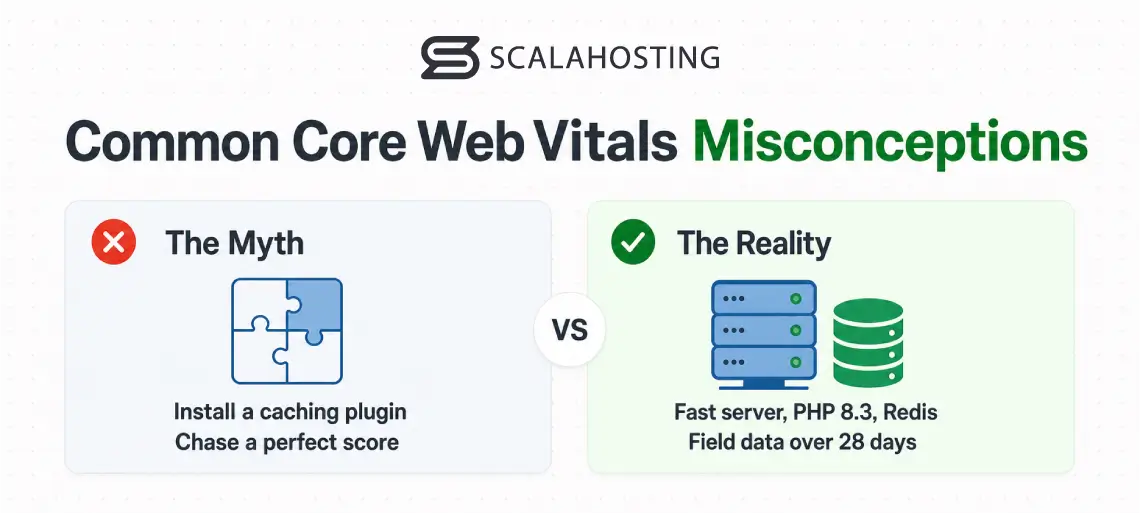
The usual advice for gaming the Core Web Vitals is to install a WordPress caching plugin and a “speed optimizer,” then sit back and wait.
That is wrong because it treats a hosting problem as a plugin problem. A caching plugin on a slow server with PHP 7.4 and no object cache is like a bandage over a broken leg.
The other mistake is chasing the perfect score. Core Web Vitals are judged on field data – real visits over 28 days – not one synthetic test from a fast laptop. Fix the causes that show up in the field, and the score improvements will follow.
How Core Web Vitals Actually Work
LCP measures how long until the largest visible element (usually a hero image or headline) finishes rendering, with a good threshold of 2.5 seconds or less.
INP measures responsiveness. When a visitor taps or clicks, how long until the page reacts. The number you are looking for here is 200 milliseconds or less.
CLS measures how much the layout shifts while things load, with a good score at 0.1 or less.
Caching attacks LCP directly: a page served from cache skips being rebuilt from PHP and the database on every request, so the largest element paints sooner. A modern PHP version and an object cache like Redis cut the work behind each interaction, which helps INP.
CLS, by contrast, is mostly yours to solve.
Where SPanel Makes a Difference
Get the web hosting layer right first, then clean up your own content. A fast server and a working cache move LCP and INP more than anything you can do in a page builder. On ScalaHosting, that first half happens on its own when you install WordPress through SPanel’s WordPress Manager.
Most panels hand you an empty WordPress installation and leave you on your own. SPanel tunes the install as part of the job. When you create a new site through WordPress Manager, several changes are applied automatically: the LiteSpeed Cache plugin is installed on SPanel’s maximum-performance profile, a dedicated Redis instance is wired in as the object cache, and any conflicting caching plugins are removed first.
The tuning goes even deeper.
PHP versions below 8.1 are raised to 8.3 where available. The on-request wp-cron is swapped for a real server cron running every five minutes. Database hygiene is set sensibly – post revisions capped at 10, autosave interval at 120 seconds, trash emptied after 14 days. Before the job reports success, the cache is warmed and verified serving a cache hit. All of this requires OpenLiteSpeed or LiteSpeed Enterprise as the web server.
There is no button labeled “optimize” to hunt for – the tuning runs as behavior during install.
SPanel vs. Stock WordPress Setup
| Factor | Stock WordPress | SPanel WordPress Manager |
|---|---|---|
| Page cache | You install and configure a plugin | LiteSpeed Cache, maximum-performance profile |
| Object cache | Usually none | Dedicated Redis instance wired in |
| PHP version | Whatever the host defaults to | Below 8.1 raised to 8.3 where available |
| wp-cron | Runs on visitor page loads | Real server cron every 5 minutes |
| Cache verified | Manual | Warmed and checked before success |
| Images, layout, plugins | Yours to fix | Yours to fix |
Core Web Vitals SPanel Limitations
SPanel does not guarantee a Core Web Vitals pass, and no honest host would.
The platform fixes the infrastructure portion of the equation while the content improvements are up to you. An uncompressed banner, animation-heavy page builders, or ad scripts that reflow the page will fail CLS no matter how good the cache is.
There are hard requirements as well.
Automatic tuning requires OpenLiteSpeed or LiteSpeed Enterprise as the web server. What’s more, field data updates on a rolling 28-day window, so today’s improvements take weeks to show in Google’s report.
How to Install WordPress from SPanel
In WordPress Manager, the flow for installing and effectively using WP includes just a few steps:
- Open WordPress Manager in SPanel.
- Find the Install a New WordPress Site panel.
- Enter your Installation URL.
- Set the Username, then the Password and Repeat Password.
- Enter your admin Email.
- Optionally pick from the Popular WordPress plugins selector – for example WooCommerce, All in One SEO, or WPForms.
- Click Install WordPress.
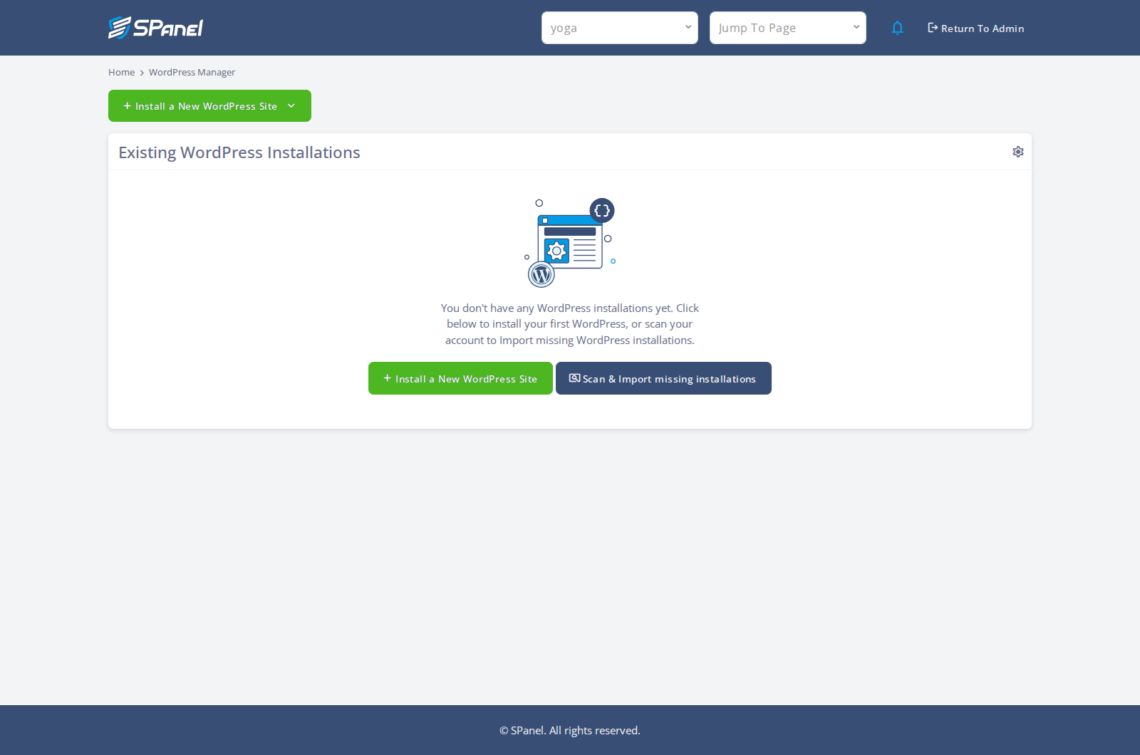
- Confirm the new site appears under Existing WordPress Installations, with its Install URL, Security Lock, and Auto Updates columns.


FAQ
Q: What are the Core Web Vitals thresholds?
A: Google’s “good” thresholds are LCP at 2.5 seconds or less, INP at 200 milliseconds or less, and CLS at 0.1 or less. Each is measured at the 75th percentile of real visits, so most of your visitors must hit those marks to pass.
Q: Can I pass Core Web Vitals without a developer?
A: Usually, yes. Most failures come from poor web hosting and caching, not code. On ScalaHosting, a new WordPress install arrives with LiteSpeed Cache, a Redis object cache, and a modern PHP version already in place. Image compression and trimming heavy plugins are the parts you still handle yourself.
Q: Does SPanel guarantee I will pass Core Web Vitals?
A: No, and treat any host that promises this with suspicion. SPanel tunes the infrastructure automatically – caching, object cache, PHP, wp-cron, database hygiene – which removes the most common causes of failure. Your content still decides the rest, since images, layout, and plugins can fail the metrics anyway.
Q: What is INP and when did it change?
A: Interaction to Next Paint (INP) measures how quickly a page visibly responds after a visitor taps, clicks, or types. The good threshold is 200 milliseconds or less. INP became an official Core Web Vitals metric in March 2024, replacing FID (First Input Delay), and it counts every interaction, not only the first.
Q: Why does caching help Core Web Vitals so much?
A: A cached page is served ready-made, so the server skips rebuilding it from PHP and the database on every request. That shortens the time to paint the largest element, improving LCP. An object cache like Redis stores repeated query results, cutting the work behind each interaction and helping INP.
Q: How long before my scores improve in Google’s report?
A: Field data – the scores Google actually uses – is collected over a rolling 28-day window from real visits. Improvements you make today will not fully appear for a few weeks, as older slow visits age out. Lab tools show an instant estimate, but field data is what counts.